
Shopping for a Best Wifi Deadbolt Smart Locks usually comes down to three questions: how you want to unlock the door, whether your Wi-Fi signal reaches it, and whether you can wire or drill the door. Fingerprint fans, renters and Matter smart home owners each find a different fit in this list. Many buyers narrow their options by comparing Wi-Fi smart deadbolt locks side by side.
Wi-Fi Deadbolts at a Glance
Each card names the model and its listed features. Start by comparing unlock methods, Wi-Fi requirements, power sources and certifications, since these differ most between models.

Wyze Auto-Lock Bolt v2 Smart Lock with AI Learning Scanner
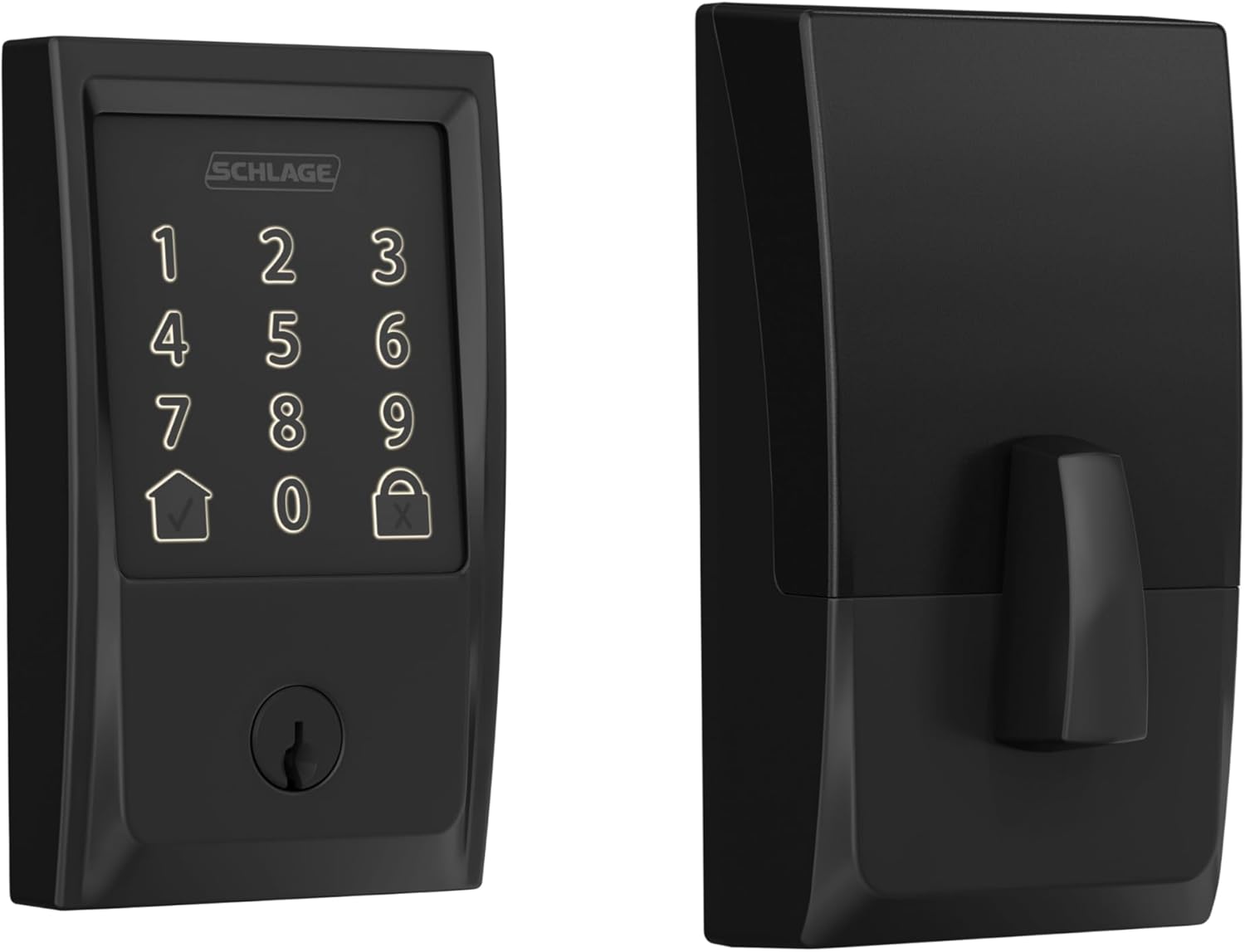
Schlage Encode Smart WiFi Deadbolt Lock with Century Trim
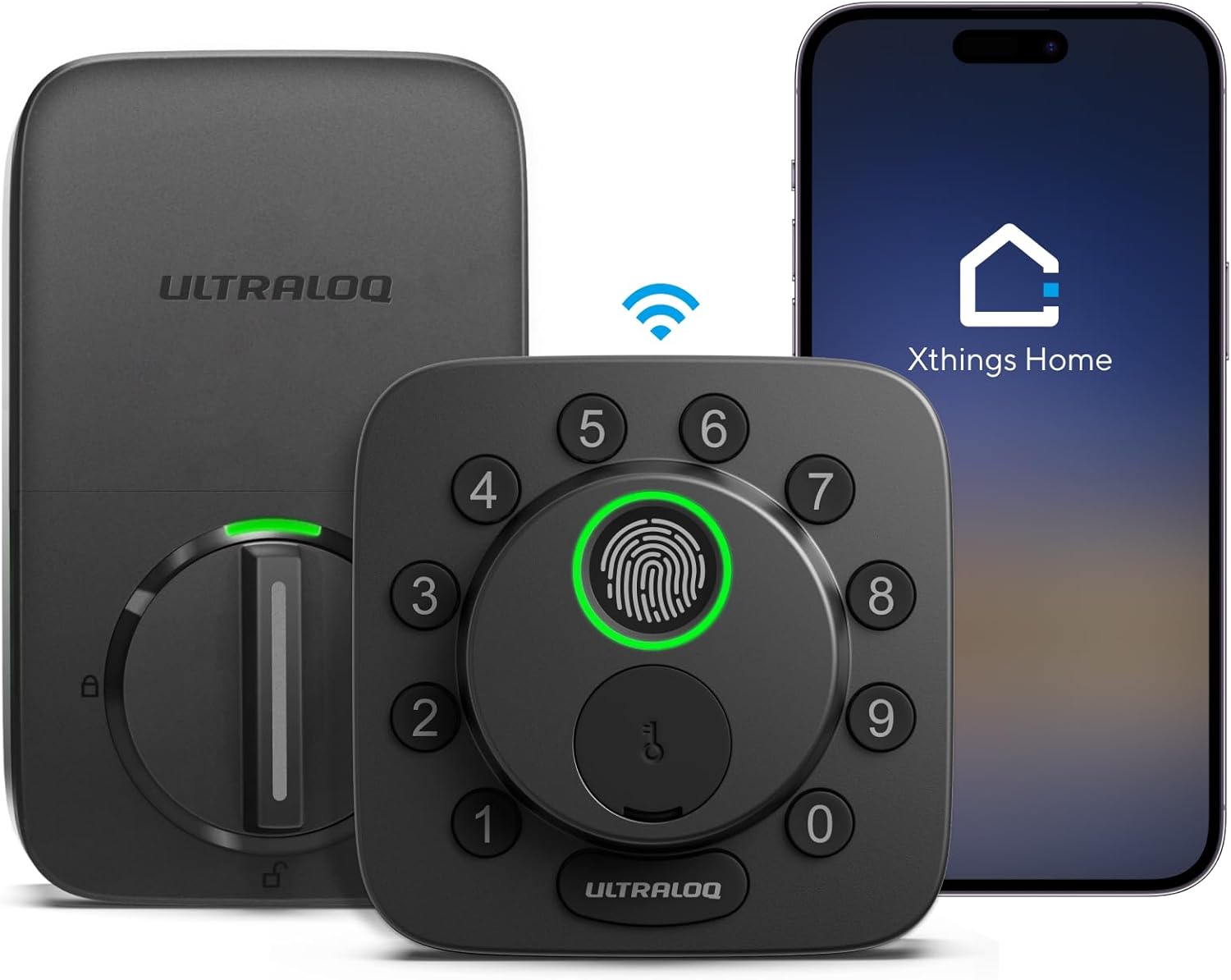
ULTRALOQ Bolt SE Wifi Smart Deadbolt Lock with Matter Support

Philips Wi-Fi Smart Deadbolt Lock With Keyless Entry

ULTRALOQ U-Bolt Pro WiFi Smart Lock with Door Sensor
How These Wi-Fi Deadbolts Differ
The table shows the spec lines where these locks differ most. Values come only from manufacturer listings, and Not stated means the listing does not give that spec. Wider comparisons of best smart locks with wifi cover more models and price ranges.
| Product | Unlock methods | Wi-Fi connection | Power | Grade or certification |
|---|---|---|---|---|
| Wyze Auto-Lock Bolt v2 | Fingerprint, app, code, keys | Built-in Wi-Fi | 8 AA batteries, USB-C backup | Not stated |
| Schlage Encode Wi-Fi | App, touchscreen, voice | Built-in Wi-Fi | Not stated, no hardwiring | BHMA-certified highest residential secur |
| ULTRALOQ Bolt SE | Fingerprint, passcode, app, voice | 2.4 GHz, router within 70 ft | Not stated | Not stated |
| Philips Wi-Fi Deadbolt | Fingerprint, passcode, app, voice, key | 2.4 GHz, router within 65 ft | Batteries not included | Not stated |
| ULTRALOQ U-Bolt Pro | Fingerprint, passcode, app, voice | 2.4 GHz Wi-Fi only | Not stated | ANSI Grade 1 |
Which Wi-Fi Deadbolt Fits Your Door
Your door setup and daily habits point to different models. Use these deciding factors to narrow the list. The range of smart locks for home keeps growing as more models add keypads and app control.
- The unlock method you use most: fingerprint, app, passcode or voice
- Whether you can wire or drill the door
- How close your router sits to the door
- Whether you already run a Matter over Thread hub
Renters Who Cannot Hardwire
The Schlage Encode Wi-Fi fits renters best, since its listing says it installs in minutes with just a screwdriver and no hardwiring. The Wyze Auto-Lock Bolt v2 is the alternative, running on 8 AA batteries for up to 8 months. The trade-off is that the Schlage listing gives door thickness of 1-3/8 in to 1-3/4 in and a backset of 2-3/8 in or 2-3/4 in, so measure your door first.
Fingerprint-First Households
The Wyze Auto-Lock Bolt v2 fits households that unlock mostly by fingerprint, with a listed unlock time of 0.5 seconds. The ULTRALOQ Bolt SE is the alternative, storing up to 50 fingerprints. The trade-off is that the Wyze listing does not state a fingerprint count, and the Bolt SE needs 2.4 GHz Wi-Fi with the router within 70 ft.
Matter Smart Home Owners
The ULTRALOQ Bolt SE fits owners who use Apple Home or another Matter app, since it lists Matter over Thread support. The Schlage Encode Wi-Fi is the alternative, working with Alexa and Google Home. The trade-off is that the Bolt SE requires a compatible Matter over Thread hub (Thread Border Router) for Matter remote access.
How These Locks Were Grouped
This guide compares the listed specs for each lock: unlock methods, Wi-Fi band and router distance, power source, user and code capacity, door fit, and certifications or grades. Models were grouped by how they connect and install, such as built-in Wi-Fi with no hub, Matter over Thread support, and battery or hardwire-free setup, so each buyer can match a lock to a door and home setup.
Recommended Wi-Fi Deadbolts
Three models lead this list, each with a distinct listed strength for a different kind of buyer. Readers interested in keyless home entry may also want to compare wifi door lock options.
0.5-second fingerprint unlock: Wyze Auto-Lock Bolt v2 Smart Lock with AI: The Wyze Auto-Lock Bolt v2 suits buyers who want fingerprint entry, app control and listed battery life of up to 8 months from 8 AA batteries. Its USB-C port accepts a common power bank to unlock the door if the batteries die. Choose the Schlage Encode Wi-Fi if you want a customizable alarm for door movement and forced entry attempts, or the ULTRALOQ U-Bolt Pro if you need a door sensor.
No hardwiring needed: Schlage Encode Smart WiFi Deadbolt Lock with Century: The Schlage Encode Wi-Fi suits renters and anyone who wants a screwdriver-only install, since its listing says no hardwiring is required. It adds up to 100 access codes, lock history and a customizable alarm for door movement and forced entry attempts. Choose the Wyze Auto-Lock Bolt v2 if fingerprint unlock matters more to you, or the ULTRALOQ Bolt SE if you use a Matter over Thread hub.
Matter over Thread support: ULTRALOQ Bolt SE Wifi Smart Deadbolt Lock with: The ULTRALOQ Bolt SE suits smart home owners who run Apple Home or another Matter app and already have a Thread Border Router hub. It lists up to 50 fingerprints, 50 passcodes, two mechanical keys and voice control with Siri, Alexa or Google Assistant. Choose the Schlage Encode Wi-Fi if you don’t have a Thread hub and want Alexa or Google Home control.
Wi-Fi Deadbolt Questions Answered
How Long Do the Batteries Last?
The Wyze Auto-Lock Bolt v2 includes 8 AA batteries, listed for up to 8 months of use, and its USB-C port accepts a common power bank if they run out. The Philips Wi-Fi Deadbolt lists batteries as not included. The Schlage Encode Wi-Fi and ULTRALOQ models do not state battery life in their listings, so check each manual and set a reminder to replace batteries on schedule.
Do These Locks Need a Hub?
Most models here connect through built-in Wi-Fi, so remote lock and unlock needs no separate hub, according to the listings for Wyze, Schlage, Philips and the ULTRALOQ U-Bolt Pro. The ULTRALOQ Bolt SE also offers app control without a hub, but its Matter over Thread remote access requires a compatible Thread Border Router hub. Check that hub before you buy if you plan to use Apple Home. Many buyers also compare other smart lock deadbolt options before choosing a model.
Where Should the Router Sit?
Several listings name a Wi-Fi band and distance. The ULTRALOQ Bolt SE asks for the router within 70 ft, the Philips lock lists 65 ft, and both the Bolt SE and ULTRALOQ U-Bolt Pro support 2.4 GHz Wi-Fi only. Place the router where its signal reaches the door, and confirm your network runs on the 2.4 GHz band before you set up any of these models.
Can I Still Use a Physical Key?
Yes, on several models. The Wyze Auto-Lock Bolt v2 lists physical keys as a backup, the ULTRALOQ Bolt SE and ULTRALOQ U-Bolt Pro each include two keys, and the Philips lock lists a physical key among its unlock options. The Schlage Encode Wi-Fi listing does not mention a key, so check its package contents.
How Many Access Codes Can I Manage?
The Schlage Encode Wi-Fi and Philips Wi-Fi Deadbolt each list up to 100 passcodes or access codes. The ULTRALOQ Bolt SE and ULTRALOQ U-Bolt Pro list up to 50 passcodes, and the U-Bolt Pro also lists up to 100 fingerprints. Review codes in the app, remove those you no longer need, and check the lock history or activity history regularly.





