
If you are replacing a standard deadbolt, the main question is how you want to unlock it and how the lock connects to your home network. Each model below lists different unlock methods, Wi-Fi range limits and code capacities, so the right choice depends on your household. The wider market for Wi-Fi smart locks spans many brands, price points, and unlock methods.
For quick fingerprint access, the Wyze Auto-Lock Bolt is the clearest fit. For shared keypad codes and voice control, the Philips 4200 Keypad and Schlage Encode Wi-Fi are strong options, and the Ultraloq Bolt SE suits buyers planning a Matter smart home.
How These Five Smart Deadbolts Compare
Start with the unlock methods, then check the Wi-Fi range, code and fingerprint capacity, and power source. These details differ more across this list than the app features do.

Wyze Auto-Lock Bolt v2 Smart Lock with AI Learning Scanner

Philips 4200 Series WiFi Keypad Deadbolt with Handle
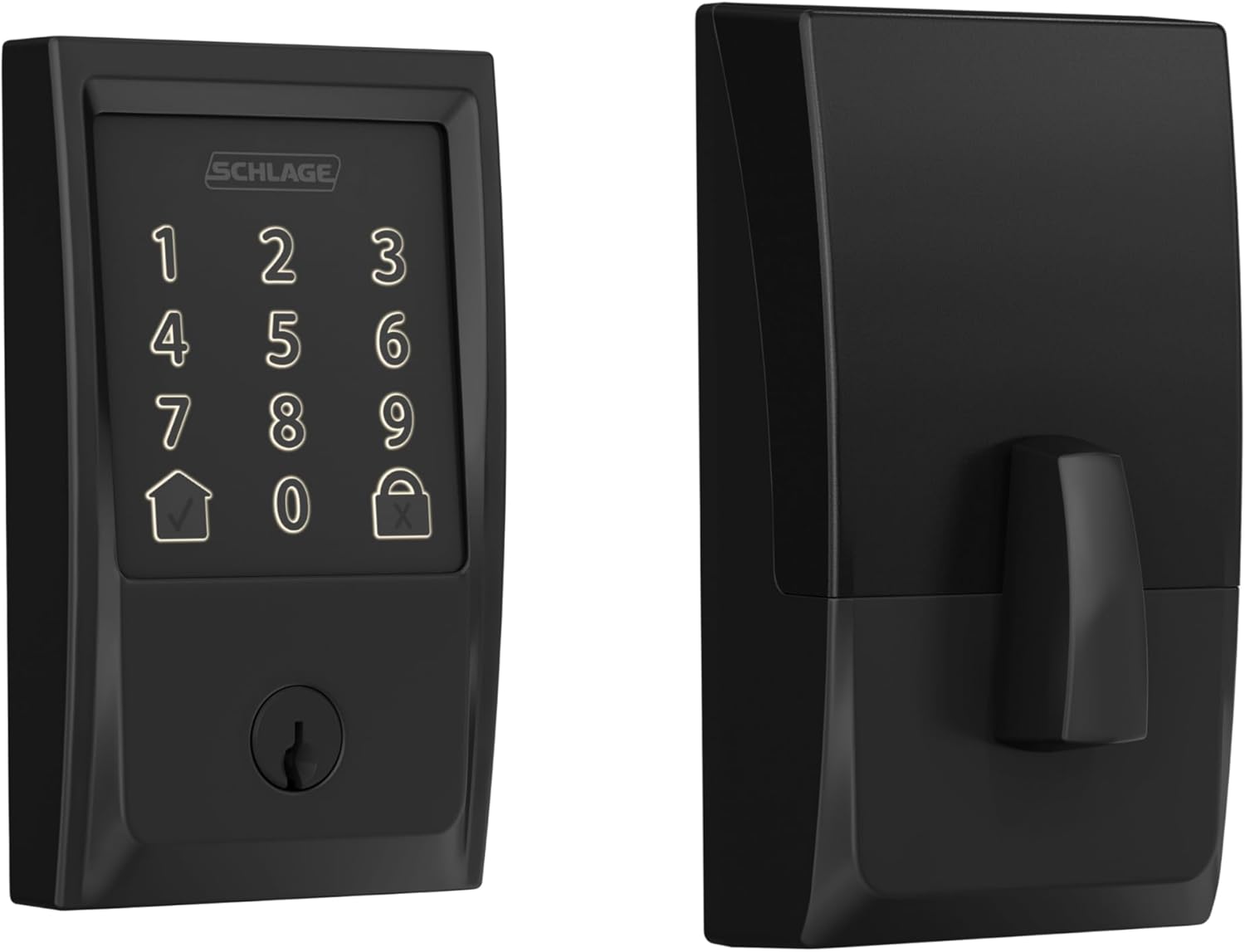
Schlage Encode Smart WiFi Deadbolt Lock with Century Trim
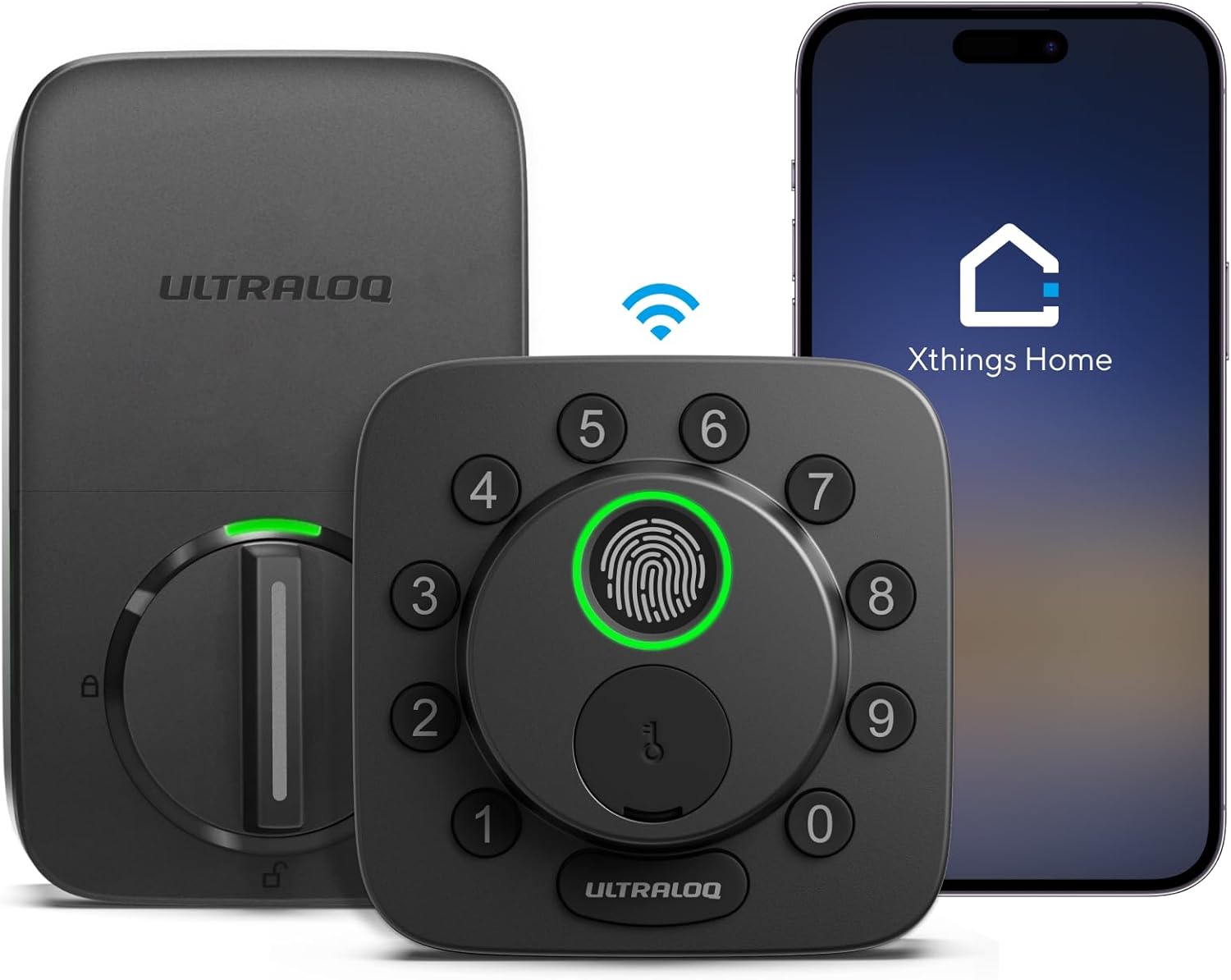
ULTRALOQ Bolt SE Wifi Smart Deadbolt Lock with Matter Support

Philips Wi-Fi Smart Deadbolt Lock With Keyless Entry
Key Differences at a Glance
The table below lists the specs each manufacturer gives for these five locks. Where a spec is not listed, the table says so rather than guessing. Smart lock buyers often compare several models before choosing one, and the best smart locks roundup covers that wider field.
| Product | Unlock Methods | Wi-Fi and Range | Codes and Prints | Power or Install |
|---|---|---|---|---|
| Wyze Auto-Lock Bolt | Fingerprint, app, code, key | Built-in Wi-Fi, range not listed | Capacity not listed | 8 AA batteries, USB-C backup |
| Philips 4200 Keypad | Keypad, fingerprint, app, voice | 2.4 GHz Wi-Fi, 33 ft | Multiple prints, multiple PINs | Batteries not specified |
| Schlage Encode Wi-Fi | Touchscreen, app, voice | Wi-Fi, range not listed | Up to 100 codes | Screwdriver install, no wiring |
| Ultraloq Bolt SE | Fingerprint, passcode, app, Matter | 2.4 GHz Wi-Fi, 70 ft | 50 prints, 50 passcodes | Thread hub for Matter |
| Philips Wi-Fi Deadbolt | Fingerprint, passcode, app, voice, key | 2.4 GHz Wi-Fi, 65 ft | Up to 100 passcodes | Batteries not included |
Which Smart Deadbolt Fits Your Door
Your entry habits, the room you are working in and your power setup all shape the best choice. Use these deciding factors as a checklist before you compare models. Many buyers start by weighing fingerprint door locks against keypad and app models.
- How you prefer to unlock: fingerprint, keypad, app or voice
- Whether your Wi-Fi router is within the listed range of the door
- How many codes or fingerprints you need to manage
- Whether you plan to use a Matter ecosystem
Fingerprint-First Entry at a Busy Front Door
The Wyze Auto-Lock Bolt suits buyers who want fast fingerprint access, with unlocking listed at 0.5 seconds. Its USB-C port can be powered by a common power bank if the batteries run out. The Philips 4200 Keypad is an alternative, listing 0.3 seconds for fingerprint unlocking, but it requires a router within 33 ft (10 m).
Shared Codes for Rentals or Guests
The Philips Wi-Fi Deadbolt suits households that share access, since it lists up to 100 passcodes and one-time or scheduled codes. Its listed Wi-Fi range is 65 ft and it supports only 2.4 GHz networks. The Ultraloq Bolt SE is an alternative with 50 passcodes and a 70 ft range, but it lacks the listed 100-code capacity.
Installs Where Wiring Is Not an Option
The Schlage Encode Wi-Fi suits doors without wiring, since it lists installation with just a screwdriver and no hardwiring. It also lists a built-in alarm for door movement and forced entry attempts. The Philips 4200 Keypad is an alternative that needs no hub, though its 33 ft range is shorter.
Matter-Based Smart Home Setups
The Ultraloq Bolt SE suits buyers building a Matter smart home, as it lists Matter over Thread support. It requires a compatible Thread Border Router hub, which is an extra purchase. The Philips Wi-Fi Deadbolt is an alternative for buyers who want Wi-Fi without a hub, but it does not list Matter support.
How We Grouped These Locks
This guide compares the specs each manufacturer lists, including unlock methods, fingerprint speed, Wi-Fi band and range in feet, code and fingerprint capacity, power source, Matter support, installation requirements and door fit. Where a spec is missing from a listing, we say so. The models are grouped by entry method, network setup and install needs, so buyers can match a lock to their own door.
Our Top Picks Among These Locks
These three picks reflect different strengths in the listed specs. Each one suits a different kind of household, so start with the situation closest to yours. Many households also compare the main types of front door locks before choosing.
Fastest Listed Fingerprint Unlock: Wyze Auto-Lock Bolt v2 Smart Lock with AI: The Wyze Auto-Lock Bolt suits buyers who want fingerprint entry and a USB-C backup for when batteries run low. It lists 8 AA batteries for up to 8 months of use. Buyers who need a listed 100-code capacity or a Matter setup should choose a different model.
Keypad and Voice Control: Philips 4200 Series WiFi Keypad Deadbolt with Handle: The Philips 4200 Keypad suits households that want keypad access, voice commands with Alexa or Google Assistant, and a Wi-Fi connection without a hub. Its listed range is 33 ft (10 m) from the router, so it suits homes with the router close to the door. Buyers with a longer distance should consider the Philips Wi-Fi Deadbolt or the Ultraloq Bolt SE.
Built-In Door Alarm: Schlage Encode Smart WiFi Deadbolt Lock with Century: The Schlage Encode Wi-Fi suits buyers who want a built-in, customizable alarm for door movement and forced entry attempts. It lists up to 100 access codes and installation with just a screwdriver. Buyers who need a Matter setup or fingerprint unlocking should choose the Ultraloq Bolt SE or the Wyze Auto-Lock Bolt instead.
Smart Deadbolt Questions Buyers Ask
Do I need a hub for these smart deadbolts?
Most of the Wi-Fi models here connect directly to a 2.4 GHz home network without a separate hub, including the Philips 4200 Keypad and the Philips Wi-Fi Deadbolt. The Ultraloq Bolt SE needs a compatible Thread Border Router hub only for its Matter over Thread features. Check the listed router range before you buy, since each model lists a different maximum distance.
How is each lock powered?
The Wyze Auto-Lock Bolt includes 8 AA batteries for up to 8 months of use, and its USB-C port lets you power it with a common power bank if the batteries die. The Philips Wi-Fi Deadbolt lists batteries as not included. Other listings do not specify the power source, so read the product page before installing.
Where should I place the lock for the best Wi-Fi connection?
Keep the lock within the listed distance of your Wi-Fi router. The Philips 4200 Keypad lists 33 ft (10 m), the Philips Wi-Fi Deadbolt lists 65 ft and the Ultraloq Bolt SE lists 70 ft. The manufacturers also suggest minimizing obstacles such as walls and metal objects between the router and the lock.
How often should I update my lock codes and check its activity?
Review your access codes whenever someone no longer needs entry, such as a guest or service provider. Many of these locks list app features for managing codes, fingerprints and activity history, so you can check access records from your phone. Test the lock and its app features after each change to confirm they work as expected. Comparing several keypad door lock models side by side can help you narrow down passcode and connectivity options.





