
When you rent out a home, you need a way for guests and cleaners to get in without handing over spare keys, and you need to know who came in and when. The right Best Smart Lock For Vacation Rental depends on whether you want app control, a Wi-Fi connection or a simple keypad. Owners who manage short-term rentals often compare different smart locks for home use before they buy.
Choose the Yale Digital Keypad if you want no app and no Wi-Fi at all. Choose a Wi-Fi model such as the Philips 4200 Series or ULTRALOQ U-Bolt if you want remote codes and access history. Choose the Wyze Auto-Lock Bolt if fingerprint entry matters most to you.
How These Locks Were Grouped
The five locks below are grouped by the specs their manufacturers publish, including unlock methods, connectivity, battery handling and door-state alerts. Read each card for the feature that matters most to your rental.

Wyze Auto-Lock Bolt v2 Smart Lock with AI Learning Scanner

Philips 4200 Series WiFi Keypad Deadbolt with Handle

Yale Digital Keypad Deadbolt Keyless Entry Door Lock
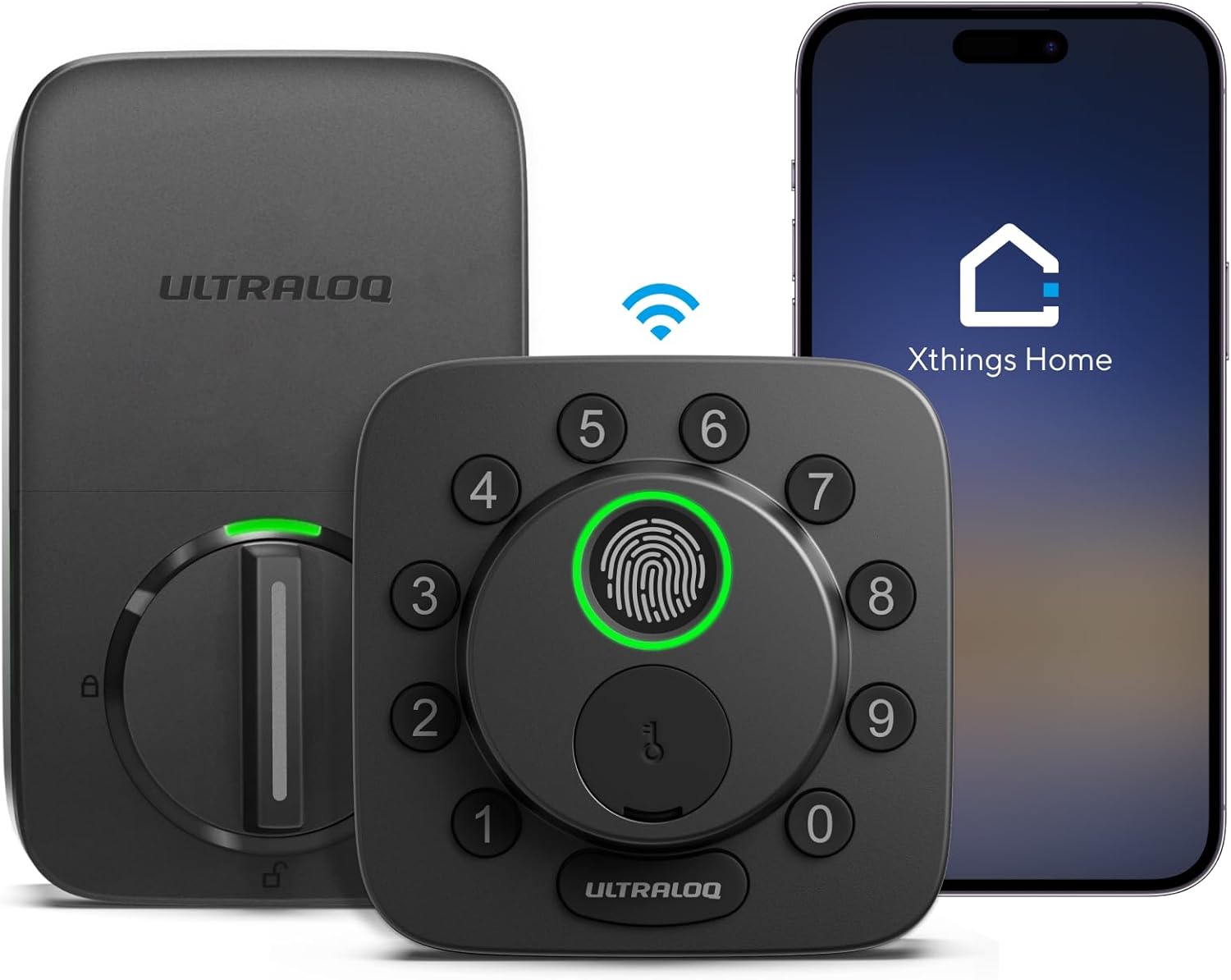
ULTRALOQ Bolt SE Wifi Smart Deadbolt Lock with Matter Support

ULTRALOQ U-Bolt WiFi Smart Lock with Door Sensor
Side-by-Side Spec Comparison
This table shows where each lock differs most for a rental setup. Values come only from the manufacturer listings, so a blank-looking entry means the listing does not state that feature. Smart lock models across different price ranges are covered in a separate guide to the best smart locks.
| Product | Unlock options | Connectivity | Battery handling | Door-state alerts |
|---|---|---|---|---|
| Wyze Auto-Lock Bolt | Fingerprint, app, code, keys | Built-in Wi-Fi | 8 AA, USB-C power bank | Not listed in specs |
| Philips 4200 Series | Keypad, fingerprint, app | 2.4 GHz Wi-Fi, no hub | Not listed in specs | Access history in app |
| Yale Digital Keypad | Keypad codes, backup key | No app, no Wi-Fi | Low-battery alerts | Not listed in specs |
| ULTRALOQ Bolt SE | Fingerprint, passcode, app, eKey | 2.4 GHz Wi-Fi, Matter option | Not listed in specs | Not listed in specs |
| ULTRALOQ U-Bolt | Passcode, app, auto unlock, keys | 2.4 GHz Wi-Fi only | Batteries included | Door sensor alerts |
Which Lock Fits Your Rental
Start with how guests enter and how far the lock sits from your router. These factors separate the five models most clearly.
- Need for app control and remote codes
- Distance from the Wi-Fi router
- Fingerprint versus keypad entry
- Interest in door-open alerts
Rentals With No Wi-Fi Plans
The Yale Digital Keypad suits owners who want code entry without an app or Wi-Fi. Its listing says you create up to 20 codes on the lock itself. The trade-off is that you cannot check lock status or history remotely, which the Wi-Fi models support.
Units Near the Router
The ULTRALOQ U-Bolt suits a door within 70 ft (21 m) of your router, a distance its listing states. The Philips 4200 Series is listed for up to 33 ft (10 m), so it fits closer placements. The U-Bolt needs 2.4 GHz Wi-Fi only.
Homes Running a Matter Hub
The ULTRALOQ Bolt SE suits owners who already run a Matter over Thread hub, since its listing names Apple Home and other Matter apps. A Thread Border Router is required. Without one, the Wi-Fi and app features still apply, but the Matter route does not.
Guest Entry by Fingerprint
The Wyze Auto-Lock Bolt suits rentals where cleaners or family prefer a fingerprint, with keys kept as backup. Its listing gives a 0.5-second unlock and 8 AA batteries for up to 8 months. The Wyze listing does not state a router distance, so check your Wi-Fi coverage first.
How We Compared These Locks
We compared the manufacturer specs listed for each lock, including unlock methods, Wi-Fi requirements, router distance limits, battery details, door sensor features and the BHMA grade listed for the Yale model. Locks were grouped by how a rental is set up, such as no Wi-Fi, a nearby router or a Matter hub, so you can match the listing details to your own property.
Our Top Picks for Rentals
These picks are listed in order, and each one stands out on a different spec. Match the lock to how your guests get in and how your home connects to the internet. Beyond these examples, the category of smart lock deadbolts covers a wide range of designs.
Fingerprint and USB-C backup: Wyze Auto-Lock Bolt v2 Smart Lock with AI: The Wyze Auto-Lock Bolt suits hosts who want fast fingerprint entry, with a USB-C port listed for powering the lock from a power bank if its batteries run out. Choose another model if you need a keypad-only lock or a listed router distance.
Four PIN types: Philips 4200 Series WiFi Keypad Deadbolt with Handle: The Philips 4200 Series suits hosts who want permanent, one-time, periodic and recurring PIN codes managed through the app. Its listing names a 33 ft (10 m) router limit, so choose a different lock if your door sits farther away.
No app, Grade 3: Yale Digital Keypad Deadbolt Keyless Entry Door Lock: The Yale Digital Keypad suits owners who want no app, no Wi-Fi and a backlit keypad, with a BHMA Grade 3 rating named in its listing. Choose a Wi-Fi model if you need remote access or access history.
Smart Lock Questions for Rental Hosts
Do These Locks Need a Hub?
Most of the Wi-Fi models listed here connect directly to your home 2.4 GHz network without a hub. The ULTRALOQ Bolt SE is the exception for its Matter over Thread features, which require a compatible Thread Border Router. The Yale Digital Keypad needs no app, Wi-Fi or hub at all.
How Long Do the Batteries Last?
The Wyze Auto-Lock Bolt lists up to 8 months from its 8 AA batteries. The Yale Digital Keypad sends low-power alerts when its batteries run low. Other listings do not state a battery life, so check each manufacturer’s details before you buy.
How Far Can the Lock Sit From My Router?
The Philips 4200 Series lists a limit of 33 ft (10 m) from your Wi-Fi router, with fewer walls and metal objects in between giving a stronger connection. The ULTRALOQ Bolt SE and U-Bolt both list 70 ft (21 m). The Wyze and Yale listings do not give a router distance.
Can I Check Who Used the Lock?
The Philips 4200 Series lists access history in its app, and the ULTRALOQ models list activity or entry logs. The Yale Digital Keypad has no app, so it does not offer remote history. Check each listing for the exact logging features before you choose.





