
If you are looking for a Best Wifi Smart Lock, the real question is how you want to unlock your door and whether your Wi-Fi network can reach the lock. Some models connect straight to your router, while others need a separate Matter over Thread hub. Comparing the best smart lock models by feature set can help narrow the field.
Choose a Philips or Schlage model if you want a direct Wi-Fi connection with a phone app and voice assistant support. Choose the Ultraloq model if you already run a Matter ecosystem, or the Code set if you want two handles and a backlit keypad.
How These Wi-Fi Smart Locks Were Grouped
The five products below are grouped by the specs their manufacturers list: Wi-Fi band, hub requirements, unlock methods, user code limits and installation details. Compare these first, because they determine whether a lock fits your router and your door.

Philips Upgraded Wi-Fi Smart Lock with Handle

Philips 4200 Series WiFi Keypad Deadbolt with Handle
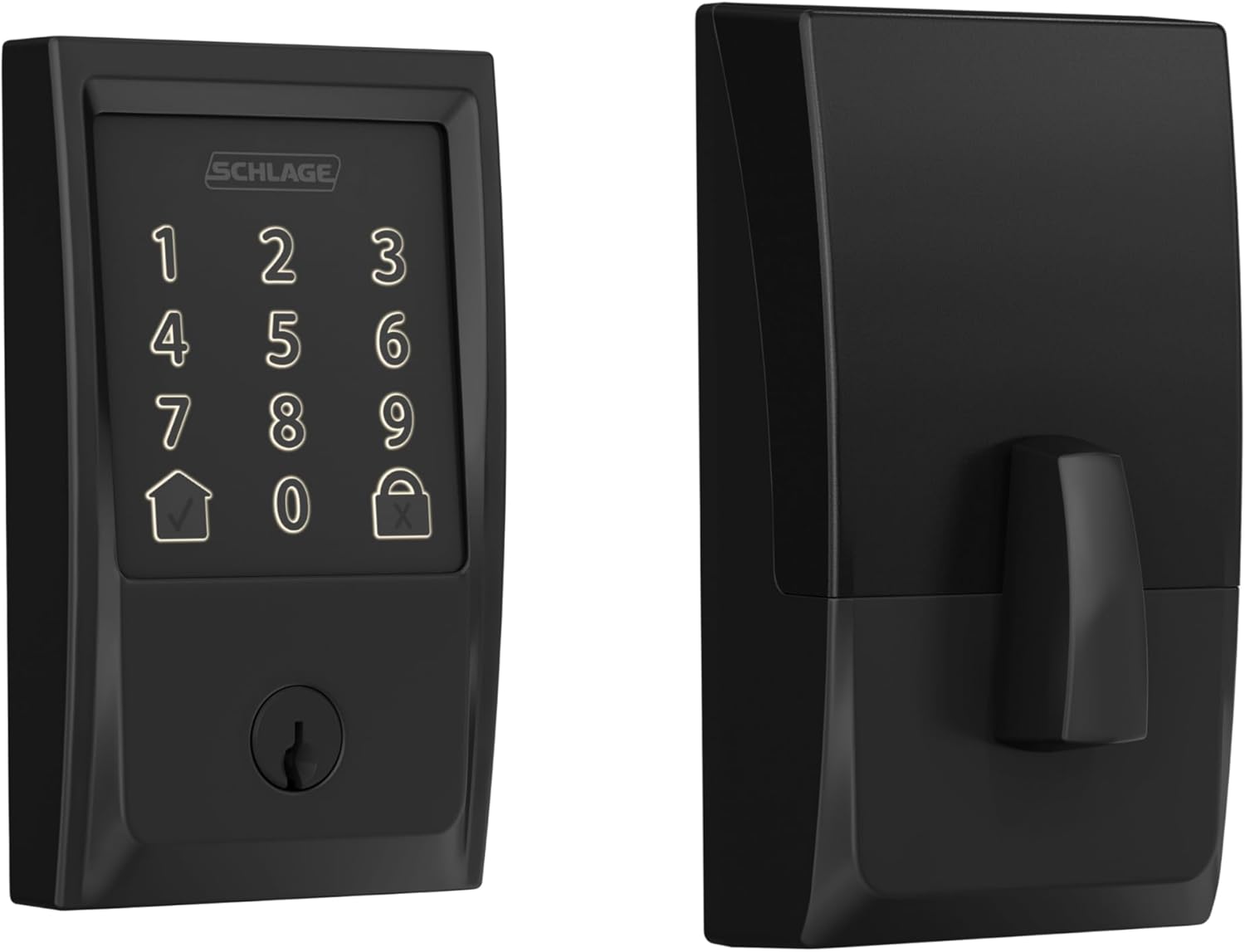
Schlage Encode Smart WiFi Deadbolt Lock with Century Trim
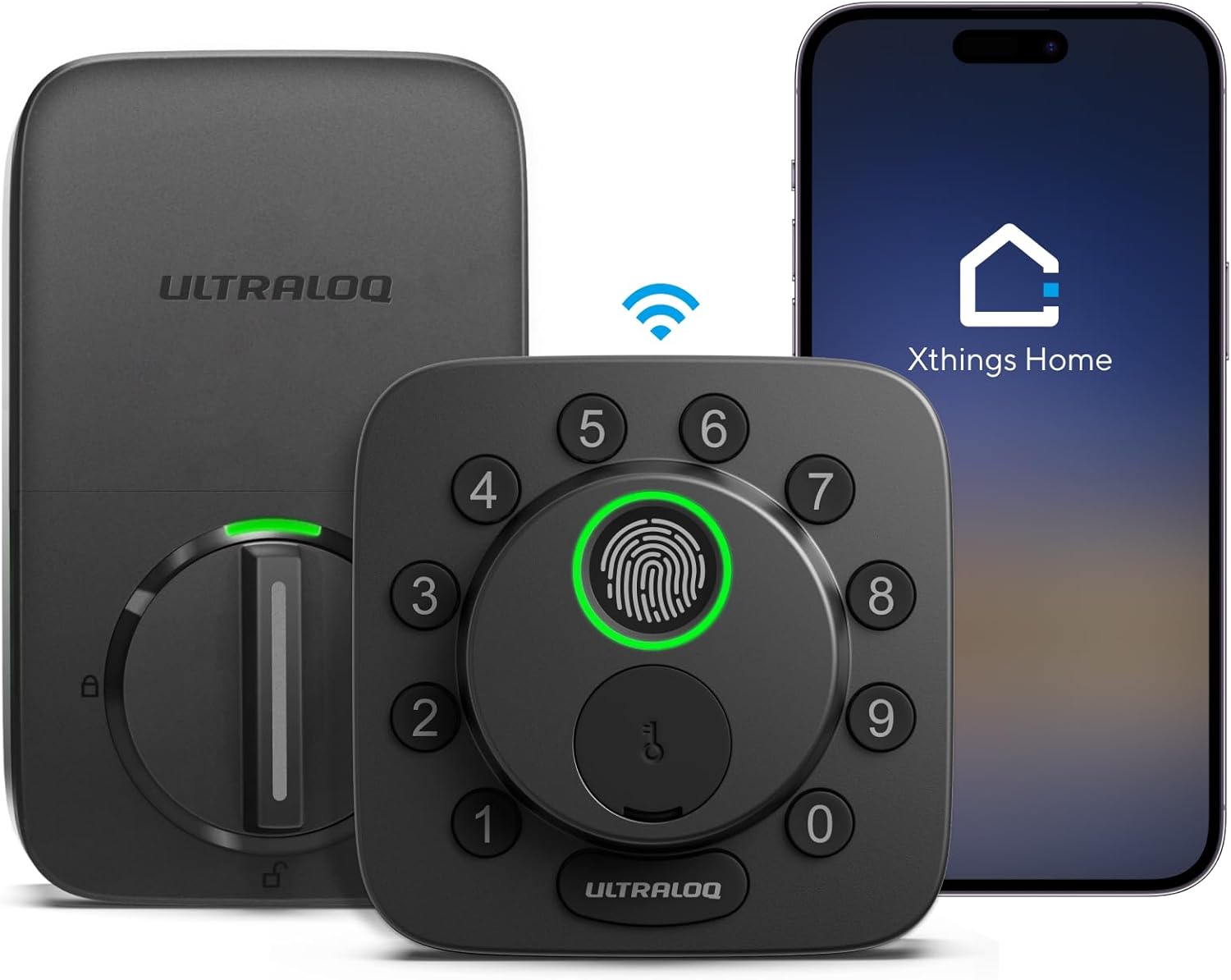
ULTRALOQ Bolt SE Wifi Smart Deadbolt Lock with Matter Support

Philips Wi-Fi Front Lock Set with 2 Handles
Side-by-Side Specs for Each Wi-Fi Lock
This table lists each product’s connection type, unlock methods, voice support and one standout listed spec. Use it to see where the locks overlap and where they differ. The wider category of smart lever lock models is covered in detail elsewhere.
| Product | Connection | Unlock Methods | Voice Control | Standout Listed Spec |
|---|---|---|---|---|
| Philips Smart Lever Lock | Wi-Fi with app control | Fingerprint and keypad | Not listed in specs | Auto-Lock |
| Philips 4200 Series | 2.4 GHz Wi-Fi, no hub | Fingerprint in 0.3 seconds, PIN | Alexa or Google Assistant | Router range up to 33 ft |
| Schlage Encode | Wi-Fi with Schlage Home app | Touchscreen codes, no fingerprint | Alexa or Google Home | Door movement and forced-entry alarm |
| Ultraloq Bolt SE | 2.4 GHz Wi-Fi or Matter over Thread | Fingerprint, passcodes and eKeys | Siri, Alexa or Google Assistant | Two mechanical keys |
| Code Front Lock Set | Built-in Wi-Fi with app | Code, fingerprint and app | Alexa or Google voice unlock | Backlit touchscreen, two handles |
Our Top Picks for Wi-Fi Smart Locks
These three picks cover different needs: fingerprint and app control, a direct connection without a hub, and a high code count with an alarm. Each is ordered by how well its listed specs match a common setup. Readers who want a wider view of this category can compare the fingerprint door lock rankings published separately.
Fingerprint and Auto-Lock: Philips Upgraded Wi-Fi Smart Lock with Handle: The Philips Smart Lever Lock suits buyers who want fingerprint unlock, a keypad and Auto-Lock in a lever-style door lock for a bedroom, office or front door. Its listing does not mention voice control, so choose another product if voice commands matter most. Choose the Philips 4200 Series if you need a router range figure.
No Hub Needed: Philips 4200 Series WiFi Keypad Deadbolt with Handle: The Philips 4200 Series suits homes without a hub that want a direct 2.4 GHz Wi-Fi connection, voice commands and four passcode types. Keep the lock within 33 ft (10 m) of the router. Choose the Ultraloq Bolt SE if you need Matter support or a longer listed router distance of 70 ft.
Alarm and 100 Codes: Schlage Encode Smart WiFi Deadbolt Lock with Century: The Schlage Encode suits households that manage many access codes and want a customizable alarm for door movement and forced entry attempts. Its listing shows up to 100 codes and a Snap ‘n Stay design for standard doors from 1-3/8 in to 1-3/4 in thick. Choose the Philips Smart Lever Lock or Ultraloq Bolt SE if you want fingerprint unlock instead of a touchscreen.
Frequently Asked Questions About Wi-Fi Smart Locks
Do I need a hub for a Wi-Fi smart lock?
Not always. The Philips 4200 Series connects directly to your home 2.4 GHz Wi-Fi network with no hub or bridge. The Ultraloq Bolt SE also works over Wi-Fi without a hub, but its Matter over Thread features require a compatible Thread Border Router hub. Check each listing before you buy so you know which setup you need.
How far can the lock be from my router?
The Philips 4200 Series lists a range of 33 ft (10 m) from the router, and the listing advises removing walls, metal objects and interference sources for a stronger connection. The Ultraloq Bolt SE asks you to keep the router within 70 ft of the lock. Measure your door’s distance to the router before you choose a model.
Which locks accept fingerprint unlock?
The Philips Smart Lever Lock, Philips 4200 Series, Ultraloq Bolt SE and Code Front Lock Set all list fingerprint unlock. The Schlage Encode uses a fingerprint-resistant touchscreen rather than a fingerprint reader. The Ultraloq Bolt SE lists up to 50 fingerprints, and the Philips 4200 Series lists an unlock time of 0.3 seconds.
Can a smart lock replace a monitored alarm system?
No. A smart lock lets you lock, unlock and review access through an app, and some models add alerts or alarms. It does not replace professional monitoring or emergency services. If you rely on alarms in your home, keep your required smoke and CO alarms in place and test them monthly, as the NFPA recommends.
Which lock works best for a thicker door?
The Schlage Encode lists support for door thickness from 1-3/8 in to 1-3/4 in, with a backset of 2-3/8 in or 2-3/4 in. Measure your door and the backset before buying any model, since the listed specs for the other products do not include these dimensions. Owners replacing an existing deadbolt may also want to compare each retrofit smart lock design against these measurements.
Which Wi-Fi Smart Lock Fits Your Door
Your door, your router and your household size shape the right choice more than any single feature. The factors below are where these products differ most.
- Whether you can add a hub or need a direct Wi-Fi connection
- How far the lock sits from your router
- How many access codes or fingerprints you need to manage
- Whether the lock must fit a thick or unusually sized door
Renters and Homes Without a Hub
The Philips 4200 Series fits best, because it connects directly to your home Wi-Fi with no extra hub or bridge. Its listed range is 33 ft (10 m) from the router. If you want Matter support instead, the Ultraloq Bolt SE is the alternative, but it requires a compatible Matter over Thread hub for that feature.
Households Managing Many Guest Codes
The Schlage Encode suits homes that share access often, since its listing states up to 100 access codes and lock history. Its listing also includes a customizable alarm for door movement and forced entry attempts. The trade-off is that the listing shows a touchscreen rather than fingerprint unlock.
Fingerprint Users Who Want Matter Support
The Ultraloq Bolt SE suits people who want fingerprint and passcode unlock alongside Matter over Thread compatibility. It lists up to 50 fingerprints and up to 50 passcodes. The trade-off is that Matter needs a separate Thread Border Router hub, while its 2.4 GHz Wi-Fi mode works without one.
Doors With Standard Thickness and a Keypad Preference
The Philips Smart Lever Lock suits a bedroom, office or front door where you want fingerprint unlock, a keypad and app control in a lever style. Its listing does not state voice control or a router range, so check those details if they matter to you. Keypad models across the market differ widely in passcode limits and water resistance, and a separate best keypad door locks roundup compares them side by side.
How We Compared These Locks
This comparison uses only the specs each manufacturer lists. We compared Wi-Fi band, router range, hub requirements, unlock methods, user code limits, voice assistant support, alarm features, door thickness and backset, and the BHMA rating named in the Schlage listing. Products were grouped by connection type and household needs, so each reader can match the listed specs to a door.





