
When you look for Best Home Key Smart Lock, the first question is how the lock connects to your phone and how many people need their own way in. Some models use Wi-Fi with no hub, one uses Matter over Thread and needs a separate hub, and one works with Apple Home Keys for iPhone and Apple Watch households.
Renters and anyone without a hub will find the simplest setup in the Wi-Fi models. Households that want the widest passcode allowance or Matter integration should compare the specs below before choosing.
How These Smart Locks Were Grouped
The lock cards below are grouped by the specs each manufacturer lists. Compare connection type, fingerprint and passcode capacity, and any hub or range requirement before you decide, because those details change what daily use looks like.

Philips Wi-Fi Front Lock Set with 2 Handles

Philips 4200 Series WiFi Keypad Deadbolt with Handle
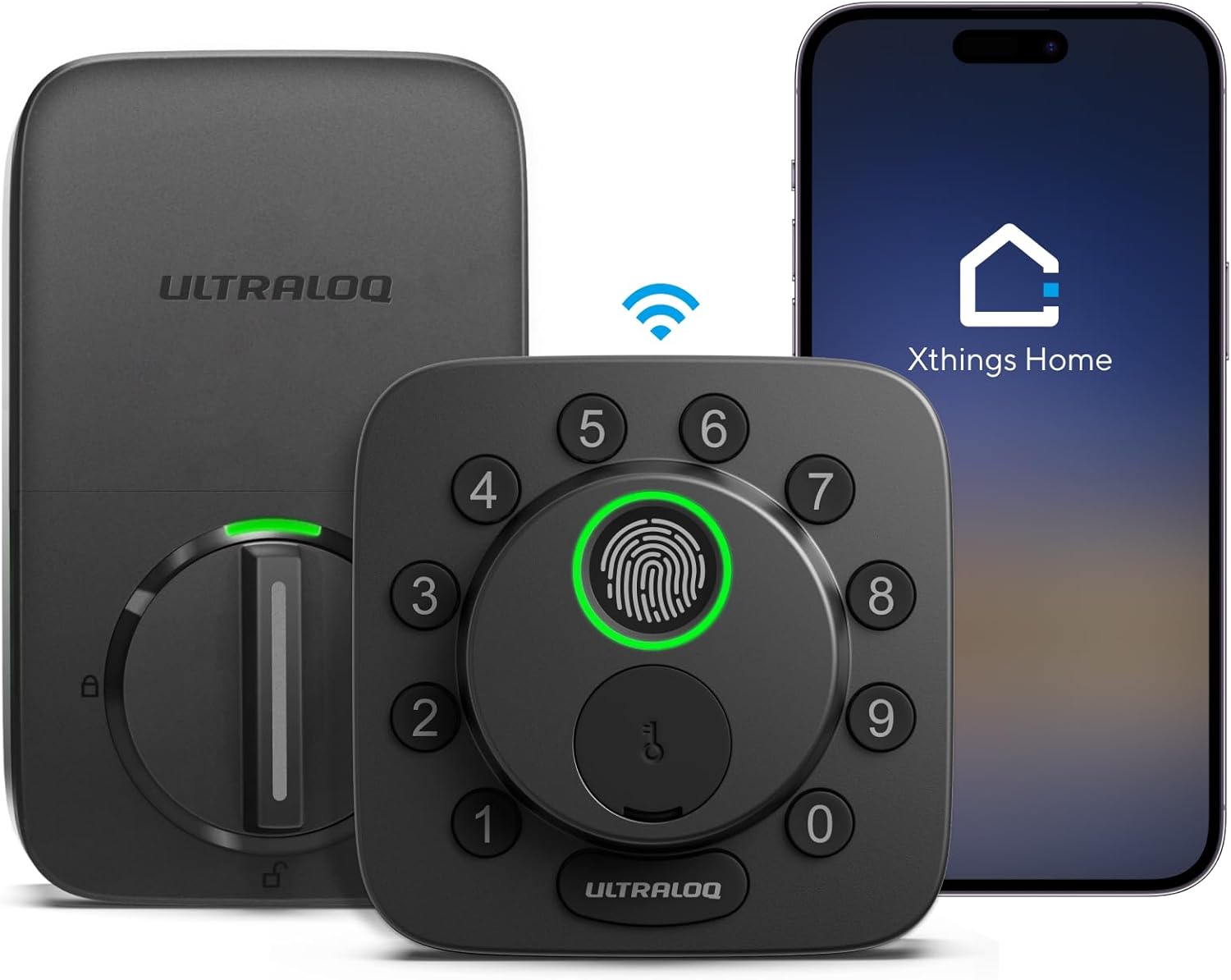
ULTRALOQ Bolt SE Wifi Smart Deadbolt Lock with Matter Support

SifelySmartLocks Fingerprint Smart Door Lock with Handle & Keypad

Aqara U100 Smart Lock with Apple Home Key
Side-by-Side Spec Comparison
This table lists the connection, fingerprint, passcode and extra features as each manufacturer describes them. Where a spec is not listed, the table says so rather than estimating. Many homeowners running Home Assistant also want locks that fit their setup, so the market for Home Assistant smart lock options keeps expanding.
| Product | Connection | Fingerprint Capacity | Passcode Access | Extra Feature |
|---|---|---|---|---|
| Philips Wi-Fi Front Lock Set | Wi-Fi with Philips app | Listed, count not stated | Up to 100 user codes | Auto-lock in 30 to 180 s |
| Philips 4200 Series Keypad | 2.4 GHz Wi-Fi, no hub | Multiple, 0.3 s unlock | Permanent, one-time, recurring | Voice control with Alexa |
| ULTRALOQ Bolt SE | 2.4 GHz Wi-Fi, Matter over Thread | Up to 50 fingerprints | Up to 50 passcodes | Two mechanical keys |
| Sifely Fingerprint Lock | Bluetooth app, optional Wi-Fi gateway | Listed, count not stated | Guest codes via app or web | Reversible handle, no extra drilling |
| Aqara U100 Smart Lock | Apple Home Key, Zigbee 3.0 hub | Up to 50 fingerprints | One-time local passwords | 4 AA batteries, up to 8 months |
Which Lock Fits Your Door
Start with the setup you can support, then match capacity and features. These factors separate the locks most clearly.
- Whether you can add a hub
- How many fingerprints and passcodes you need
- Your phone ecosystem, such as Apple Home, Matter or Alexa
- Whether the door needs new handles or a DIY install
Renters and Homes Without a Hub
The Philips 4200 Series Keypad Deadbolt suits a home that wants remote control without adding a bridge, since it connects directly to 2.4 GHz Wi-Fi. Keep it within 33 ft (10 m) of the router. The Sifely Fingerprint Lock is an alternative if you want Bluetooth control first, though its remote access depends on an optional Wi-Fi gateway. Short-term hosts face a similar need for keyless access, and this comparison of smart locks for vacation rentals covers that case.
Matter and Thread Smart Homes
The ULTRALOQ Bolt SE fits homes already running a Matter over Thread hub, with support for up to 50 fingerprints and 50 passcodes. Its Wi-Fi range is 70 ft, and it requires a Thread Border Router. The Philips Wi-Fi Front Lock Set is a simpler choice if you do not want to manage a Thread hub, but it does not list Matter support.
Apple Home Households
The Aqara U100 Smart Lock with Apple Home Key suits iPhone and Apple Watch users who want to tap to unlock. Sharing Home Keys requires an Apple Home Hub, and remote passwords require an Aqara Zigbee 3.0 hub. The Aqara U100 is powered by 4 AA batteries, so battery changes are part of upkeep.
Doors Needing Quick DIY Installation
The Sifely Fingerprint Lock suits a standard door that needs a fast, drill-free install, because its handle is reversible for left and right doors. The Philips Wi-Fi Front Lock Set is an alternative if you want a full handle set, though it lists no install time, so check fit against your door first.
How We Compared These Locks
We compared the connection type, hub and range requirements, fingerprint and passcode capacity, unlock features, power source, and listed certifications for each lock, using only the manufacturer specifications. Locks were grouped by the buyer situations they fit: Wi-Fi without a hub, Matter over Thread, Apple Home Key, and quick DIY installation.
Our Picks in Order
The picks below are listed in order, and each card names the spec that stands out within this list. Read the reason to see who each lock suits and which buyers should choose another model. Many households also want a door lock that works with Apple’s home platform, which is why smart locks for Apple HomeKit remain a popular topic.
Most user codes: Philips Wi-Fi Front Lock Set with 2 Handles: The Philips Wi-Fi Front Lock Set lists up to 100 user codes, the highest passcode allowance in this list. It suits households that share access with many guests, deliveries or caregivers. Buyers who want a hub-free fingerprint focus should consider another model, because this set does not list a fingerprint count.
0.3 s fingerprint unlock: Philips 4200 Series WiFi Keypad Deadbolt with Handle: The Philips 4200 Series Keypad Deadbolt unlocks in 0.3 seconds with its fingerprint reader, and it connects to 2.4 GHz Wi-Fi with no hub. It suits renters and homes without a bridge. Buyers whose router is more than 33 ft (10 m) away should choose another model, since the maker asks for that distance.
Matter over Thread: ULTRALOQ Bolt SE Wifi Smart Deadbolt Lock with: The ULTRALOQ Bolt SE is the only lock in this list that lists Matter over Thread support. It fits Matter-based smart homes with a Thread Border Router and supports up to 50 fingerprints and 50 passcodes. Buyers without a Thread hub will need the hub before this lock offers that remote control, so a Wi-Fi-only model may suit them better.
Smart Lock Questions Answered
Do I need a hub for remote control?
It depends on the model. The Philips 4200 Series Keypad Deadbolt connects directly to 2.4 GHz Wi-Fi with no hub. The ULTRALOQ Bolt SE needs a Thread Border Router for Matter over Thread. The Aqara U100 needs an Aqara Zigbee 3.0 hub for remote passwords. Check each listing before you buy, since the specs state these requirements separately. A broader roundup covers the best smart locks for front doors across Wi-Fi and fingerprint models.
How far can a smart lock sit from my Wi-Fi router?
Range depends on the lock. The Philips 4200 Series Keypad Deadbolt asks you to keep it within 33 ft (10 m) of the router, and the ULTRALOQ Bolt SE recommends 70 ft. Walls, metal objects and interference reduce signal strength, so place the router where the signal reaches the door cleanly.
How long do the batteries last?
The Aqara U100 is powered by 4 AA 1.5V batteries, included with the lock, and its manufacturer lists battery life of up to 8 months. It also has a USB-C port for emergency charging. The other locks in this list do not state battery life in their specs, so check each product page before planning battery changes.
Can I see who unlocked the door?
Several locks list access history in their specs. The Philips Wi-Fi Front Lock Set lists access history in its app, and the ULTRALOQ Bolt SE lists activity history. The Sifely Fingerprint Lock lists remote access logs. Review each app’s permission settings so you know who can view the records and manage user codes.
Can I give guests their own access codes?
Most of the locks here support guest codes, though the details differ. The Philips 4200 Series Keypad Deadbolt supports one-time, periodic and recurring PIN codes. The Sifely Fingerprint Lock lets you create guest codes through its app or web portal. Check how many codes each model stores before you set up a rental or shared home.





