
If you are looking for a Best Smart Lock For Apple Homekit, the main question is how you want to unlock your door. Some locks offer tap-to-unlock with an iPhone or Apple Watch, while others focus on fingerprints, keypads or Wi-Fi control. Many households also compare smart locks for home use before choosing one.
The ThorBolt X1 suits buyers who want Home Key tap-to-unlock with a listed battery life of up to 1 year. The Aqara U400 suits those who want hands-free UWB unlocking, and the ULTRALOQ Bolt SE suits buyers who want Wi-Fi control and Matter support.
Five Apple-Compatible Smart Locks Compared
Each card below lists the features that matter most for Apple Home setups. Look at Home Key support, the hub or device each lock needs, fingerprint capacity and the battery type and life listed in the specs.

ThorBolt X1 Keyless Entry Fingerprint Door Lock with Apple Home Key
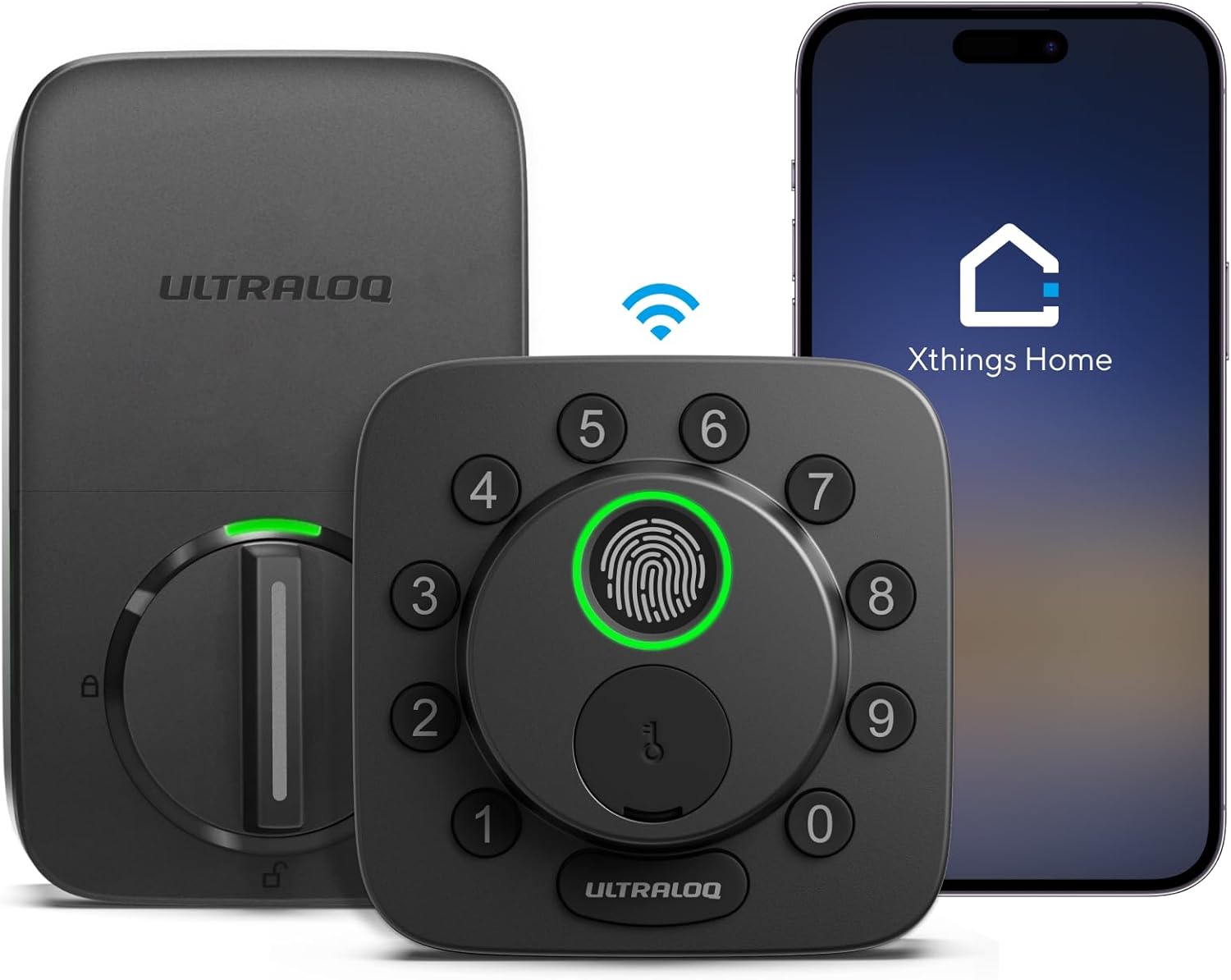
ULTRALOQ Bolt SE Wifi Smart Deadbolt Lock with Matter Support

Aqara U100 Smart Lock with Apple Home Key

Aqara U400 Smart Lock with UWB Hands-Free Unlocking

Aqara Smart Lock U50 with Apple Home Key
How the Five Locks Differ on Key Specs
The table shows where these locks differ most in their manufacturer specs. Where a spec is not listed for a model, the table says so instead of guessing. Fingerprint and app-based models make up a wide range of today’s options, covered in a separate roundup of the best wifi smart locks.
| Product | Apple Home Key | Fingerprint capacity | Battery life | Weather protection |
|---|---|---|---|---|
| ThorBolt X1 | Yes, NFC tap-to-unlock | Up to 100 fingerprints | Up to 1 year | Not listed in specs |
| ULTRALOQ Bolt SE | Not listed in specs | Up to 50 fingerprints | Not listed in specs | Not listed in specs |
| Aqara U100 | Yes, needs Apple Home Hub | Up to 50 fingerprints | Up to 8 months | IP65 |
| Aqara U400 | Yes, needs HomePod or Apple TV | Fingerprint reader included | Up to 6 months per charge | IP65 |
| Aqara U50 | Yes, tap-to-unlock | No fingerprint reader listed | Up to 6 months | IPX5 |
Which Apple Home Lock Fits Your Setup
Start with the hub and unlocking habits you already have. The factors below separate these locks most clearly. Buyers who want a wider range can also compare the best retrofit smart locks available.
- Home Key support and the Apple device it needs
- Fingerprint capacity and whether you want biometric entry
- Battery type and listed battery life
- Door thickness and installation method
Apartment or Rental With a Standard Deadbolt
The ThorBolt X1 fits most standard USA and Canada deadbolts from 1-3/8 inches to 1-3/4 inches thick, and it runs on 8 AA alkaline batteries. Its alternative, the Aqara U50, uses 4 AA batteries and needs no fingerprint reader, though its listed battery life is up to 6 months.
Hands-Free Entry for a Front Door
The Aqara U400 suits buyers who arrive with full hands, since UWB detects approach and unlocks automatically when the requirements are met. It needs a Thread-enabled Apple Home hub, and its rechargeable battery lasts up to 6 months per charge. The ThorBolt X1 is the alternative if you want fingerprint and Home Key entry without UWB hardware.
Home With Wi-Fi Control and Voice Assistants
The ULTRALOQ Bolt SE suits households that want control from a Wi-Fi network and Siri, Alexa or Google Assistant. It requires a 2.4 GHz router within 70 feet of the lock. Its specs do not list Apple Home Key support, so a tap-to-unlock buyer should consider the ThorBolt X1 instead.
Aqara Ecosystem With an Existing Zigbee Hub
The Aqara U100 suits households that already run an Aqara Zigbee 3.0 hub, since that hub enables remote passwords and third-party automations. It lists up to 8 months of battery life on 4 AA batteries and IP65 water protection. The Aqara U50 is the alternative for a keypad-based lock with a lower IPX5 water protection level.
How These Locks Were Grouped
This guide compares the manufacturer specs for Apple Home Key support, fingerprint capacity, battery type and life, water protection (IP65 or IPX5), listed BHMA standards, door thickness range and required hubs. The locks are grouped by entry point, door setup and household needs, so you can match a model to the specs you need.
Our Picks for Apple Home Users
These picks are listed in order, and each one matches a different buyer. Read the reason for each to see which specs matter most for your door and your Apple devices. Many homeowners compare smart lock options when they upgrade their entry doors.
Longest listed battery: ThorBolt X1 Keyless Entry Fingerprint Door Lock with: The ThorBolt X1 suits buyers who want Home Key tap-to-unlock, a fingerprint reader and up to 1 year of battery life on 8 AA alkaline batteries. Choose the ULTRALOQ Bolt SE instead if you want Wi-Fi control and voice assistant support without Home Key.
Wi-Fi and Matter control: ULTRALOQ Bolt SE Wifi Smart Deadbolt Lock with: The ULTRALOQ Bolt SE suits households that want remote control over 2.4 GHz Wi-Fi, up to 50 fingerprints and 50 passcodes, and two mechanical keys. Its specs do not list Apple Home Key support, so choose the ThorBolt X1 if tap-to-unlock is a priority.
Longest Aqara battery life: Aqara U100 Smart Lock with Apple Home Key: The Aqara U100 suits buyers who want Apple Home Key support, a fingerprint reader for up to 50 fingerprints and up to 8 months of battery life. Choose the Aqara U400 if you want UWB hands-free unlocking, and the ULTRALOQ Bolt SE if you want Wi-Fi control.
Common Questions About Apple Home Smart Locks
Do I need an Apple Home hub for a smart lock?
It depends on the lock and the feature you want. The Aqara U100 requires an Apple Home Hub to share Apple Home Keys, and the Aqara U400 requires a Thread-enabled Apple Home hub for UWB unlocking. The ThorBolt X1 lists remote access through a Thread-enabled Apple home hub within 33 feet of the lock. Buyers who prefer another brand can also compare these models with Kwikset smart lock picks.
How long do the batteries last in these locks?
The listed battery life varies by model. The ThorBolt X1 runs for up to 1 year on 8 AA alkaline batteries, the Aqara U100 lists up to 8 months on 4 AA batteries, and the Aqara U400 and Aqara U50 list up to 6 months. The ULTRALOQ Bolt SE does not list a battery life in its specs.
Will these locks fit my door?
Check the door thickness and backset before you buy. The ThorBolt X1 is listed for doors from 1-3/8 inches to 1-3/4 inches thick, with a latch backset from 2-3/8 inches to 2-3/4 inches. Measure your door and compare those numbers with the specs of the model you choose.
Where should I place the lock’s Wi-Fi router?
The ULTRALOQ Bolt SE needs a 2.4 GHz Wi-Fi router within 70 feet of the lock for optimal connectivity. Its Matter over Thread features require a compatible Thread Border Router. Test your lock’s remote features after setup, and confirm your router supports 2.4 GHz before you install the lock.
How is fingerprint data stored on these locks?
The Aqara U100 states that fingerprint data is stored locally and fully AES encrypted, and the ThorBolt X1 states that its fingerprint data is encrypted and stored locally. The Aqara U400 and ULTRALOQ Bolt SE specs do not describe storage in the same way, so check their documentation if local storage matters to you.





