
Shopping for Best Smart Lock Home Assistant means sorting out three things first: how the lock connects to your phone or hub, how it gets power, and how you prefer to unlock the door. The locks in this roundup differ on all three.
Renters and DIY installers may look at the eufy Familock E32, whose listing says no drilling is needed for most doors. Households that share codes with guests or services may prefer the Philips Wi-Fi Lock Set or the Schlage Encode Deadbolt. Buyers who want hands-free entry should look at the Aqara U400, the only lock here with UWB. Short-term rental hosts face these same three choices when evaluating smart locks for Airbnb hosts in particular.
How the Five Locks Differ
Each card below lists the brand and the main listed specs. Compare connection type, power source, weather rating and unlocking options first, since these decide how each lock works at your door.
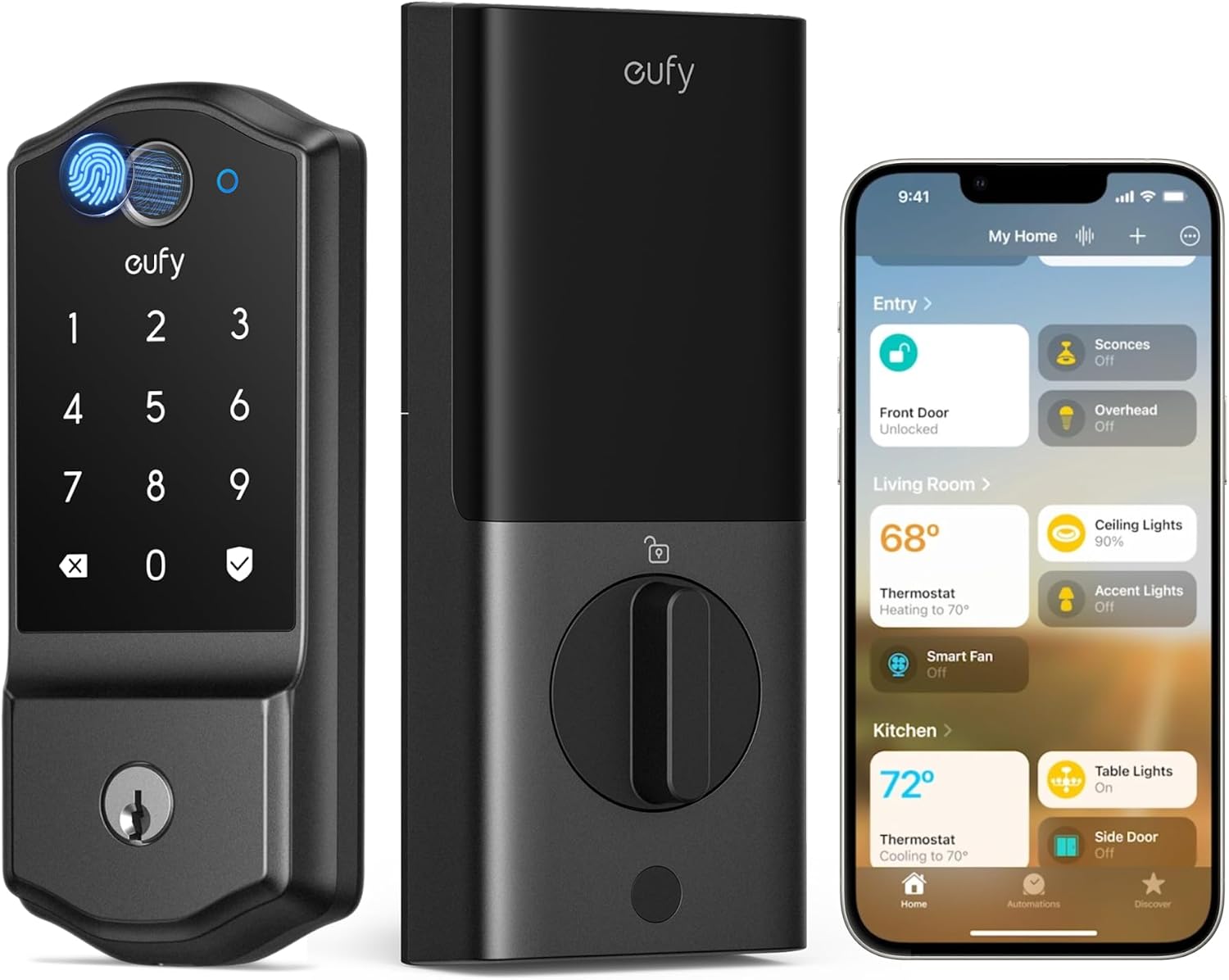
Eufy Familock E32 Smart Lock With Fingerprint Keyless Entry

Philips Wi-Fi Front Lock Set with 2 Handles
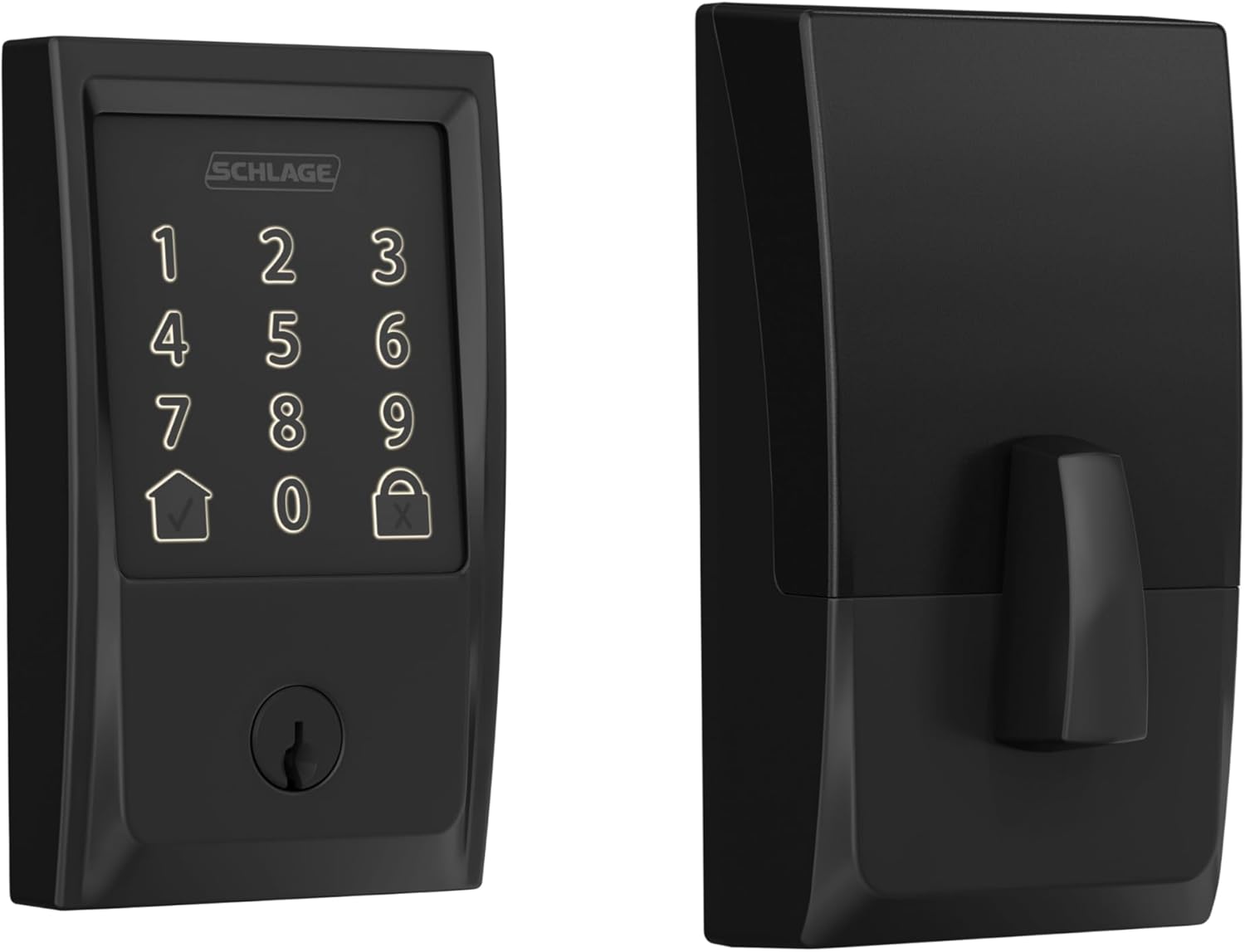
Schlage Encode Smart WiFi Deadbolt Lock with Century Trim
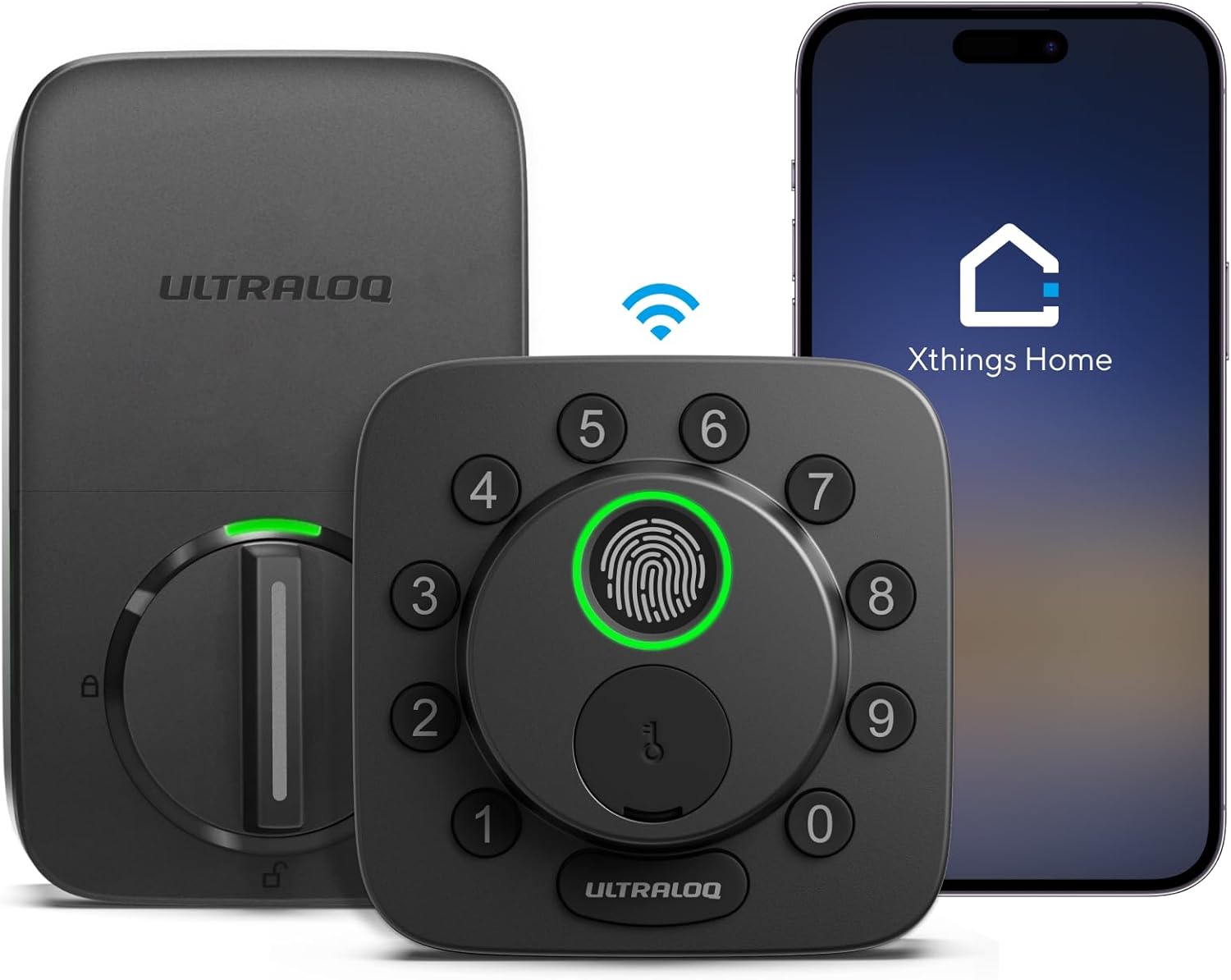
ULTRALOQ Bolt SE Wifi Smart Deadbolt Lock with Matter Support

Aqara U400 Smart Lock with UWB Hands-Free Unlocking
Side-by-Side Spec Comparison
This table sets out where the five locks differ most, using only the listed specs. Where a cell says Not stated in specs, the listing does not give that detail, so check the product box or manual before you buy. Connected door hardware of this kind is covered in more depth in a separate wifi smart lock buying guide.
| Product | Connection | Power | Weather rating | Unlock options |
|---|---|---|---|---|
| eufy Familock E32 | Built-in Wi-Fi, no bridge | 8 AA batteries | IP53 water protection | Fingerprint, app, voice |
| Philips Wi-Fi Lock Set | Built-in Wi-Fi, Philips app | Not stated in specs | Not stated in specs | App, PIN, key, voice |
| Schlage Encode Deadbolt | Built-in Wi-Fi, Schlage app | Not stated in specs | Not stated in specs | Touchscreen codes, app, voice |
| ULTRALOQ Bolt SE | Wi-Fi, Matter over Thread | Not stated in specs | Not stated in specs | Fingerprint, codes, eKey |
| Aqara U400 Lock | Matter over Thread, UWB | Rechargeable, up to 6 months | IP65 outdoor rating | UWB, Apple key, NFC |
Which Lock Fits Your Door and Setup
Start with the entry point you will use most, then match the install setup. The four situations below show where these locks differ in practice. Wi-Fi connectivity is one more factor to weigh when comparing smart locks with Wi-Fi.
- Door type and fit
- Power source and battery upkeep
- Unlocking style, such as codes, fingerprints or hands-free
- Hub or Thread requirements
Renters and DIY Installs Without Drilling
The eufy Familock E32 suits this setup best, since its listing says no drilling is needed for most doors and it runs on 8 AA batteries for up to 8 months. Check the door first, because it works with most standard US and Canadian single-cylinder deadbolts but not round or non-standard faceplates or mortise locks. The Schlage Encode Deadbolt is the alternative, needing only a screwdriver and no hardwiring, but its listing limits door thickness to 1-3/8 to 1-3/4 inches and backset to 2-3/8 or 2-3/4 inches, so measure first.
Households Sharing Codes With Guests or Services
The Philips Wi-Fi Lock Set suits homes that hand out access, since its listing describes unlimited one-time PIN codes and up to 100 user codes. Its auto-lock timer can be set from 30 to 180 seconds. The Schlage Encode Deadbolt is the alternative, offering up to 100 access codes and a customizable alarm for door movement and forced entry attempts, though its listing describes a deadbolt rather than a handle set.
Hands-Free Entry With a Thread Hub
The Aqara U400 is the best fit for buyers who want to unlock without touching the lock. Its UWB detects approach, direction and intent, but it needs a Thread-enabled Apple Home hub and a supported iPhone or Apple Watch. The ULTRALOQ Bolt SE is the alternative for Matter over Thread without UWB, though it also requires a compatible Thread Border Router, and its listing supports 2.4 GHz Wi-Fi only.
Outdoor Doors and Battery Upkeep
The Aqara U400 lists an IP65 exterior rating for protection against dust and water, and a removable rechargeable lithium battery that lasts up to 6 months per charge. It also gives a low-battery voice alert below 20 percent. The eufy Familock E32 is the alternative, with 8 AA batteries listed for up to 8 months and an IP53 rating, though its battery life varies with frequency of use.
How These Picks Were Compared
These locks were compared on the specs their manufacturers list: connection type, power source, weather rating, door fit, unlocking methods, code capacity, alarm features, certifications and any required hub. The products were then grouped by entry point, door setup and power needs so each buyer can find the closest match.
Our Picks, in Order
Each pick below is the lock that fits one kind of buyer best, based on a spec that stands out across this list. Homeowners weighing a keyless upgrade often compare smart lock deadbolt options before choosing one.
Longest listed battery: Eufy Familock E32 Smart Lock With Fingerprint Keyless: The eufy Familock E32 suits buyers who want Wi-Fi control, fingerprint entry and a no-drilling install on most standard US or Canadian deadbolts. Its listing gives up to 8 months from 8 AA batteries, though battery life varies with use. Choose another lock if your door has a round, mortise or non-standard faceplate, or if you need an IP65 outdoor rating.
Five unlocking methods: Philips Wi-Fi Front Lock Set with 2 Handles: The Philips Wi-Fi Lock Set suits households that want a handle set and several ways in, including app, fingerprint, PIN, key and voice commands. Its listing describes unlimited one-time PINs and up to 100 user codes. Choose another lock if you want a standalone deadbolt or if you need a listed power source, since this listing does not give one.
Built-in door alarm: Schlage Encode Smart WiFi Deadbolt Lock with Century: The Schlage Encode Deadbolt suits buyers who want a customizable alarm for door movement and forced entry attempts, plus up to 100 access codes. Its listing describes a fingerprint-resistant touchscreen and installation with just a screwdriver. Choose another lock if your door is outside 1-3/8 to 1-3/4 inches thick or if you want Matter over Thread support, which this listing does not mention.
Smart Lock Questions Buyers Ask
How Do I Check Whether a Smart Lock Fits My Door?
Start by checking the lock type. The eufy Familock E32 works with most standard US and Canadian single-cylinder deadbolts, but not round faceplates, non-standard faceplates or mortise locks. The Schlage Encode Deadbolt lists a fit for door thickness of 1-3/8 to 1-3/4 inches and a 2-3/8 or 2-3/4 inch backset. Measure your door and backset before ordering, then compare them with the listing.
Which of These Locks Run on Batteries?
The eufy Familock E32 uses 8 AA batteries and is listed for up to 8 months, though battery life varies with how often it is used. The Aqara U400 uses a removable rechargeable lithium battery, listed for up to 6 months per charge, and recharges through its USB-C port. The Philips, Schlage and ULTRALOQ listings do not state a power source, so confirm that before you buy.
How Far Can a Wi-Fi Lock Be From My Router?
The ULTRALOQ Bolt SE listing advises keeping the router within 70 feet of the lock for optimal connectivity, and it supports 2.4 GHz Wi-Fi only. Most smart security devices connect over 2.4 GHz Wi-Fi, so check that your router broadcasts that band. The listings for the other Wi-Fi locks here give no distance figure, so check signal strength at the door before you choose a spot.
Do I Need a Hub to Control These Locks From My Phone?
Four of the five locks list built-in Wi-Fi, so the eufy, Philips, Schlage and ULTRALOQ app controls do not need a separate bridge. The ULTRALOQ listing says its app works without a hub. The Aqara U400 is different, since its UWB unlocking needs a Thread-enabled Apple Home hub, and its Matter over Thread control needs a compatible Thread-enabled controller. Many households that run Apple Home also compare smart locks for HomeKit across several brands.
What Upkeep Should I Plan for After Installation?
Check the battery level on any battery-powered lock and recharge or replace batteries when needed. The Aqara U400 gives a low-battery voice alert below 20 percent. Smoke alarms follow a separate schedule: the NFPA recommends testing them once a month and replacing them every 10 years. A smart lock does not replace a smoke or CO alarm, so keep those on their own schedule.





