
Keypad Best Front Door Locks With Keypad let you unlock without carrying a key, but models differ in how many codes they hold, whether they connect to Wi-Fi and how they are installed. Choosing the wrong style can leave you with features you do not need. Buyers who want a wider view can compare smart locks with keys side by side by unlock method.
If you want simple code sharing without an app, the Veise lever and knob models are the closest match. If you want remote control from your phone, the Philips Wi-Fi models fit better, and renters who want a no-wiring swap may prefer the Schlage Camelot.
The Five Keypad Lock Cards
Each card below covers one lock. Compare code capacity, auto-lock timing, connectivity and any grade or weather specs, because those details decide how a lock fits your door and your daily routine.

Veise KS01B Keypad Door Lock with 2 Lever Handles

Philips Wi-Fi Front Lock Set with 2 Handles

Veise KS01C Keyless Entry Deadbolt Door Lock with Knobs

Philips 4200 Series WiFi Keypad Deadbolt with Handle
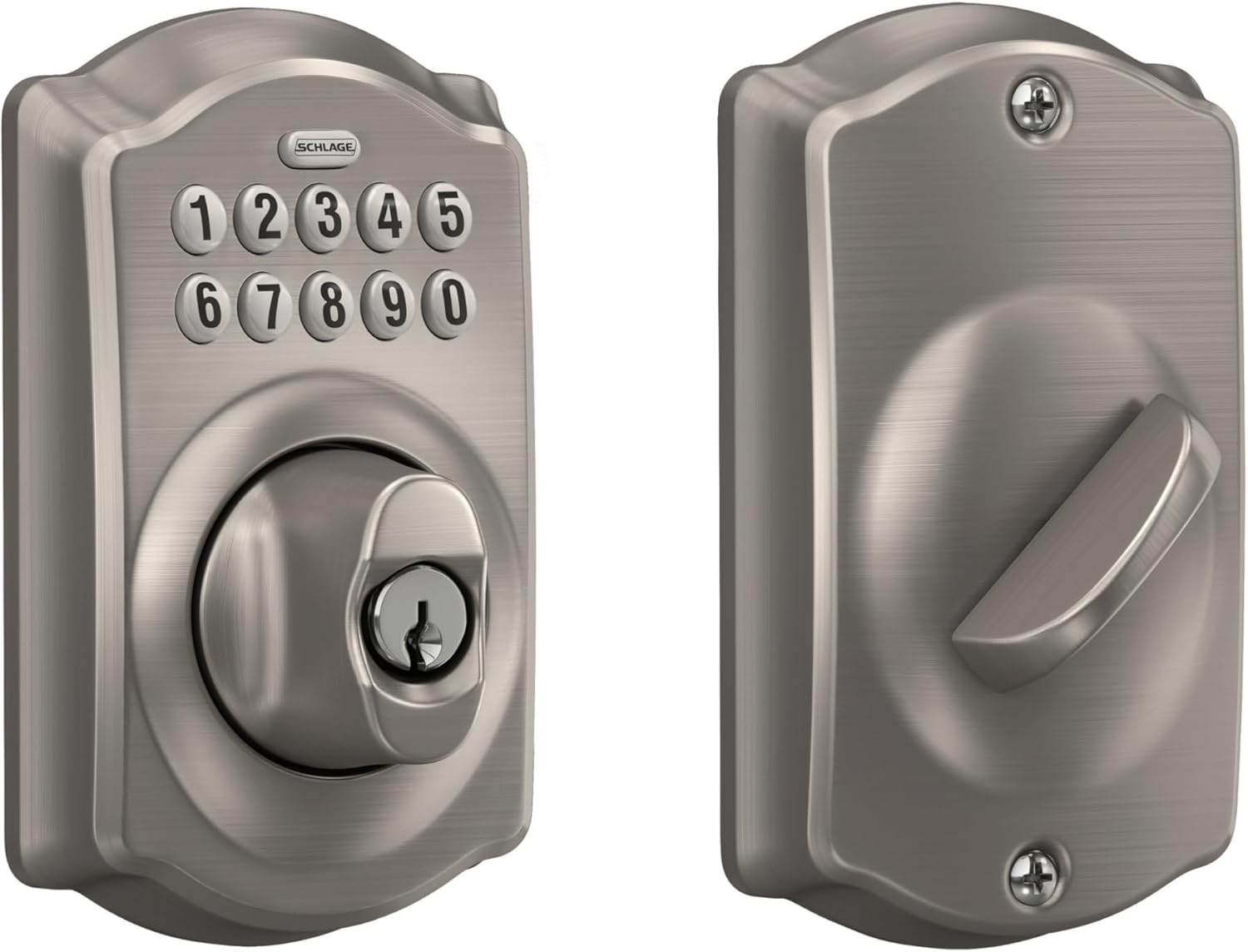
Schlage Camelot Trim Keypad Deadbolt Lock with Keyless Entry
How the Five Locks Compare on Key Specs
The table sets the listed specs side by side. Where a manufacturer does not list a value, the table says Not listed so you can check the product page before buying. Comparing listed specs side by side is also a practical way to weigh the best home key smart locks.
| Product | Code capacity | Auto-lock timer | Connectivity | Other listed spec |
|---|---|---|---|---|
| Veise KS01B Lever | 20 user codes, 1 master | 10 to 99 seconds | No Wi-Fi listed | Low-battery alert |
| Philips Wi-Fi Set | Up to 100 user codes | 30 to 180 seconds | Wi-Fi app and voice | Five unlock methods |
| Veise KS01C Knob | 20 user codes, 1 master | 10 to 99 seconds | No Wi-Fi listed | IP54, -31 to 158°F |
| Philips 4200 Deadbolt | Not listed | Not listed | 2.4 GHz Wi-Fi, app, voice | 0.3-second fingerprint |
| Schlage Camelot | Not listed | Not listed | No Wi-Fi listed | Grade 2/AAA |
Which Lock Fits Your Door Setup
Start with how the door is wired and how you want to manage access, then narrow the list to the models that match. The same wiring and access questions apply to any smart lock for front doors.
- Whether you need Wi-Fi control or a keypad-only lock
- Code capacity for family, guests and service visitors
- Auto-lock timing and the lockout after failed entries
- Weather and temperature specs for an exposed door
Renters and Simple Swaps
The Schlage Camelot Trim suits renters who want to replace an existing deadbolt, since its listing says it installs with only a screwdriver and no hardwiring. Its listed grade is Grade 2/AAA. Trade-off: the listing shows no code count, auto-lock timer or Wi-Fi. If you want app-based code management instead, the Veise KS01B Lever lists 20 user codes and a 10 to 99 second auto-lock.
Households Managing Access Remotely
The Philips 4200 Series Deadbolt suits households that want Wi-Fi control without a separate hub. It connects to 2.4 GHz Wi-Fi and is listed for app monitoring of access history and voice commands. Trade-off: keep it within 33 ft (10 m) of the router. The Philips Wi-Fi Front Lock Set is the alternative if you want handles and up to 100 user codes, with auto-lock set between 30 and 180 seconds.
Families Sharing Keypad Codes
The Veise KS01B Lever suits homes with children, older relatives or frequent visitors. It lists one master code, 20 permanent user codes, 2 backup keys and one-time passwords that expire after use. Trade-off: its listing names no Wi-Fi connection. The Veise KS01C Knob offers the same 20 user codes plus a vacation mode that disables all user codes, but it uses a knob instead of lever handles.
Exposed or Weather-Facing Doors
The Veise KS01C Knob is the only lock here that lists an IP54 weather specification and an operating range of -31°F to 158°F. IP54 means the second digit 4 resists splashing under the IEC 60529 standard. Trade-off: it uses knobs, not levers. If lever handles matter more, the Veise KS01B Lever lists no weather specification.
How This Roundup Was Built
This roundup compares only the specifications each manufacturer lists, including code capacity, auto-lock timers, lockout after failed entries, Wi-Fi connection, listed grades, weather specs and unlock methods. The locks are grouped by the buyer situation they match, such as code-only households, remote control, renting and exposed doors. Anything a listing does not state is marked as Not listed.
Our Picks in Order
The five picks follow the order the site chose, and each one is matched to the buyer it fits best based on its listed specs. Buyers weighing keyed, Wi-Fi, and keypad models will find a range of front door lock options.
Low-battery alert: Veise KS01B Keypad Door Lock with 2 Lever: Veise KS01B Lever suits households that share codes and want an early warning, since its top button blinks red before the battery runs low. Its 20 user codes, 2 backup keys and one-time passwords fit families and visitors. Choose another lock if you want app or voice control, because its listing names no Wi-Fi.
100 user codes: Philips Wi-Fi Front Lock Set with 2 Handles: Philips Wi-Fi Set suits buyers who want app-based control and the highest code count in this list, up to 100 user codes plus unlimited one-time PINs. Its auto-lock timer runs from 30 to 180 seconds, and it supports Alexa or Google Assistant. Choose a different lock if you want a keypad-only design without a Wi-Fi connection.
Vacation mode, IP54: Veise KS01C Keyless Entry Deadbolt Door Lock with: Veise KS01C Knob suits doors exposed to weather and households that travel, since it lists IP54 splash resistance and a vacation mode that disables all user codes. Its knob turns to lock or unlock from inside in 1 second. Choose another lock if you want lever handles, because this model uses knobs.
Common Questions About Keypad Door Locks
Do keypad door locks need hardwiring to install?
The Schlage Camelot Trim is listed as installable with only a screwdriver and no hardwiring, which suits replacing an existing deadbolt. The Veise and Philips listings describe installation in less detail, so check each product page before you buy. Measure your current deadbolt and door thickness first, so the replacement lock matches your door.
How does a Wi-Fi keypad lock connect to my home network?
The Philips 4200 Series Deadbolt connects directly to a 2.4 GHz Wi-Fi network without a hub, and its listing asks you to keep it within 33 ft (10 m) of the router. Minimize walls and metal objects between the two for a stronger connection. Check that your router broadcasts on 2.4 GHz before setup, since most smart security devices use that band. Wi-Fi smart locks also vary in fingerprint support and app features, which a roundup of top Wi-Fi smart locks covers in detail.
What happens after too many wrong codes?
The Veise KS01B Lever and Veise KS01C Knob are both listed to enter a 3-minute lockout after 10 consecutive incorrect entries. During that time the keypad does not accept codes. The Philips and Schlage listings do not describe a lockout time, so check their product pages for details.
How can I keep a keypad lock working reliably?
Check the battery level regularly and replace batteries when the lock gives a warning. The Veise KS01B Lever blinks its top button red as an early low-battery alert. Remove codes for former guests or service visitors, and test the lock from outside each time you change a code.





