
Choosing a Best Front Door Lock often starts with a practical question: will you unlock with a key, a code or a phone, and does your door have the right bore holes and backset? Getting those details wrong can make an otherwise good lock hard to install.
Keyed mechanical sets suit households that want a traditional key and a lifetime warranty listed by the manufacturer. Wi-Fi sets suit families and hosts who want app control, guest codes and remote status checks.
Five Front Door Lock Sets at a Glance
Each card lists the lock type, connection and headline features from the manufacturer specs. Start by deciding between keyed and Wi-Fi connected sets, then check the deadbolt and door measurements.
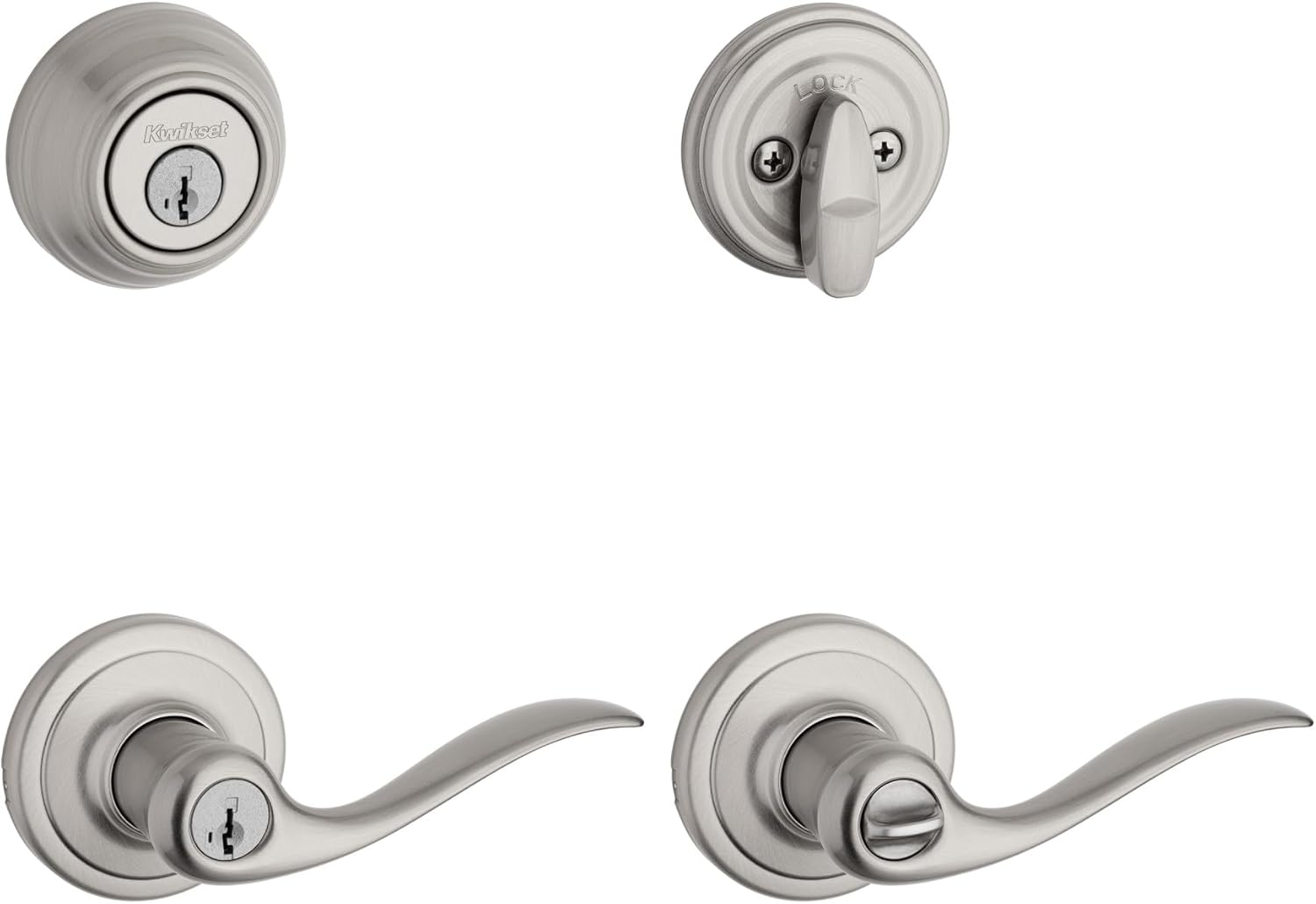
Kwikset Tustin Front Door Lock Set with Deadbolt and SmartKey

Kwikset San Clemente Lock Handle and Deadbolt Set with SmartKey Rekey

Philips Wi-Fi Front Lock Set with 2 Handles

Veise VE06-H Smart Front Door Lock Handle Set With App Control

Philips 4200 Series WiFi Keypad Deadbolt with Handle
How the Models Differ on Access and Setup
These four attributes separate the models most clearly. Read each value alongside your door’s backset, bore holes and the way you plan to unlock it. Some buyers also compare a keypad door lock with a standard deadbolt before deciding.
| Product | Connection | Unlock methods | Codes and timers | Notable extra |
|---|---|---|---|---|
| Kwikset Tustin Lock Set | Mechanical, keyed | Key and lever | None listed | Lifetime warranty, Microban |
| Kwikset San Clemente Lock Set | Mechanical, keyed | Key and interior turn piece | None listed | Two bore holes required |
| Philips Wi-Fi Lock Set | Wi-Fi, Philips app | Five listed methods, including voice | Up to 100 user codes | Auto-lock 30 to 180 seconds |
| Veise VE06-H Handle Set | App, gateway sold separately | Code, fob, key, thumb turn | 250+ user codes | Privacy and passage modes |
| Philips 4200 Keypad Deadbolt | Direct 2.4GHz Wi-Fi | Keypad, app, fingerprint, voice | Periodic and recurring PINs | 0.3 second fingerprint unlock |
Our Picks by Door Setup
These three lock sets cover the main routes to a front door: a traditional key, a two-bore install and app-based Wi-Fi access. Each pick notes who it suits and which other model to consider instead. Lever handles offer another route, and smart lever locks bring keyless entry to that style.
Lifetime warranty: Kwikset Tustin Front Door Lock Set with Deadbolt: The Kwikset Tustin Lock Set suits a household that wants a keyed deadbolt and lever with a lifetime mechanical and finish warranty. Its lever is fully reversible, and the Microban treatment is listed as keeping hardware 99.9% cleaner than unprotected surfaces. Choose the Philips Wi-Fi Lock Set instead if you want app control and guest codes.
Two bore holes: Kwikset San Clemente Lock Handle and Deadbolt Set: The Kwikset San Clemente Lock Set suits exterior doors with two bore holes, and its latch backset adjusts to 2-3/8 or 2-3/4 inches. The listing says a DIY install takes minutes with a screwdriver, and SmartKey lets you re-key the lock yourself in seconds. Choose the Kwikset Tustin Lock Set if your door does not have that preparation.
Adjustable auto-lock timer: Philips Wi-Fi Front Lock Set with 2 Handles: The Philips Wi-Fi Lock Set suits households that want remote lock and unlock from a smartphone, with five listed unlocking methods and up to 100 user codes. Its auto-lock timer can be set from 30 to 180 seconds. Choose the Veise VE06-H Handle Set if you need 250+ user codes, or the Philips 4200 Keypad Deadbolt if your router is close to the door.
Common Questions About Front Door Lock Sets
How do I check whether my door fits a lock set?
Measure the door’s backset, cross bore and thickness before ordering, as the Kwikset listings advise. The San Clemente Lock Set fits standard doors 1-3/4 inches thick, and its latch backset adjusts to 2-3/8 or 2-3/4 inches. It also requires two bore holes, so check your door for both before you buy.
Do Wi-Fi front door locks need a hub?
The Philips 4200 Keypad Deadbolt connects directly to a 2.4GHz Wi-Fi network with no hub or bridge, according to its listing. The listing asks you to keep the lock within 33 ft (10 m) of the router and to limit walls and metal objects in between. The Veise VE06-H Handle Set lists a G2 gateway, sold separately, for Alexa and Google compatibility. Keypad, fingerprint and other connected models from several brands are compared in a separate roundup of smart lock options.
Can I re-key these locks myself?
The Kwikset Tustin Lock Set and Kwikset San Clemente Lock Set both list SmartKey, which the manufacturer says lets you re-key the lock yourself in seconds. Re-keying is useful after a move or when keys go missing. Follow the instructions included with the set, and keep the new key in a safe place.
How do temporary guest codes work?
The Philips Wi-Fi Lock Set lists unlimited one-time PIN codes that expire once used, plus temporary, permanent and recurring codes. The Veise VE06-H Handle Set lists one-time, permanent, scheduled and recurring codes across 250+ user codes. The Philips 4200 Keypad Deadbolt supports permanent, one-time, periodic and recurring PIN codes.
Should I look for an ANSI/BHMA grade?
ANSI/BHMA grades rate door hardware from Grade 1 (highest) to Grade 3. None of the five lock sets in this guide lists a grade in its specs, so look for one on the packaging or product sheet before you buy. Grade information helps you compare hardware that the listings do not rate.
Which Lock Set Fits Your Door and Routine
Your door’s preparation and your daily habits matter more than any single feature. Use these factors to narrow the list before you order. Households that want fingerprint entry can also compare the leading fingerprint door lock models.
- Bore holes and backset on your existing door
- Preferred unlock method: key, code, fingerprint or app
- Distance from the door to your Wi-Fi router
- Whether you need temporary codes for guests or deliveries
Doors that already have two bore holes
The Kwikset San Clemente Lock Set suits exterior doors with two bore holes and a standard 1-3/4 inch thickness. Its latch backset adjusts to 2-3/8 or 2-3/4 inches. The trade-off is that the listing requires those bore holes, so a door without them needs the Kwikset Tustin Lock Set or another model.
Key-first households that want a long warranty
The Kwikset Tustin Lock Set suits homes where a physical key is the main method, and its lever is fully reversible for right or left handed doors. Its listing includes a lifetime mechanical and finish warranty. The alternative is the Kwikset San Clemente Lock Set, which uses a simpler two-bore setup but lists no warranty term.
Remote access for family and guests
The Philips Wi-Fi Lock Set suits households that want to lock, unlock and check status from a phone, with up to 100 user codes. The alternative is the Veise VE06-H Handle Set, which lists 250+ user codes and privacy mode, but its voice assistant support depends on a gateway sold separately.
Doors far from the Wi-Fi router
The Philips 4200 Keypad Deadbolt suits a door close to the router, since its listing asks for placement within 33 ft (10 m) of the router. For a door farther away, the Kwikset Tustin Lock Set is a mechanical option with no Wi-Fi connection listed.
How These Lock Sets Were Grouped
This comparison uses only the manufacturer specs, including connection type, unlock methods, user code counts, auto-lock settings, bore and backset fit, warranty and finish terms, and the listed Microban treatment. The models are grouped into keyed sets, two-bore installs and app-controlled Wi-Fi models so that each reader can compare like with like. None of these listings states an ANSI/BHMA grade, so check the packaging for one before you buy.





