
If you host guests, the real problem is handing out access for a stay and taking it back afterward without a locksmith visit. Start with a Best Front Door Lock For Airbnb that lets you create one-time and time-limited codes from an app, because those features decide how easily you can manage each booking.
Lock sets with handles suit hosts who want a full door hardware change. Deadbolts with a keypad suit hosts who want to keep their current handle. Choose by how you plan to share access, how the lock is powered, and whether you need a built-in alarm. The same trade-offs apply to electronic front door locks used for short-term rentals.
The Five Locks We Compared
Each card lists the product’s main access methods, its Wi-Fi or app setup, and its code limits. Read the specs closely, because some locks list a fingerprint reader, some need a gateway, and some do not state a code count at all.

Philips Wi-Fi Front Lock Set with 2 Handles

Wyze Auto-Lock Bolt v2 Smart Lock with AI Learning Scanner

Veise VE06-H Smart Front Door Lock Handle Set With App Control

Philips 4200 Series WiFi Keypad Deadbolt with Handle
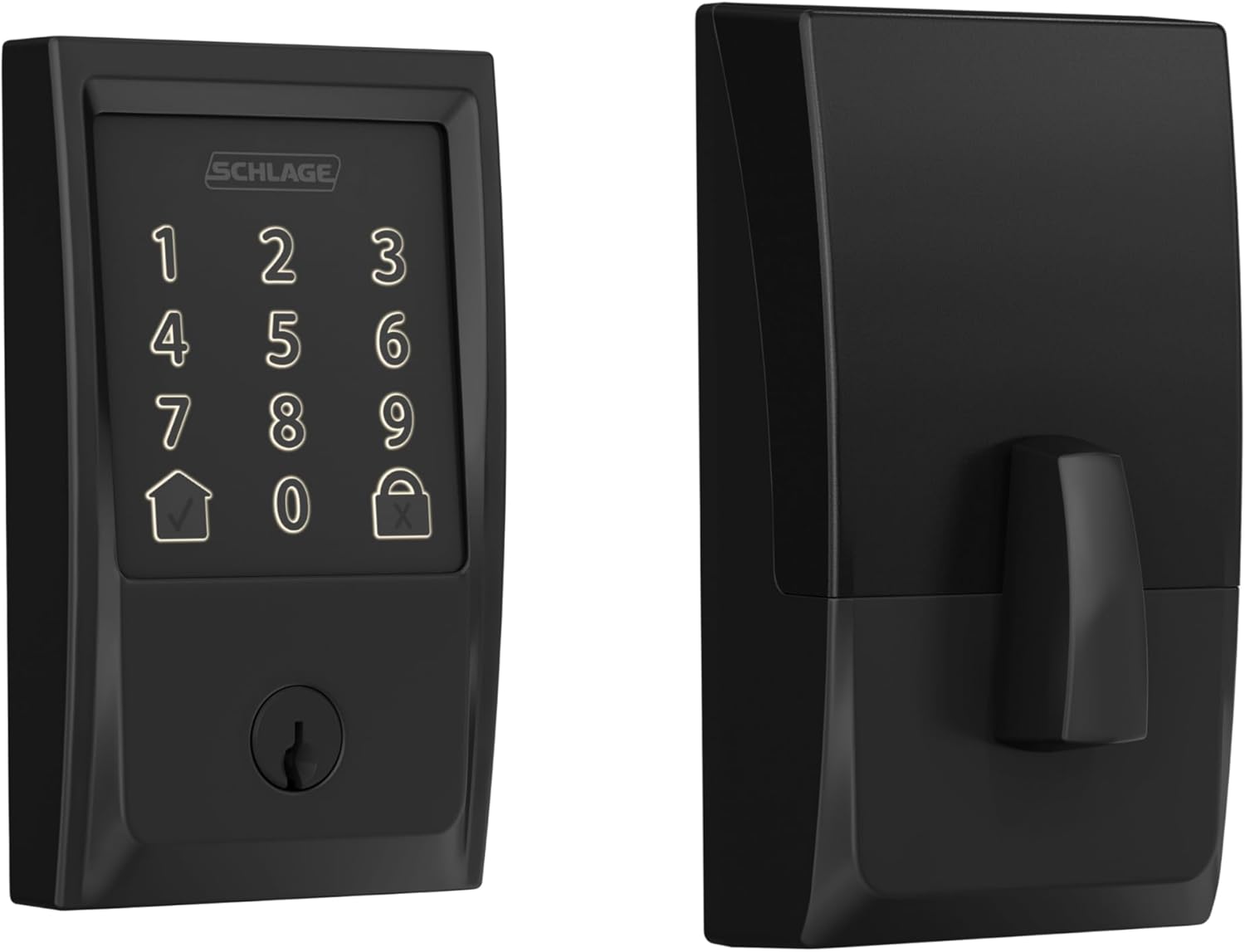
Schlage Encode Smart WiFi Deadbolt Lock with Century Trim
How the Five Locks Differ
These five products differ most in how they unlock, how they connect, and how many user codes they list. Where a spec is not published on the listing, the table says so rather than assuming it. Wider coverage of this category appears in our roundup of wifi deadbolt smart locks.
| Product | Fingerprint unlock | Connectivity | User codes | Built-in alarm |
|---|---|---|---|---|
| Philips Wi-Fi Lock Set | Fingerprints listed | Wi-Fi app | Up to 100 | Not listed |
| Wyze Bolt v2 | 0.5 s fingerprint | Built-in Wi-Fi app | Not listed | Not listed |
| Veise VE06-H Handle Set | Not listed | App, gateway sold separately | 250+ | Not listed |
| Philips 4200 Keypad Deadbolt | 0.3 s fingerprint | 2.4 GHz Wi-Fi, no hub | Not listed | Not listed |
| Schlage Encode Deadbolt | Not listed | Built-in Wi-Fi app | Up to 100 | Door movement alarm |
Which Lock Fits Your Entry Point and Setup
Your door, your power options and your guest schedule all shape which lock fits. Check these factors before you compare listings. Many buyers narrow their choices among Wi-Fi smart deadbolt locks by checking these factors first.
- Whether you can change the handle or only the deadbolt
- How many user codes you need at one time
- Whether you want fingerprint entry for cleaners or staff
- Which power source you can keep supplied
Keeping the Existing Handle
The Schlage Encode Deadbolt suits hosts who keep their current handle, since its spec says it installs with a screwdriver and needs no hardwiring. It fits doors with 1-3/8 in to 1-3/4 in thickness. Its built-in alarm for door movement and forced entry attempts is the only one in this list that lists an alarm. The trade-off is that its listed code limit is 100, and no fingerprint reader is listed. The Philips 4200 Keypad Deadbolt is an alternative if you want fingerprint entry, but it requires staying within 33 ft (10 m) of your router.
Heavy Guest Turnover
The Veise VE06-H Handle Set suits hosts who swap guests often, because its spec lists more than 250 user codes plus one-time, permanent, scheduled and recurring codes. Its eKeys can be granted remotely. The trade-off is that Alexa and Google integration requires the Veise G2 gateway, which is sold separately. The Philips Wi-Fi Lock Set is an alternative with up to 100 user codes and unlimited one-time PINs.
Fingerprint Entry for Cleaners
The Philips 4200 Keypad Deadbolt suits hosts who want fingerprint access for cleaners or staff, with a listed 0.3 s unlock time. It connects directly to 2.4 GHz Wi-Fi without a hub. The Wyze Bolt v2 is an alternative with a listed 0.5 s fingerprint unlock, but it runs on 8 AA batteries or a power bank through its USB-C port.
Automatic Locking Between Stays
The Philips Wi-Fi Lock Set suits hosts who want the door to lock on its own, since its spec lists a timer from 30 to 180 seconds. Its handles pair with the lock as one set. The trade-off is that the timer range is fixed by the listing, so a shorter setting is not listed. The Schlage Encode Deadbolt is an alternative when a door-movement alarm matters more than auto-lock.
How We Grouped These Locks
We compared the specs each manufacturer lists, including unlock methods, unlock times in seconds, Wi-Fi requirements, user code limits, power source, door thickness, installation method and listed certifications. Locks are grouped by entry point, handle or deadbolt, and by how hosts share codes and handle power, so each group points to the products whose listings match that need.
Our Three Picks for Rental Doors
These three picks match the most common rental needs in this list. Each is ranked by how fully its listing covers app control, code management and automatic locking. Households that already use a home automation hub often face a separate question about compatibility with Home Assistant smart locks.
30 to 180 s auto-lock: Philips Wi-Fi Front Lock Set with 2 Handles: The Philips Wi-Fi Lock Set suits hosts who want a full handle set with app control, PIN codes, and an auto-lock timer from 30 to 180 seconds. Choose the Philips 4200 Keypad Deadbolt instead if you want a deadbolt only with a 0.3 s fingerprint reader.
USB-C power bank backup: Wyze Auto-Lock Bolt v2 Smart Lock with AI: The Wyze Auto-Lock Bolt v2 suits hosts who want fingerprint entry at a listed 0.5 s and a USB-C port that accepts a common power bank if the batteries run out. Choose the Schlage Encode Deadbolt instead if you want a built-in alarm for forced entry attempts.
250+ user codes: Veise VE06-H Smart Front Door Lock Handle Set: The Veise VE06-H Handle Set suits hosts with frequent guest turnover, since its listing shows more than 250 user codes and remote eKeys. Choose the Schlage Encode Deadbolt instead if you want a screwdriver-only install with a built-in alarm, and note that Veise Alexa and Google support requires its separately sold gateway.
Common Questions About Rental Door Locks
How do I set up a smart lock before a guest arrives?
Most listings in this group ask you to install the lock with a screwdriver and connect it to the manufacturer’s app over Wi-Fi. The Schlage Encode Deadbolt lists installation with a screwdriver and no hardwiring. Check the door thickness and backset in the listing before you order, since the Schlage Encode lists specific ranges for both. Smart locks with Wi-Fi form a wide market, with many models at different price points.
Which locks run on batteries, and how long do they last?
The Wyze Auto-Lock Bolt v2 includes 8 AA batteries, which its listing says last up to 8 months. Its USB-C port accepts a common power bank if the batteries die. The other locks in this list do not publish a power source in their specs, so confirm that detail on the product page before you buy.
Do I need a hub or gateway?
The Philips 4200 Keypad Deadbolt connects directly to 2.4 GHz Wi-Fi with no hub. The Veise VE06-H Handle Set needs its separately sold G2 gateway for Alexa and Google integration. Keep the Philips 4200 within 33 ft (10 m) of your Wi-Fi router, and avoid walls and metal objects where possible.
How do I keep guest codes from working after checkout?
The Philips Wi-Fi Lock Set lists one-time PIN codes that expire instantly after use, and it supports temporary and recurring codes. The Veise VE06-H lists scheduled and one-time codes that can be generated remotely. Set each code to match the booking dates in the app, and remove codes when a stay ends.





