
Choosing a Best Electronic Front Door Lock Set starts with one question: do you want to control the door from your phone, or would a keypad and key be enough? This guide compares lock sets by connectivity, code capacity, auto-lock timing and weather ratings, all taken from manufacturer specs. Homeowners who want keyless entry often compare automatic front door locks with traditional key sets.
The Philips Wi-Fi Lock Set suits buyers who want app control on a door with handles. The TEEHO TE001 suits a battery-powered keypad door, the Veise KS01C suits a more exposed door, and the Veise VE06-H suits homes with many guests.
The Lock Sets in This Roundup
Each card below lists a lock set with its brand and listed features. Compare how each one unlocks, whether it connects to Wi-Fi, how many codes it stores and how its auto-lock timer is set.

Philips Wi-Fi Front Lock Set with 2 Handles

TEEH0 TE001 Keyless Entry Deadbolt with Keypad for Front Door

Veise KS01C Keyless Entry Deadbolt Door Lock with Knobs

Veise VE06-H Smart Front Door Lock Handle Set With App Control
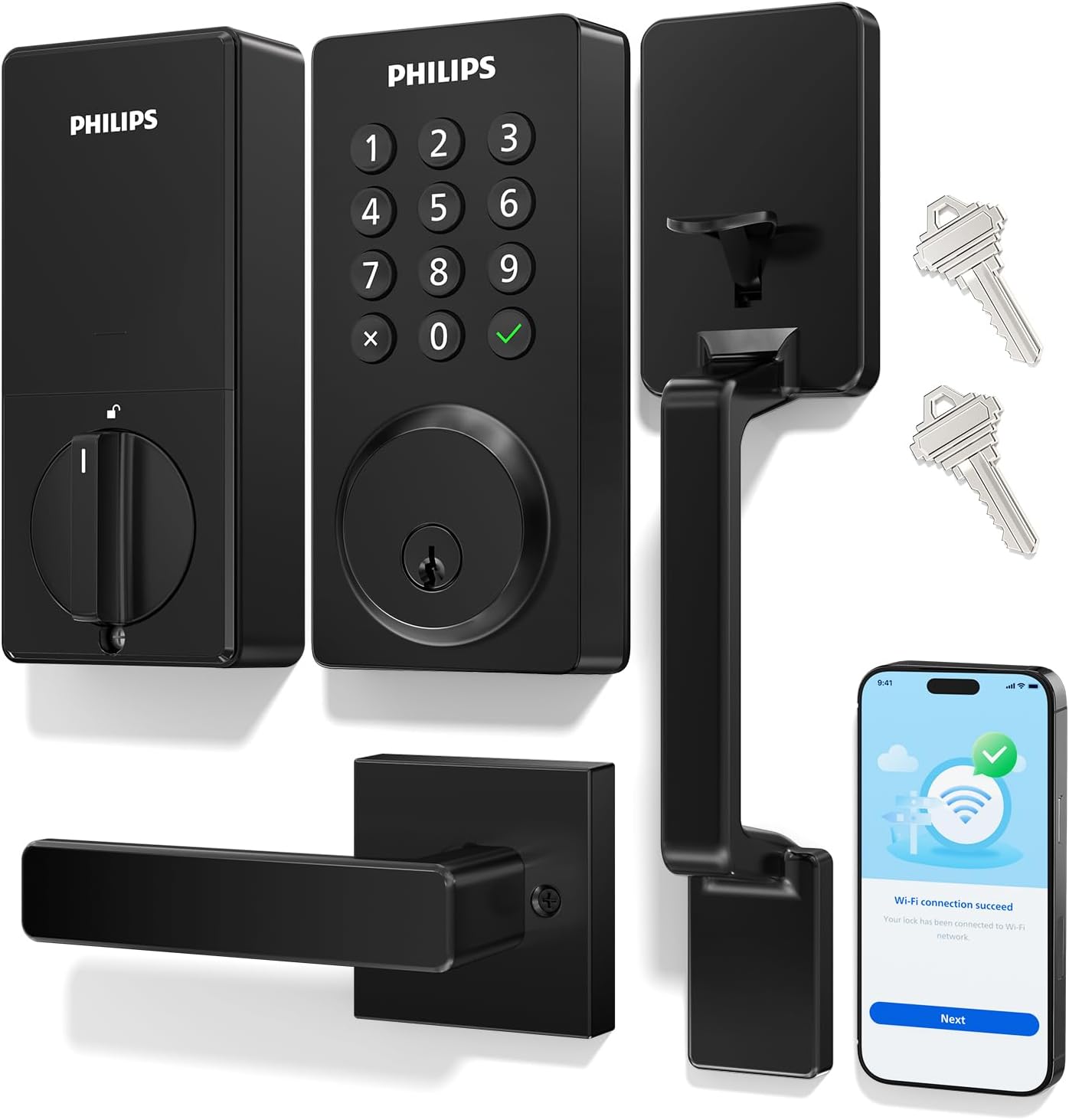
Philips Wi-Fi Smart Front Door Lock Set with Handle
Side-by-Side Specs for Each Lock Set
The table shows four specs where these lock sets differ most. A Not listed entry means the manufacturer specs do not state that detail, so it is not assumed. The same kind of comparison applies to the broader market of electronic front door locks.
| Product | Connectivity | User codes | Auto-lock timer | Weather rating |
|---|---|---|---|---|
| Philips Wi-Fi Lock Set | Wi-Fi app control | Up to 100 user codes | 30 to 180 seconds | Not listed |
| TEEHO TE001 Keypad Deadbolt | Keypad, no Wi-Fi listed | 20 access codes | 10 to 99 seconds | IP54 |
| Veise KS01C Knob Deadbolt | Keypad and knob, no Wi-Fi listed | 20 user codes | 10 to 99 seconds | IP54 |
| Veise VE06-H Handle Set | App via G2 gateway | 250+ user codes | Auto-lock, range not listed | Not listed |
| Philips Wi-Fi Handle Set | Built-in 2.4GHz Wi-Fi | Up to 100 passwords | 10 to 180 seconds | Not listed |
Which Lock Set Fits Your Door
Your entry point, power source and household size narrow the field quickly. Start with the factors below, then match them to your door.
- Whether you want app control over Wi-Fi
- Whether you need a weather rating for an exposed door
- How many user codes your household or visitors need
- Whether you prefer a handle or a knob
Wi-Fi Control Without a Hub
The Philips Wi-Fi Handle Set suits a door where you want to lock and unlock from a smartphone, since its specs state that no extra hub is required. Its manufacturer notes 2.4GHz networks only and suggests keeping the router within 65 feet. The Philips Wi-Fi Lock Set is the alternative, with app control, handles and an auto-lock timer of 30 to 180 seconds, but its specs give no router distance.
Battery-Powered Keypad on a Standard Door
The TEEHO TE001 suits a keypad-only door powered by batteries. It uses 4 AA batteries (not included), listed to last up to 365 days, and a red light appears when charge drops below 15%. The Veise KS01C is the alternative, with a knob turn for inside locking and 2 backup keys. Its specs do not list battery details. The trade-off is that the TEEHO lists no app control.
Exposed Doors and Weather Ratings
The Veise KS01C suits a door that faces rain or temperature swings. It lists IP54 protection against splashing water and an operating range of -31°F to 158°F. The TEEHO TE001 is the alternative, also rated IP54, but it has no listed temperature range. The trade-off is that the Veise KS01C lists no app control.
Large Households and Frequent Visitors
The Veise VE06-H suits homes with many guests, house sitters or cleaners. It lists 250+ user codes and lets you generate and share eKeys remotely in its app. Alexa and Google compatibility requires the Veise G2 gateway, sold separately. The Philips Wi-Fi Lock Set is the alternative, with up to 100 user codes and no separate gateway listed. The trade-off is the extra gateway for voice assistants. Short-term rental hosts face a similar choice about guest codes and access when picking front door locks for Airbnb.
How These Lock Sets Were Compared
This roundup compares only the manufacturer specs listed for each lock set. The specs include connectivity, user code capacity, auto-lock timer range, power source, weather rating and certifications such as ANSI/BHMA Grade 3. Lock sets are grouped by how they connect and unlock, so Wi-Fi models, keypad deadbolts and app-controlled handle sets can each be compared with a specific buyer in mind. Details a manufacturer does not list are shown as Not listed.
Our Picks at a Glance
Each pick below is matched to one spec or use where it stands out in this roundup. Read each reason to see who it suits and when another lock set makes more sense. Homeowners weighing keyless entry often compare keypad front door locks before choosing a model.
App control with handles: Philips Wi-Fi Front Lock Set with 2 Handles: The Philips Wi-Fi Lock Set suits buyers who want to lock, unlock and check door status from a smartphone on a door fitted with handles. It also lists five unlock methods, including voice commands through Alexa or Google Assistant, and up to 100 user codes. Choose a different lock set if you want a keypad with no app or a knob instead of a handle.
Battery life listed: TEEH0 TE001 Keyless Entry Deadbolt with Keypad for: The TEEHO TE001 suits a keypad-only front door powered by batteries, with 4 AA batteries listed to last up to 365 days. Its red light appears when charge drops below 15%. Choose another lock set if you need remote control from your phone, since no app or Wi-Fi is listed for this model.
IP54 and ANSI Grade 3: Veise KS01C Keyless Entry Deadbolt Door Lock with: The Veise KS01C suits an exposed front door, since it lists IP54 water protection and an operating range of -31°F to 158°F. It is rated ANSI/BHMA Grade 3 and includes 2 backup keys. Choose another lock set if you want app control or a handle rather than knobs.
Common Questions About Front Door Lock Sets
Do I Need Wi-Fi for a Front Door Lock Set?
Not always. Wi-Fi models such as the Philips Wi-Fi Lock Set and Philips Wi-Fi Handle Set let you lock and unlock from a smartphone. The TEEHO TE001 and Veise KS01C list keypad, key or knob access without a Wi-Fi connection. Check the listed connectivity before you buy, and confirm that your home network runs on 2.4GHz, since the Philips Wi-Fi Handle Set supports 2.4GHz networks only. Buyers who want a combined handle and lock can compare smart locks with handles across several models.
How Are These Lock Sets Powered?
Battery power is listed for the TEEHO TE001, which uses 4 AA batteries (not included) and is listed to last up to 365 days. Its red light appears when battery level drops below 15%. The Philips Wi-Fi Handle Set also runs on batteries that are not included. Check the battery indicator on any battery-powered lock set on a regular schedule, and keep spare batteries ready.
Where Should the Wi-Fi Router Sit?
The Philips Wi-Fi Handle Set manufacturer suggests keeping the router within 65 feet of the lock for better remote control. The Philips Wi-Fi Lock Set does not list a distance. Place the router so the lock falls within that range, and confirm your network runs on 2.4GHz. Walls and interference can change the real range, so check the app from outside the door before relying on it.
How Do One-Time Codes Work?
One-time codes are set to expire after a single use. The TEEHO TE001 deletes its one-time PIN automatically after use. The Veise KS01C lists unlimited one-time passwords that auto-delete after use. The Philips Wi-Fi Lock Set lists one-time PINs that expire once used. Set one-time codes for guests, deliveries and cleaners, and remove permanent codes when someone no longer needs access.
Can Someone Guess My Lock Code?
Some lock sets list protections against guessing. The Veise KS01C enters a 3-minute lockout after 10 consecutive incorrect attempts and offers an anti-peep code that allows random digits before or after the real code. The TEEHO TE001 lists anti-peeping user code protection. Choose a code that is hard to guess, change codes when users leave, and avoid writing the code on the door.





