
If you are looking at Best Smart Lock With Handle, the main question is how you want to get in: with a fingerprint on the handle, a keypad, or the app from anywhere. Wi-Fi smart locks offer one common way to handle this choice.
Several of these picks connect to 2.4GHz Wi-Fi without a hub. Choose a fingerprint model for quick personal entry, a keypad model for shared codes, or the Schlage Encode Smart if you want a built-in door alarm and a screwdriver install.
Five Picks at a Glance
Each card summarizes one manufacturer’s listed specs. Compare unlock methods, access code limits, auto-lock timing and Wi-Fi needs before you choose.

Philips Wi-Fi Front Lock Set with 2 Handles
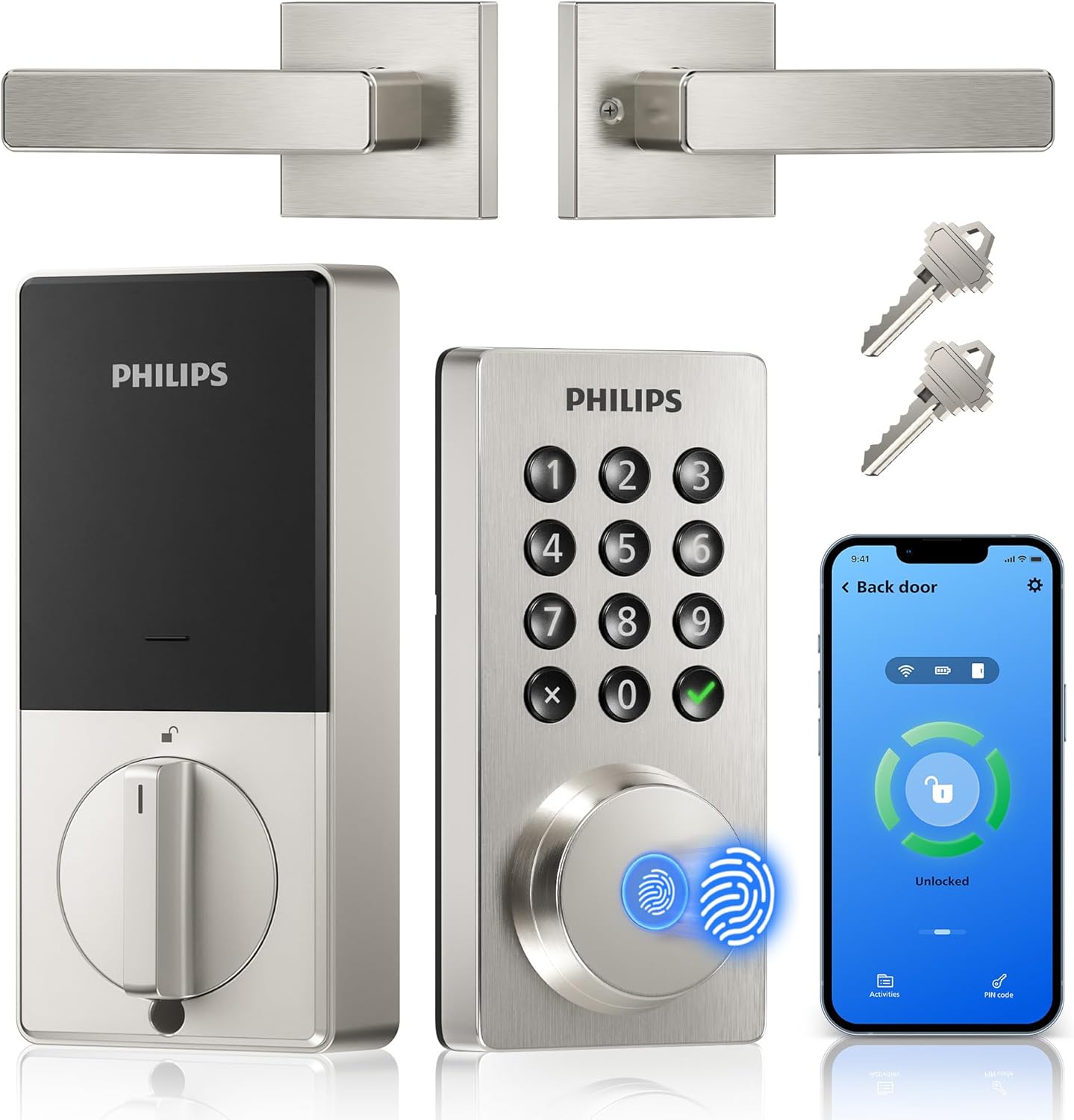
Philips WiFi Keypad Door Lock with Handle

Schlage Encode Smart WiFi Lock With Anywhere Access
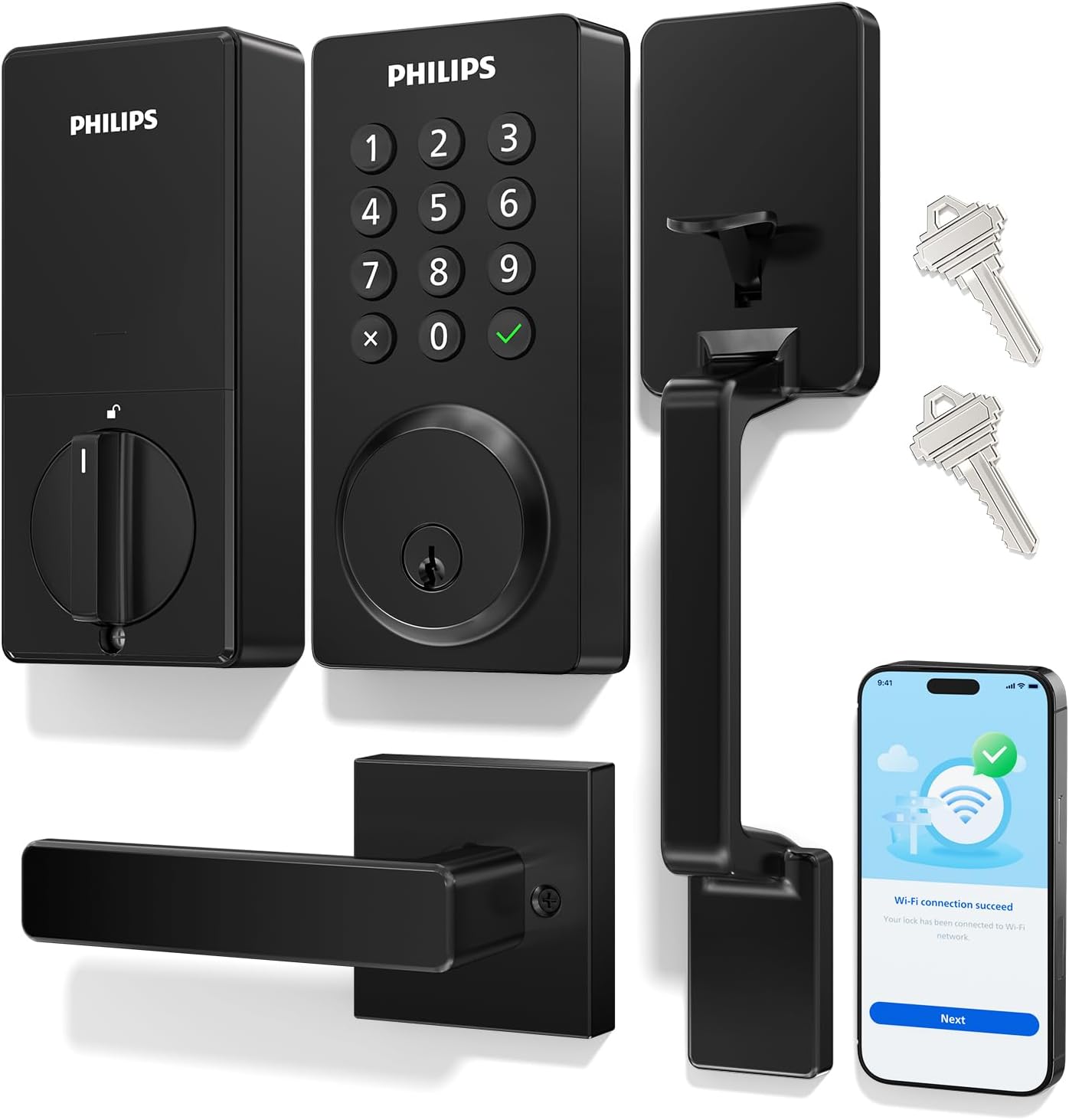
Philips Wi-Fi Smart Front Door Lock Set with Handle

Philips Upgraded Wi-Fi Smart Lock with Handle
How the Five Models Differ
The table below shows where the listed specs diverge most. Values come directly from each product listing, so check them against your door and network before buying. Homeowners comparing keyless entry options often start with fingerprint smart locks.
| Product | Unlock methods | Access codes | Auto-lock window | Wi-Fi setup |
|---|---|---|---|---|
| Philips Front Lock Set | Five methods, incl. fingerprint | Unlimited one-time, 100 users | 30 to 180 seconds | Wi-Fi, band not stated |
| Philips Keypad Deadbolt | App, fingerprint, PIN, voice | Permanent, one-time, recurring | Not listed | 2.4GHz, no hub |
| Schlage Encode Smart | App and touchscreen | Up to 100 codes | Customizable time delays | Wi-Fi, screwdriver install |
| Philips Smart Front Set | App, password, key, voice | Up to 100 passwords | 10 to 180 seconds | 2.4GHz, 65 foot range |
| Philips Fingerprint Handle | Fingerprint on handle | Up to 100 passcodes | 5 to 180 seconds | 2.4GHz, no hub |
Which Setup Fits Your Door
Your door setup and household decide which of these five picks fits best. Start with the factors below, then match your situation. For households running Home Assistant, smart lock options for Home Assistant offer a separate comparison.
- Entry method: handle, keypad or app
- Wiring and tools available
- Number of guest codes you need
- Lighting and router distance
Renting or Hosting Many Guests
Philips Front Lock Set fits best here, because it lists unlimited one-time PIN codes that expire once used, plus up to 100 user codes. Philips Fingerprint Handle is the alternative, listing up to 100 passcodes and offline one-time passwords. The trade-off is auto-lock: Philips Front Lock Set starts at 30 seconds, while Philips Fingerprint Handle starts at 5 seconds.
Installing With a Screwdriver Only
Schlage Encode Smart fits best for this case, since its listing says it installs in minutes with just a screwdriver and needs no hardwiring. Philips Smart Front Set is the alternative, though its listing notes that batteries are not included. Its listing also limits the router to within 65 feet of the lock.
Quick Entry From the Handle
Philips Fingerprint Handle fits best if you want a fingerprint reader on the handle, which reads in 0.3 seconds and stores up to 50 fingerprints. Philips Keypad Deadbolt is the alternative, offering fingerprint unlocking in 0.3 seconds from a keypad deadbolt. The trade-off is placement, since its listing does not describe a handle-mounted reader.
Dim Entryway and Shared Codes
Philips Smart Front Set fits best for entries used in low light, because its keypad is backlit. It supports up to 100 passwords, including permanent, one-time and time-based options. Philips Keypad Deadbolt is the alternative, with a keypad and PIN codes that are permanent, one-time, periodic or recurring. Its listing does not mention a backlight.
How These Picks Were Grouped
This roundup compares the listed specs for unlock methods, access code limits, auto-lock ranges, Wi-Fi band and hub needs, installation and door fit, alarms, and the BHMA certification named in the Schlage Encode Smart listing. Products were grouped by entry method, household size and installation setup, so each buyer can match the listed specs to their own door.
Our Final Picks
Each pick below is placed by the listed specs where it stands out. Compare the labels against your door, household and daily routine before you choose. Many households weigh their options among home key smart locks for entry doors.
Two-handle set: Philips Wi-Fi Front Lock Set with 2 Handles: Philips Front Lock Set suits buyers who want matching handles and a broad mix of unlock methods, including app, fingerprint, PIN, key and voice. It lists unlimited one-time PIN codes and up to 100 user codes, with auto-lock from 30 to 180 seconds. Choose another pick if you need a shorter auto-lock minimum, since Philips Fingerprint Handle starts at 5 seconds.
Keypad plus fingerprint: Philips WiFi Keypad Door Lock with Handle: Philips Keypad Deadbolt suits households that want keypad and fingerprint entry without a hub, connecting directly to 2.4GHz Wi-Fi. Its fingerprint unlock takes 0.3 seconds, and it supports permanent, one-time, periodic and recurring PIN codes. Choose another pick if you want a fingerprint reader built into the handle, which Philips Fingerprint Handle lists.
Built-in door alarm: Schlage Encode Smart WiFi Lock With Anywhere Access: Schlage Encode Smart suits buyers who want a built-in, customizable alarm for door movement and forced entry attempts, plus lock history and notifications. It installs with a screwdriver, needs no hardwiring, and fits doors from 1-3/8 to 1-3/4 inches thick. Choose another pick if you want fingerprint or voice unlocking, which its listing does not mention.
Common Questions Before You Buy
How long does installation take for these smart locks?
Installation time is not stated for every model. The Schlage Encode Smart listing says it installs in minutes with just a screwdriver and needs no hardwiring. It fits standard doors from 1-3/8 to 1-3/4 inches thick, with a 2-3/8 or 2-3/4 inch backset. Measure your door thickness and backset before you buy, and follow the maker’s instructions for the other models.
Do these locks need batteries or wiring?
The Philips Smart Front Set listing says batteries are not included, so plan to supply them yourself. The Schlage Encode Smart does not need hardwiring. For the other models, the listings provided do not state a power source, so check the packaging or manual before installing. Battery type and replacement schedules vary, so follow the maker’s guidance.
How far can the Wi-Fi reach from my router?
The distance limit is listed only for the Philips Smart Front Set, which asks you to keep the router within 65 feet of the deadbolt. That same model supports 2.4GHz networks only. The other picks list Wi-Fi connections without a distance figure. Confirm that your home network runs on 2.4GHz before you buy, and place your router with the listed range in mind. Wi-Fi door lock comparisons are covered in more depth in our smart locks with Wi-Fi roundup.
How do I keep guest access codes organized?
Most picks let you create several code types through the app. The Philips Front Lock Set lists one-time codes that expire once used, along with permanent, recurring and temporary codes. The Philips Fingerprint Handle lists scheduled codes and offline one-time passwords. Review your code list regularly, and delete codes for guests who no longer need entry.
Can I see who unlocked my door?
Several picks record activity. The Schlage Encode Smart lists lock history and customizable notifications. The Philips Smart Front Set lists real-time alerts for every lock and unlock event, along with access history. The Philips Keypad Deadbolt lists access history in real time. Check each listing for the exact notification options before you choose.





