
If you are searching for Best Smart Lock With Geofencing, the first question is how you want to unlock your door: as you approach with a geofence, with a fingerprint, or hands-free with a UWB sensor. Each option depends on different hardware and hubs. Pairing these unlock methods with a self-hosted hub is a separate topic, covered in our roundup of smart locks for Home Assistant.
Kwikset Halo Select and Dreame A10 both list geofence auto-unlock. Aqara U400 suits buyers who want UWB hands-free entry with an Apple Home hub, while ULTRALOQ Bolt SE and Wyze Auto-Lock Bolt v2 suit shared access and battery-only setups.
The Locks in This Roundup
Each card below lists the unlock methods, power source and connectivity named in the manufacturer specs. Compare them against how you plan to enter your home, and check whether a hub is listed as required.

Wyze Auto-Lock Bolt v2 Smart Lock with AI Learning Scanner
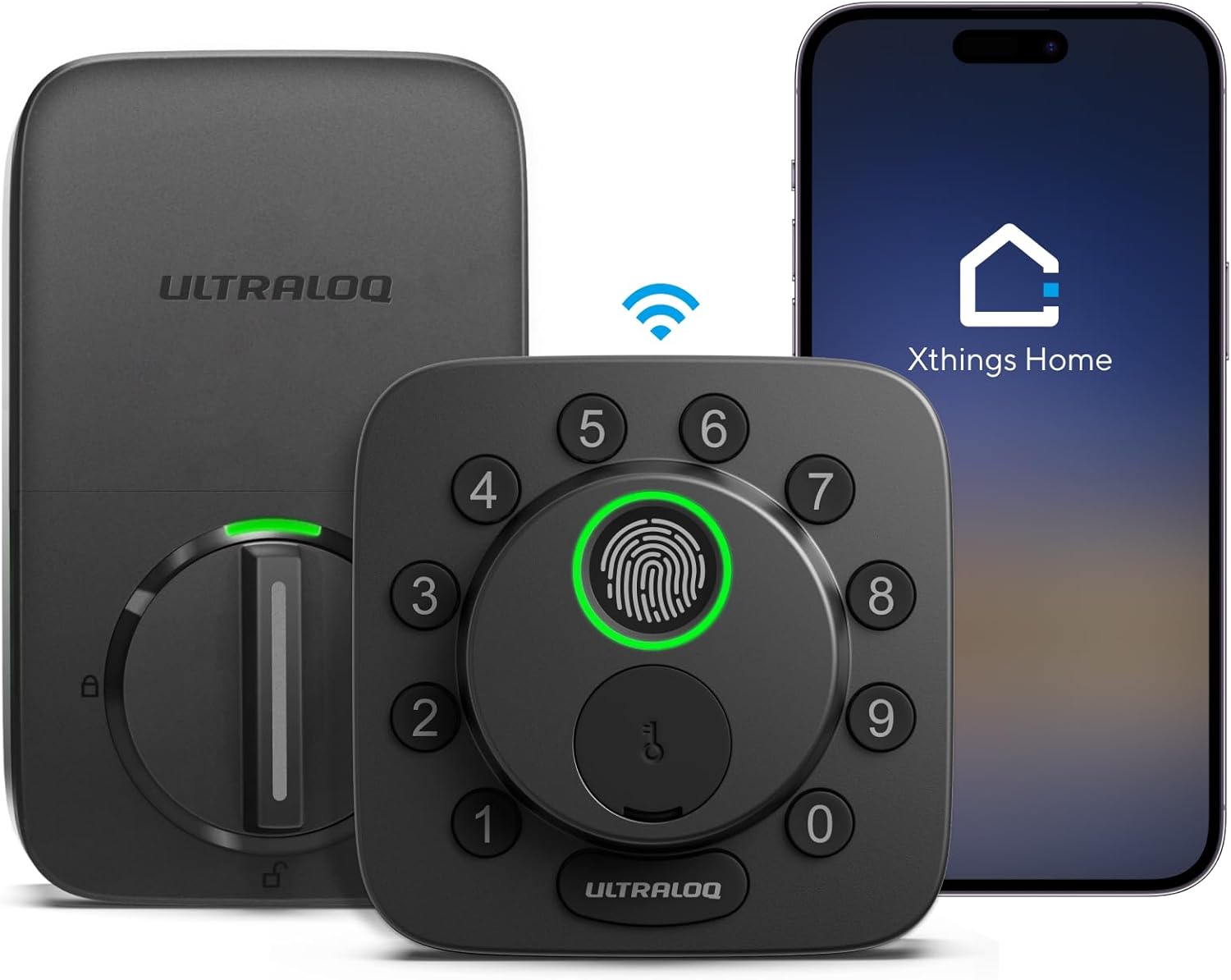
ULTRALOQ Bolt SE Wifi Smart Deadbolt Lock with Matter Support

Aqara U400 Smart Lock with UWB Hands-Free Unlocking

Kwikset Halo Select Smart Lock with Geofence Auto-Unlock

Dreame A10 Smart Lock with Fingerprint Keyless Entry and Wi-Fi
How the Locks Differ on Key Specs
The table compares four listed specs where these locks differ most. Where a spec is not listed by the manufacturer, the table says so rather than assuming a feature. Smart locks for vacation rentals form a separate topic from the specs compared here.
| Product | Geofence auto-unlock | Power and battery | Matter over Thread | Weather spec |
|---|---|---|---|---|
| Wyze Auto-Lock Bolt v2 | Not listed | 8 AA, up to 8 months | Not listed | Not listed |
| ULTRALOQ Bolt SE | Not listed | Battery life not listed | Yes, needs Thread hub | Not listed |
| Aqara U400 | UWB approach unlock | Rechargeable, up to 6 months | Yes, needs Thread hub | IP65 exterior |
| Kwikset Halo Select | Yes | Not listed | Not listed | Not listed |
| Dreame A10 | Yes | Up to 8 months | Yes, needs Thread hub | Not listed |
Which Lock Fits Your Entry Setup
Start with how you plan to enter, then match the power source and hub requirements to your home. Wi-Fi models form their own category, and this best Wi-Fi smart locks roundup covers them in more detail.
- How you want to unlock: fingerprint, app, geofence or hands-free
- Power: battery type and how often it needs recharging or replacing
- Who needs access: family, guests or service providers
- Exposure to weather at the entry door
Battery-Only Installs Without Wiring
Wyze Auto-Lock Bolt v2 is the best fit for a simple battery setup, since its 8 AA batteries are listed for up to 8 months. Its specs do not list geofencing or Matter, so you trade those features for fingerprint and app control. Dreame A10 also lists up to 8 months of battery life and adds geofencing, but Matter support needs a Thread hub.
Apple Home Households Wanting Hands-Free Entry
Aqara U400 fits homes with a Thread-enabled Apple Home hub and a supported iPhone or Apple Watch, because UWB detects approach and direction. The trade-off is hardware: the hub and listed operating system versions are required. Kwikset Halo Select offers geofence auto-unlock over Wi-Fi with no hub, but its specs do not list UWB.
Homes With Frequent Visitors
ULTRALOQ Bolt SE suits households that issue codes and eKeys to family, guests or service providers, with up to 50 passcodes and a web portal. Its Wi-Fi supports 2.4 GHz only, with the router within 70 ft of the lock. Kwikset Halo Select lists up to 250 access codes if you need more slots, but no Matter support.
Entries Exposed to Weather
Aqara U400 is the only lock in this roundup with a listed IP65 exterior, which guards against dust and water. Its rekeyable design lets you change the physical key without replacing the cylinder. The trade-off is the Thread-enabled hub needed for UWB unlocking. Dreame A10 lists BHMA Grade 2 certification but no IP spec.
How These Locks Were Grouped
This roundup compares the listed specs for geofence auto-unlock, unlock methods, battery life and power source, Matter over Thread support, Wi-Fi band and range, access code capacity, IP65 weather protection and BHMA certification. Locks are grouped by entry point: battery-only installs, Apple hands-free entry, shared household access and outdoor exposure. Specs that a manufacturer does not list are marked as not listed.
Our Picks for Different Entry Needs
These three picks cover fingerprint and battery setups, shared household access and hands-free Apple entry. Each reason explains who it suits and which lock to choose instead. Short-term rental hosts face similar lock decisions, a subject covered in depth in this smart locks for Airbnb hosts article.
Fast fingerprint unlock: Wyze Auto-Lock Bolt v2 Smart Lock with AI: Wyze Auto-Lock Bolt v2 suits people who want fingerprint entry in 0.5 seconds with an app and 8 AA batteries listed for up to 8 months. Its USB-C port accepts any common power bank to unlock the door if the batteries die. If you want geofence auto-unlock or Matter over Thread, choose Dreame A10 or Kwikset Halo Select instead.
Web portal access: ULTRALOQ Bolt SE Wifi Smart Deadbolt Lock with: ULTRALOQ Bolt SE suits households that share access, since it stores up to 50 fingerprints and up to 50 passcodes and adds a web portal next to its smartphone app. Its Wi-Fi supports 2.4 GHz only, with the router within 70 ft of the lock. If you need geofence auto-unlock or up to 250 access codes, choose Kwikset Halo Select instead.
UWB hands-free entry: Aqara U400 Smart Lock with UWB Hands-Free Unlocking: Aqara U400 suits buyers who want to enter without touching the lock, using UWB to detect approach with a Thread-enabled Apple Home hub and a supported iPhone or Apple Watch. Its battery lasts up to 6 months per charge, and its IP65 exterior guards against dust and water. If you do not use Apple devices, choose Dreame A10 or Wyze Auto-Lock Bolt v2 instead.
Smart Lock Questions Buyers Ask
How Do I Set Up a Smart Lock With Geofencing?
Kwikset Halo Select and Dreame A10 both list geofence auto-unlock, and both are managed through their own apps. Install the app, add the lock over Wi-Fi, then turn on the geofence feature so the lock unlocks as you approach home. Keep a physical key available where the specs list one. Choosing a model starts with comparing the top smart lock deadbolt picks available today.
Do These Smart Locks Need a Hub?
Wyze Auto-Lock Bolt v2, ULTRALOQ Bolt SE, Kwikset Halo Select and Dreame A10 connect over built-in Wi-Fi and do not require a separate hub for app control. Aqara U400 needs a Thread-enabled Apple Home hub for UWB unlocking. Matter over Thread support on ULTRALOQ Bolt SE, Aqara U400 and Dreame A10 requires a Thread hub or border router.
How Long Do the Batteries Last and Will I Get a Warning?
Wyze Auto-Lock Bolt v2 and Dreame A10 are both listed for up to 8 months of battery life. Aqara U400 is listed for up to 6 months per charge and sends a voice alert when the battery drops below 20%. Dreame A10 also sends low-battery alerts in advance. ULTRALOQ Bolt SE and Kwikset Halo Select do not list battery life.
How Far Can the Lock Be From My Router?
ULTRALOQ Bolt SE supports 2.4 GHz Wi-Fi only, and the manufacturer recommends keeping the router within 70 ft of the lock. Most smart security devices connect over 2.4 GHz Wi-Fi, so check that your router broadcasts that band before buying. Dreame A10 also lists built-in 2.4GHz Wi-Fi.
Can I See Who Used the Lock?
ULTRALOQ Bolt SE lists activity history and real-time notifications in its app. Kwikset Halo Select lists an event log with door and lock status, plus real-time phone alerts for invalid code attempts or lock tampering. Check each lock’s listed specs for the exact alerts before you buy, and keep your app notifications turned on.





