
Choosing Best Remote Door Locks usually starts with one question: how do you want to unlock your door when you are not standing in front of it? Some models connect straight to your home Wi-Fi, while others need a separate gateway. Battery type and passcode capacity also vary widely. Households with frequent visitors often find digital door locks easier than handing out spare keys.
For a direct Wi-Fi connection with no hub, the Philips 4200 Series and Philips Wi-Fi Deadbolt suit most homes. The eufy C220 suits buyers who want a long battery interval, and the HomePage model suits buyers who want remotes rather than an app.
Compare the Remote Door Locks Side by Side
Each card below shows the listed unlock options, connection method and key specs. Start with how the lock connects, then check the unlock methods and power source that fit your daily routine.

Philips 4200 Series WiFi Keypad Deadbolt with Handle

Philips Wi-Fi Smart Deadbolt Lock With Keyless Entry
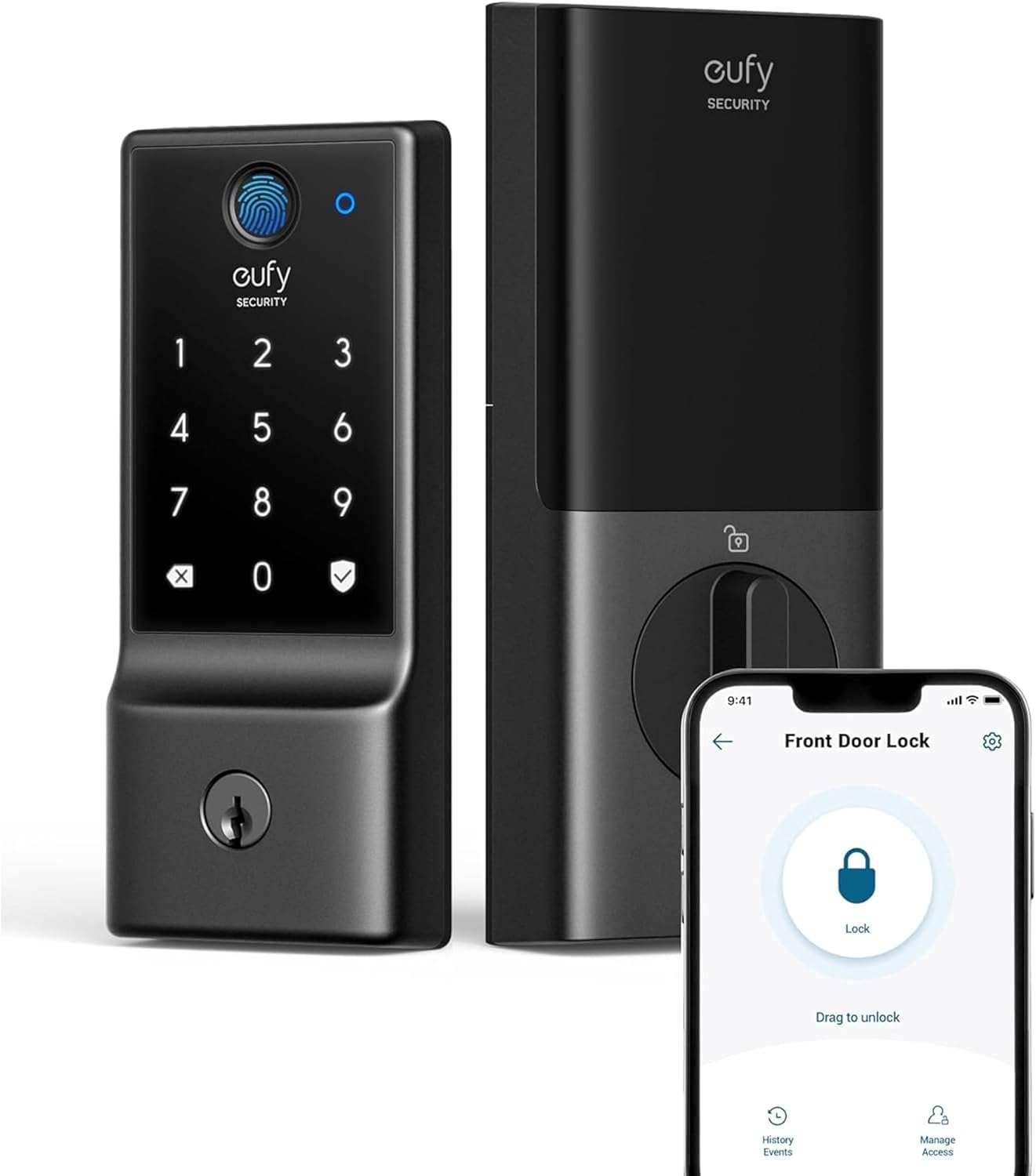
eufy Smart Lock C220 Fingerprint Keyless Entry

Veise VE06-H Smart Front Door Lock Handle Set with App Control

HomePage Remote Control Deadbolt Lock with 4 Remotes and App
Key Specs at a Glance
The table compares the five models on the four specs where they differ most. Values are taken directly from each manufacturer’s listing. The choice between an electronic door lock and a traditional deadbolt often depends on how many people share your keys.
| Product | Wi-Fi Connection | Unlock Methods | Power Source | Passcode or User Capacity |
|---|---|---|---|---|
| Philips 4200 Series | 2.4 GHz, no hub | Keypad, app, fingerprint, voice | Not stated in listing | Permanent, one-time, periodic, recurring |
| Philips Wi-Fi Deadbolt | 2.4 GHz only, no hub | App, passcode, fingerprint, physical key | Batteries not included | Up to 100 passcodes |
| eufy C220 Smart Lock | Built-in Wi-Fi, no bridge | Fingerprint, keypad, key, app, Apple Wat | 8 AA batteries, about 8 months | Not stated in listing |
| Veise VE06-H Handle Set | Needs G2 gateway for Alexa and Google | App, code, fobs, mechanical key, thumb t | Not stated in listing | 250+ user codes |
| HomePage Remote Deadbolt | Not stated in listing | Remote, rotary button, phone app | 4 AA batteries, about 2 years | Not stated in listing |
Which Remote Lock Fits Your Door
Four practical factors separate these models. Check them against your home before you choose. Wi-Fi front door locks suit homes with a strong signal near the entry.
- Distance from your Wi-Fi router
- Whether you want a hub or gateway
- How often you want to change batteries
- Whether the door is exposed to weather
How We Grouped These Locks
We compared the manufacturer-listed Wi-Fi connection method, router distance, unlock methods, power source, battery life, passcode or user capacity, and water resistance where stated. Models were grouped by connection type and power needs so that buyers with different doors and routers can find a clear match.
Our Top Picks in Order
These three picks are listed in the order we recommend them. Each one stands out on a different spec from the list above. Each home with older doors should think carefully about deadbolt locks for security before shopping.
Direct Wi-Fi Setup: Philips 4200 Series WiFi Keypad Deadbolt with Handle: The Philips 4200 Series connects to 2.4 GHz Wi-Fi without a hub and unlocks in 0.3 seconds by fingerprint. It suits buyers who want app control and recurring passcodes. Choose another model if your router is more than 33 ft (10 m) from the door.
Longer Router Range: Philips Wi-Fi Smart Deadbolt Lock With Keyless Entry: The Philips Wi-Fi Deadbolt lists a 65 ft router distance, and it allows up to 100 passcodes. It suits homes with a larger distance between router and door. Choose another model if you need a lock that works with a router on 5 GHz networks, since it supports only 2.4 GHz.
Long Battery Interval: eufy Smart Lock C220 Fingerprint Keyless Entry: The eufy C220 Smart Lock runs on 8 AA batteries for about 8 months, and it adds Apple Watch control. It suits buyers who want Wi-Fi without a bridge and fewer battery changes. Choose another model if you need a lock that works without batteries.
Common Questions About Remote Door Locks
Do these remote door locks need a hub?
The Philips 4200 Series, Philips Wi-Fi Deadbolt and eufy C220 connect over built-in Wi-Fi and list no bridge or hub. The Veise VE06-H needs its G2 gateway, sold separately, for Alexa and Google Home integration. Check the listing before you buy, since connection needs can differ between models. Hosts who rent out a home often find smart locks for short-term rentals easier than handing out physical keys.
Which locks run on batteries, and how long do they last?
The eufy C220 uses 8 AA batteries and lists about 8 months of life, which can vary with use. The HomePage model uses 4 AA batteries and lists about 2 years under normal use. The Philips Wi-Fi Deadbolt does not include batteries, so plan to buy them separately.
Where should I place the lock for the best Wi-Fi connection?
Keep the lock within the router distance listed for your model. The Philips 4200 Series lists 33 ft (10 m), and the Philips Wi-Fi Deadbolt lists 65 ft. Walls, metal objects and interference sources can weaken the connection, so test the app connection after installation.
How do I keep the lock’s batteries and firmware up to date?
Replace batteries when the lock sounds its low-power alert. The HomePage model sounds 5 low-voltage alarm sounds when power is low. Check the app regularly for firmware updates, and test each lock’s remote and keypad access once a month.
Can I use a remote lock on an outdoor door?
The HomePage model states that it is not waterproof and does not support outdoor use. Check the water resistance and outdoor-use notes for any model before you install it on an exposed door.





