
Choosing a Best Keyless Deadbolt Lock comes down to how many people need their own codes, whether you want phone control, and how the lock is powered. Some keypads work without any app, while others connect to Wi-Fi and a smartphone. A wider comparison of the best keypad deadbolt locks covers more models and auto-lock features.
If you want no app and no setup, the Yale Digital Keypad Deadbolt suits that buyer. If you want remote control and lock history, the Schlage Encode Smart fits better. Renters and first-time installers may prefer the Schlage Camelot Keypad Deadbolt, which lists a screwdriver-only install.
Five Keyless Deadbolts Compared by Listed Specs
Each card below lists the features the manufacturer publishes. Compare code capacity, battery information, auto-lock settings and connectivity, and check the listed backset and door thickness before you order.

TEHO TE001 Keyless Entry Deadbolt with Keypad for Front Door

Yale Digital Keypad Deadbolt Keyless Entry Door Lock

Schlage Camelot Electronic Keypad Deadbolt Lock
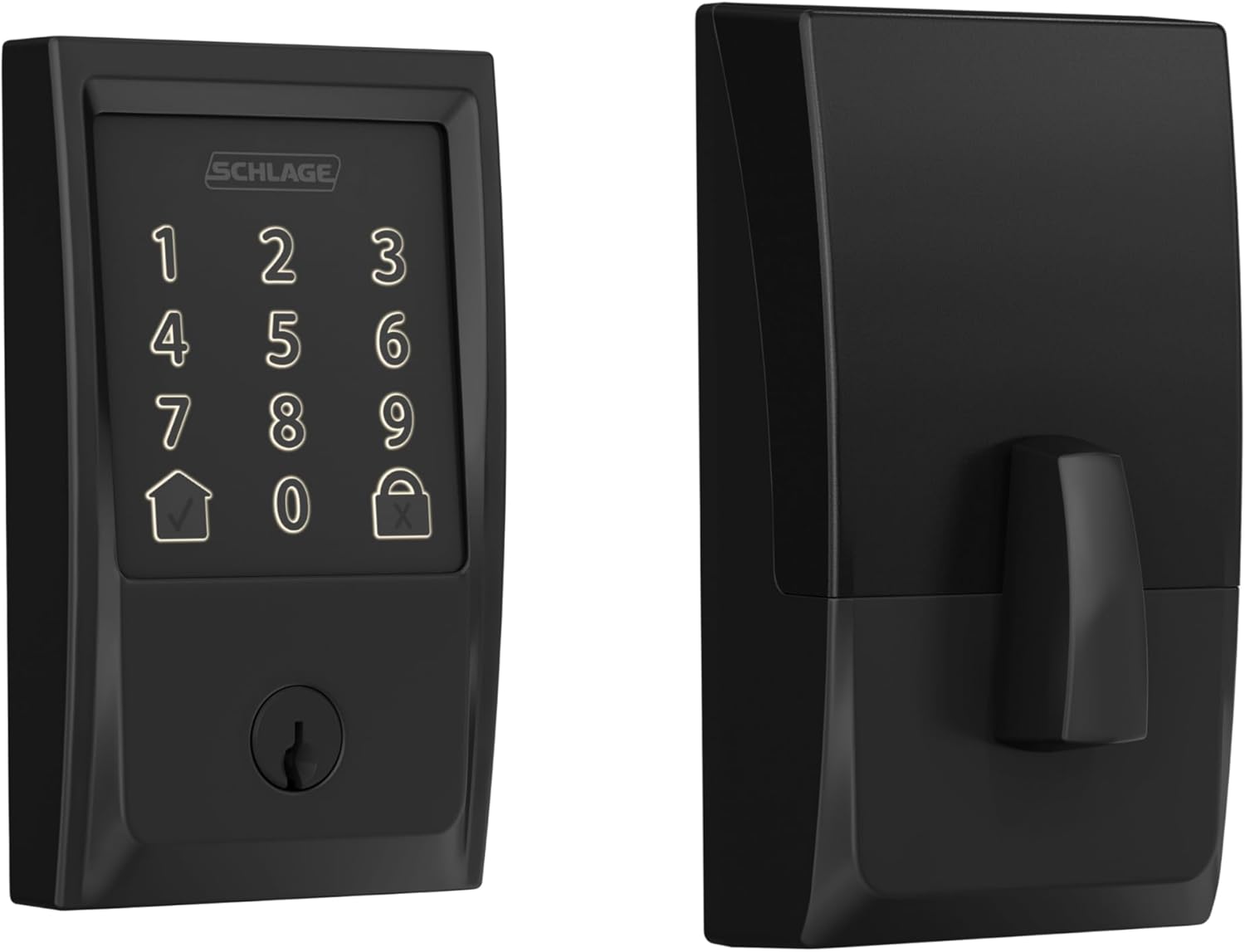
Schlage Encode Smart WiFi Deadbolt Lock with Century Trim

Kwikset Powerbolt 250 Keyless Entry Keypad Door Lock with Auto Lock
Key Specs Side by Side
The table shows where these five locks differ most. Where a manufacturer does not publish a figure, the cell says so rather than estimating.
| Product | Access codes | Battery power | Auto-lock | App or Wi-Fi |
|---|---|---|---|---|
| TEHO TE001 Deadbolt | 20 codes plus one-time code | 4 AA, up to 365 days | 10-99 seconds, off by default | Not listed |
| Yale Digital Deadbolt | Up to 20 codes | Not listed | Auto-Lock, interval not listed | No app, no Wi-Fi |
| Schlage Camelot Deadbolt | 2 preset, up to 19 assigned | 9V included, up to 2 years | Not listed | Application control listed |
| Schlage Encode Smart | Up to 100 access codes | Not listed | Not listed | Wi-Fi, Alexa, Google Home |
| Kwikset Powerbolt 250 | 25 user, 5 one-time codes | Not listed | 30 sec to 10 min | Not listed |
Which Keyless Deadbolt Fits Your Door
Start with the entry point and the people who will use it. The decisions below help you match a lock to your door, power setup and household.
- Number of codes you need for family, guests and service visits
- Whether you want phone control or prefer no app at all
- Installation type: replacing an existing deadbolt or fitting a new one
- Exposure to rain or lighting at night
Replacing an Existing Deadbolt Without Tools Beyond a Screwdriver
The Schlage Camelot Keypad Deadbolt suits this setup, since its listing says it installs with only a screwdriver and no hardwiring. The Yale Digital Keypad Deadbolt is an alternative with no app to set up, but its listing does not describe the install steps. The trade-off is that the Camelot needs a 9V battery and a backset check before purchase.
Adding Phone Control to a Front Door
The Schlage Encode Smart fits households that want to lock, unlock and review lock history from a phone. It lists Wi-Fi, Alexa and Google Home support and up to 100 access codes. The alternative is the Yale Digital Keypad Deadbolt, which skips Wi-Fi entirely. The trade-off is that the Encode depends on a home Wi-Fi network and the Schlage Home app. A broader ranking of the best smart lock options is also available for comparison.
Entering Codes Easily at Night
The Yale Digital Keypad Deadbolt suits dark entries because its listing describes a backlit keypad. The Schlage Camelot Keypad Deadbolt is an alternative, with silicone-coated numbers that illuminate when pressed. The trade-off is that the Yale lists a stated operating range of -22°F to 140°F, while the Camelot does not list one.
Exposed Entries Where Water Reaches the Door
The TEHO TE001 Deadbolt suits covered or semi-exposed entries because its listing gives an IP54 weather rating. Under IEC 60529, the second digit 4 means the lock resists splashing. The Kwikset Powerbolt 250 is an alternative for buyers who want a long auto-lock range, but its listing gives no weather rating. The trade-off is that the TEHO lists no keypad illumination.
How These Picks Were Grouped
We compared the specs each manufacturer publishes, including code limits, battery type and life, auto-lock options, keypad lighting, weather rating, BHMA grade, installation requirements, Wi-Fi support and alarm features. Locks were grouped into code-only keypads, app-connected models, and models with unique features such as weather ratings, so buyers can match a lock to their door without relying on unlisted details.
Our Recommended Keyless Deadbolts
These three picks are listed in order. Each one stands out on a spec the other listings do not match, so you can choose by the feature that matters most for your entry. Many hosts also weigh the security of a front door lock for Airbnb stays against guest convenience.
Weather-rated keypad: TEHO TE001 Keyless Entry Deadbolt with Keypad for: The TEHO TE001 Deadbolt suits covered or semi-exposed front doors, since its listing gives an IP54 rating and 365-day battery life on 4 AA batteries that are not included. Buyers who need keypad lighting or a stated temperature range should choose the Yale Digital Keypad Deadbolt instead.
No app, no Wi-Fi: Yale Digital Keypad Deadbolt Keyless Entry Door Lock: The Yale Digital Keypad Deadbolt suits households that want codes without a smartphone, since it has no app and no Wi-Fi and lists up to 20 codes. Its listing describes a backlit keypad and a stated range of -22°F to 140°F. Buyers who want remote control should choose the Schlage Encode Smart.
Longest stated battery life: Schlage Camelot Electronic Keypad Deadbolt Lock: The Schlage Camelot Keypad Deadbolt suits buyers replacing an existing deadbolt, since it installs with a screwdriver and no hardwiring and lists up to 2 years of battery life with a 9V battery included. Its listing requires you to measure backset, cross bore and door thickness first. Buyers who want phone control should choose the Schlage Encode Smart.
Common Questions About Keyless Deadbolts
How Do I Confirm a Deadbolt Will Fit My Door?
Measure your door’s backset, cross bore and thickness before ordering. The Schlage Encode Smart lists fit for 1-3/8 in to 1-3/4 in door thickness and 2-3/8 in or 2-3/4 in backset. The Schlage Camelot Keypad Deadbolt notes the same backset options and asks you to measure the cross bore and thickness first.
What Happens When Someone Enters Wrong Codes?
The Kwikset Powerbolt 250 sounds an alarm after 3 consecutive incorrect code entries and disables the keypad for 1 min. The Schlage Encode Smart lists a customizable alarm for forced entry attempts and door movement. Check each listing before buying to see which alert options it includes.
Do I Need Wi-Fi for a Keypad Lock?
No. The Yale Digital Keypad Deadbolt lists no app, no phone setup and no Wi-Fi. The Schlage Encode Smart connects to a home Wi-Fi network over an encrypted connection and lets you manage codes and view lock history through the Schlage Home app. Choose based on whether you want remote features. Comparing remote features across several electronic front door locks is a useful next step.
How Will I Know When Batteries Are Low?
Each listing describes a low-battery signal, though the method varies. The TEHO TE001 Deadbolt shows a red light when battery level drops below 15%. The Schlage Camelot Keypad Deadbolt has a dedicated low-battery indicator. The Yale Digital Keypad Deadbolt sends low-power alerts. Keep spare batteries on hand.





