
Shoppers looking for Best Deadbolt Locks With Keypad usually want to stop carrying keys without losing control over who can get in. The right choice depends on how many codes you need, whether you want the door to lock itself, and which power and certification details the listing gives. Keypad entry systems are a common way to replace keys, and a closer look at the best door keypad locks helps clarify the trade-offs.
For households that share access with many people, the Kwikset SmartCode 260 lists the largest code capacity here. Buyers who want a no-app setup may prefer the Yale Digital Keypad, while the TEEHO TE001 suits those who want a short, adjustable auto-lock timer.
The Keypad Deadbolts We Compared
Each lock below is described using only its manufacturer specifications. Compare code capacity, auto-lock timing, battery details and BHMA grade first, then check how each lock is powered and installed.

TEEO TE001 Keyless Entry Deadbolt with Keypad for Front Door

Yale Digital Keypad Deadbolt Keyless Entry Door Lock
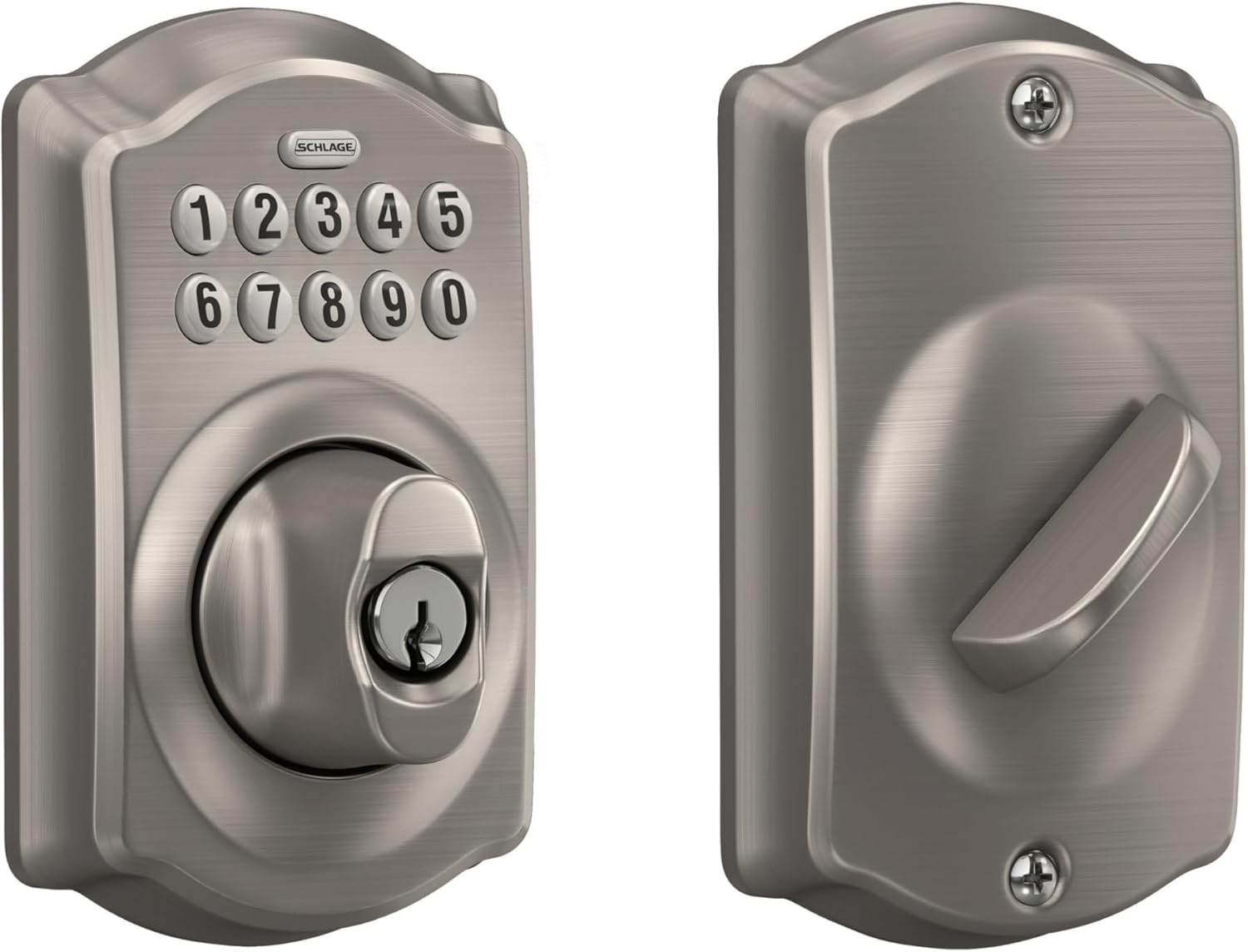
Schlage Camelot Trim Keypad Deadbolt Lock with Keyless Entry

Kwikset Powerbolt 250 Keyless Entry Keypad Door Lock with Auto Lock

Kwikset SmartCode 260 Keyless Entry Electronic Keypad Deadbolt Lock
Specs Side by Side
This table shows where the five locks differ most. A value marked as not listed means the manufacturer’s specs for that lock do not state it. Background on keypad entry door locks, including codes, batteries and auto-lock features, is covered in a separate comparison.
| Product | Access codes | Auto-lock setting | Battery spec | BHMA grade |
|---|---|---|---|---|
| TEEHO TE001 Deadbolt | 20 access codes | 10-99 seconds, off by default | Up to 365 days on 4 AA | Not listed |
| Yale Digital Keypad | Up to 20 codes | Auto-Lock, timing not listed | Low-battery alerts, life not listed | Grade 3 |
| Schlage Camelot Trim | Not listed | Not listed | Not listed | Grade 2/AAA |
| Kwikset Powerbolt 250 | 25 user, 5 one-time codes | 30 seconds to 10 minutes | Not listed | Not listed |
| Kwikset SmartCode 260 | 50 user, 10 one-time codes | 30 seconds to 10 minutes | At least 12 months on 4 AA | Grade 2 |
Which Keypad Deadbolt Fits Your Setup
Start with the features you will use every day, then match them to your door and household. Comparing keypad locks for home side by side can make the choice clearer.
- Number of codes you need to issue
- Whether you want automatic locking and its timing
- Battery type and the battery details listed
- Installation method and any wiring requirement
Large household or frequent guests
The Kwikset SmartCode 260 is the best fit, with 50 user codes and 10 one-time codes listed. Its Grade 2 BHMA rating is also stated. The trade-off is that its batteries are not included, so plan to buy 4 AA alkaline cells. The Kwikset Powerbolt 250 is an alternative with 25 user codes and an intrusion alert.
Dark entryway or night arrivals
The Yale Digital Keypad is a strong fit because its backlit keypad makes code entry easy day or night. It also includes a backup key. The trade-off is that its listing does not state a battery life in months. The Schlage Camelot Trim is an alternative, since its silicone-coated numbers illuminate when pressed.
Door exposed to rain or outdoor weather
The TEEHO TE001 is the best fit, with an IP54 rating and an aluminum alloy construction. IP54 means the second digit 4 indicates splash resistance. The trade-off is that the listing does not state a BHMA grade. The Yale Digital Keypad is an alternative, rated to operate from -22°F to 140°F.
Quick do-it-yourself replacement
The Schlage Camelot Trim is the best fit for a simple swap, since its listing says it replaces an existing deadbolt with only a screwdriver and no hardwiring. The trade-off is that its listing does not state a code count. The Kwikset Powerbolt 250 is an alternative with a programming code that lets you edit or delete user codes.
How We Grouped These Locks
We compared the specs each manufacturer lists, including code capacity, auto-lock range, battery type and life, BHMA grade, IP rating, installation method and operating temperature. We grouped the locks by buyer needs: households that share many codes, buyers who want a no-app setup, outdoor doors and quick replacements. Where a spec is missing from a listing, we say so rather than fill it in.
Our Top Keypad Deadbolt Picks
These picks are listed in order. Each one stands out on a spec that the other picks do not match, so choose by the feature that matters most for your door. Many households also weigh keypad door lock options as a way to control entry without a physical key.
Shortest auto-lock setting: TEEO TE001 Keyless Entry Deadbolt with Keypad for: The TEEHO TE001 Deadbolt suits buyers who want automatic locking with a fine-tuned timer, set anywhere from 10 to 99 seconds and off by default. A one-touch auto-lock is available by holding any key for 2 seconds. Buyers with a large group of users should choose the Kwikset SmartCode 260 Deadbolt instead, which lists 50 user codes.
Backlit keypad, no app: Yale Digital Keypad Deadbolt Keyless Entry Door Lock: The Yale Digital Keypad suits buyers who want a straightforward keyless lock with no app, no phone setup and no Wi-Fi. It is rated to Grade 3 by BHMA and lists operation from -22°F to 140°F. Buyers who want a Grade 2 rating or more than 20 codes should choose the Kwikset SmartCode 260 Deadbolt.
Screwdriver-only install: Schlage Camelot Trim Keypad Deadbolt Lock with Keyless: The Schlage Camelot Trim Deadbolt suits buyers replacing an existing deadbolt, since its listing says it needs only a screwdriver and no hardwiring. It has a Grade 2/AAA rating and illuminated keypad numbers. Buyers who need a stated code count or battery life should choose a different lock, as neither is listed for this model.
Common Questions About Keypad Deadbolts
How Hard Is It to Install a Keypad Deadbolt?
Installation depends on the model. The Schlage Camelot Trim listing says you can replace an existing deadbolt yourself with only a screwdriver and no hardwiring. Before buying any lock, measure your door’s bore and backset and compare them with the product’s installation details, so the new lock fits your existing door. Homeowners who want a wider choice can also compare combination lock options for front doors.
Do These Locks Need Wiring or Batteries?
The locks in this guide run on batteries rather than household wiring. The TEEHO TE001 and Kwikset SmartCode 260 both use 4 AA batteries, which are not included. The Kwikset SmartCode 260 lists battery life of at least 12 months. Check each listing for battery details before you buy.
Will a Keypad Lock Work in Wet Weather?
The TEEHO TE001 lists an IP54 rating. Under IEC 60529, the second digit 4 means the lock resists splashing water. The Yale Digital Keypad is rated to operate from -22°F to 140°F. Neither listing describes full submersion, so check the specs before placing any lock on an exposed door.
How Do I Keep Track of Battery Levels?
Several locks include a low-battery alert. The TEEHO TE001 shows a red light when battery level drops below 15%. The Yale Digital Keypad sends low-power alerts. Replace batteries when the alert appears, and keep a spare set on hand so you are not locked out while you wait.
Can Someone Guess My Code by Trying Many Times?
The Kwikset Powerbolt 250 sounds an alarm after 3 consecutive incorrect code entries and disables the keypad for 1 minute. The TEEHO TE001 lists anti-peeping user code protection. Change codes regularly, and remove codes you no longer need so that the list stays current.





