A Best Curved Monitor Light Bar solves the glare and uneven lighting problems that come with ultrawide curved displays. These bars mount above your monitor to light your desk, not your screen, while tracking the curve itself.
If you use a 34-inch-plus ultrawide, choose the Quntis ScreenLinear for its extended reach and dual independently adjustable bars. For a standard 27- to 34-inch curved monitor, the ONWAY’s wireless remote and compact footprint work well. For smaller curved screens around 15 inches, the BY-J’s precise fit and auto-off timer are built in.
What to Look for in a Curved Monitor Light Bar
These products differ most in monitor size compatibility, brightness output, how you control them, and whether they include extras like timers or camera mounts. Matching the bar’s curve to your monitor ensures even illumination with no dark corners.

Quntis Curved Monitor Light Bar 15 RGB Backlight for 34"+ Screens, Computer Bar Lights Fol...

ONWAY Curved Monitor Light Bar with Wireless Remote,Monitor Auto-Dimming and Camera Base,A...
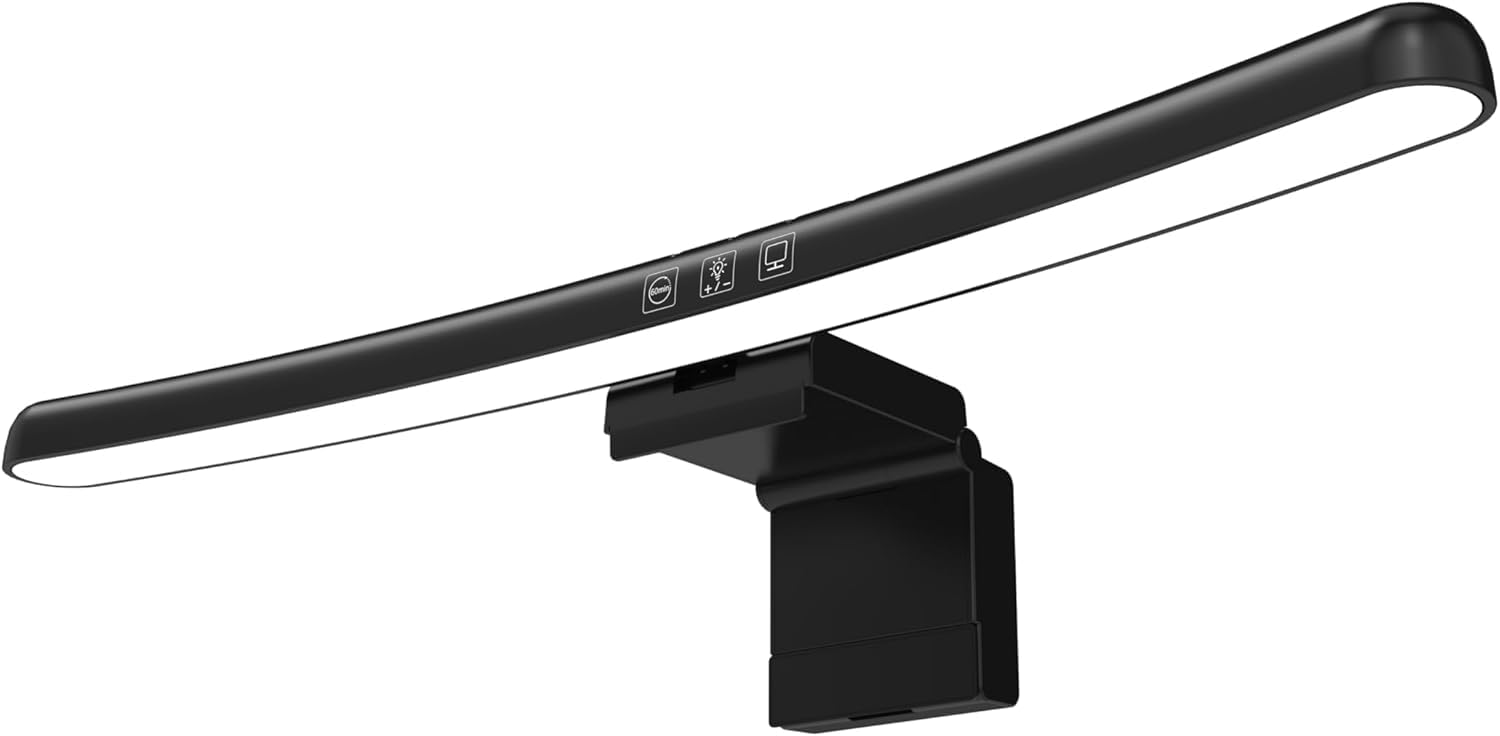
Computer Monitor Light Bar Curved, Eye-Care USB Reading LED Desk Lights with Touch Control...

Monitor Light Bar Curved, RGB Backlight, Computer Screen Lamp

Quntis Curved Monitor Light Bar for 34"+ Ultrawide, Curve-Matching Pivoting
Which Light Bar Fits Your Setup
Your monitor size and workspace define which bar works best. All three deliver glare-free illumination, but their control options and brightness differ.
- Monitor size (ultrawide 34″+, standard 27–34″, or compact curved)
- Control preference (buttons, remote, or automatic sensor)
- Special needs (dual lighting for detail work, camera mounting, or energy savings)
- Brightness demand (bright central focus or even desk coverage)
Ultrawide Gaming and Creative Work
The Quntis ScreenLinear Curved suits ultrawide players and designers. Its foldable dual bars reach up to 26 inches and pivot independently, letting you concentrate light on your work area for detail tasks or spread it wide for gaming sessions. The Quntis delivers up to 1400 lux at the center, more than any other in this lineup. If you prefer a more compact setup, the ONWAY fits 27- to 34-inch curved monitors and includes a camera mount for streaming.
Video Calls and Office Work
The ONWAY Curved Monitor Bar includes a camera-mount base, making it the natural choice for video conferencing. Its wireless remote and 10 RGB dynamic rhythm modes let you adjust lighting without reaching the bar itself. The Quntis ScreenLinear also works for office setups but takes up more space with its dual bars. The BY-J’s compact 15.75-inch size suits smaller curved monitors if your desk is tight, though it lacks camera integration.
Energy-Conscious Late-Night Computing
The BY-J Curved Monitor Bar includes a 60-minute auto-off timer to prevent wasted energy from forgotten lights. It also offers unlimited RGB color customization paired with its curved-screen wraparound effect. The Quntis ScreenLinear has power-off memory to preserve your settings. Both models support extended screen time with high color rendering (RA98 and asymmetric optics).
Compact Curved Setups
The BY-J is purpose-built for smaller curved monitors at 15.75 inches long, conforming tightly to the curved arc with no dead angles. Its 3-level color temperature adjustment and stepless dimming keep controls simple. If your monitor is 27 inches or larger, the ONWAY’s flexible clamp and compact profile offer a better fit than the larger Quntis ScreenLinear.
Our Top Picks
These three models cover the full range of curved monitor setups. Each excels in a specific use case. Each of these also suits a desk where good photo lighting matters for video calls.
Best for Ultrawide Setups: Quntis Curved Monitor Light Bar 15 RGB Backlight: The Quntis ScreenLinear Curved is designed specifically for 34-inch-plus monitors with its 26-inch extended bar and dual independently adjustable arms. It delivers up to 1400 lux at the center and passes IEC/TR 62778 anti-blue light certification with RA98 color rendering. Choose the ONWAY if you need a wireless remote and camera mount instead.
Best for Remote Work and Video Calls: ONWAY Curved Monitor Light Bar with Wireless Remote: The ONWAY Curved Monitor Bar includes a built-in camera mount base and wireless 8cm remote, letting you control all functions without reaching the bar. It fits 27- to 34-inch curved monitors and offers 10 RGB modes plus automatic dimming. Pick the Quntis ScreenLinear if your monitor is larger than 34 inches or you want dual bars for detail-focused work.
Best for Compact Curved Monitors: Computer Monitor Light Bar Curved: The BY-J Curved Monitor Bar is tailored specifically for smaller curved screens at 15.75 inches. It includes a unique 60-minute auto-off timer for energy savings and offers unlimited RGB color customization. Choose the ONWAY if your monitor is 27 inches or larger, as the BY-J’s short length is designed for intimate curved setups.
Questions About Curved Monitor Light Bars
What does color temperature (3000K to 6500K) actually control?
Color temperature sets how warm or cool your light looks, not its brightness. Lower temperatures like 3000K appear warm and amber; higher ones like 6500K appear cool and blue. For evening work, choose warmer 3000K. For daytime focus, pick cooler 5000K or above. All three models let you adjust this smoothly.
What’s the difference between a curved bar and a straight monitor light?
A curved bar follows your monitor’s arc from side to side, directing light evenly across your desk without dark corners. Straight bars can misalign on deeply curved screens. The Quntis ScreenLinear includes a patented curved optical design; the ONWAY and BY-J also use asymmetric optics to eliminate glare unique to curved displays.
Can these light bars work with flat monitors too?
The Quntis ScreenLinear is designed for curved monitors 34 inches and up but works on large flat screens. The ONWAY fits curved monitors 27–34 inches and irregular shapes. The BY-J is tailored specifically for curved screens and may not work optimally on flat displays due to its curved arc design.
Why do these lights use a 45-degree asymmetric design?
The 45-degree asymmetric optical design directs light downward onto your desk and keyboard while keeping it off your screen and out of your eyes. This eliminates glare and reduces the eye strain from light reflecting off your monitor. All three models use this optical principle.
Which model is best if I stream video or attend lots of video calls?
The ONWAY Curved Monitor Bar includes a camera-mount base, making it ideal for webcam setups. Its wireless remote also lets you adjust lighting without moving during calls. The Quntis ScreenLinear works too but lacks built-in camera integration, and the BY-J is too small for most streaming setups. The lighting needs of a larger shoot differ from desk work, so photography lighting equipment suits bigger setups.