Screen glare and uneven desk lighting tire your eyes during work, gaming, and study sessions. A Best Light Bar For Monitor sits atop your monitor and directs light onto your desk instead of your screen, cutting reflections and strain while keeping your workspace bright.
Choose a curved-monitor model if you use an ultrawide display over 34 inches. Pick a smaller bar for standard monitors or if you want simpler controls. All these products use asymmetrical light design and filter blue light, but brightness, dimming options, and screen size compatibility vary. Measure your desk depth first so that monitor light bars fit cleanly behind your screen.
What to Compare in Best Light Bar For Monitor
These products differ most in their reach (how far the light extends), brightness output, monitor compatibility, control method, and whether they include backlight or RGB modes. Check your monitor’s width and curve radius, then match it to the bar’s extension and clamp range.

Quntis Curved Monitor Light Bar 15 RGB Backlight for 34"+ Screens, Computer Bar Lights Fol...

Quntis Computer Monitor Lamp, Screen Monitor Light Bar for Eye Caring, USB Reading LED Tas...
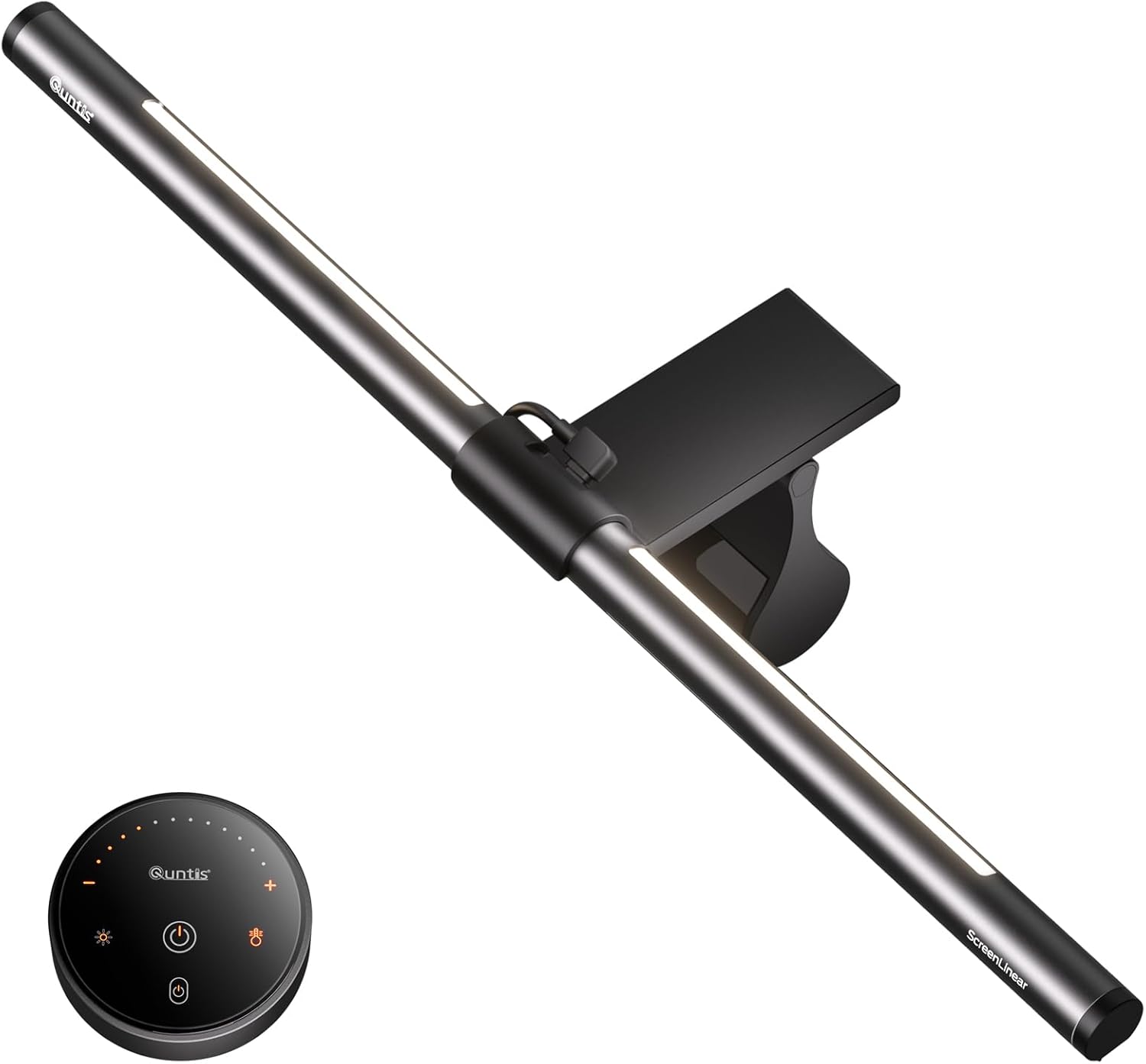
Quntis Computer Monitor Light Bar with Backlight, Desk Lamp with Remote

Monitor Light Bar, Eye-Care USB Computer Monitor Lamp for Home Office Gaming, 15.7'' Ultra...

16.14" Monitor Light Bar,250LM USB LED Desk Lamp,Home Office Gaming
Who Should Choose Which Best Light Bar For Monitor
Your monitor size, curve, and work style matter most. Larger ultrawide displays need longer bars; standard setups work with compact models. Night gamers may want RGB modes; office workers often prefer simple controls. Portrait and product shoots need softer, more even light than a monitor bar gives, and photo lighting setups can supply it.
- Monitor size and curve compatibility
- Brightness you need (lux output)
- How you want to adjust light (buttons, remote, or auto)
- Whether you use the light for work, gaming, or both
Ultrawide Curved Monitors Over 34 Inches
The Quntis Curved RGB is built for large curved displays, extending up to 26 inches and fitting curvatures from 800R to 3000R. Its foldable dual-light design delivers 1400 lux at the center and 500 lux across a wider area. Choose the Quntis Backlight Monitor Bar if you prefer a remote control and specific work, immersive, and design modes; trade-off is smaller coverage area.
Standard Flat Monitors and Everyday Office Work
The Quntis Standard Monitor Lamp offers 900 lux brightness with 78 high-quality LED beads and RA98 color rendering. It includes built-in auto-dimming that adjusts to ambient light without your input, plus manual stepless control. Consider the SAMPHON Ultrawide LED if your desk spans 35 inches by 25 inches and you prefer mechanical buttons over touch controls.
Large Flat or Ultrawide Monitors with Desktop Space
The SAMPHON Ultrawide LED spans 15.7 inches and covers a wide desk area with 900 lux central brightness. Its 45-degree asymmetrical design and stepless dimming through mechanical switches give you precise control. Switch to the Colorpanda 16.14″ Bar for a more compact option with fixed color temperature steps instead of continuous adjustment.
Late-Night Gaming and Immersive Sessions
The Quntis Curved RGB stands out with 15 RGB backlight modes plus a standard front light. Its auto-dimming and 4 preset brightness levels let you transition smoothly from dusk to late night while the RGB modes add creative ambiance. The Quntis Backlight Monitor Bar offers three tailored modes (Work, Immersive, Design) if you want structured lighting scenes without RGB variety.
Recommended Best Light Bar For Monitor
These three picks cover the main use cases. All meet IEC anti-blue-light and flicker-free standards, use asymmetrical light design to avoid screen glare, and clip securely to monitors from thin to thick. Choosing photography lighting equipment starts with deciding whether you need soft continuous light for video or flash for still products.
Largest Curved Coverage: Quntis Curved Monitor Light Bar 15 RGB Backlight: The Quntis Curved RGB extends up to 26 inches and fits curved monitors over 34 inches (800R to 3000R curvature), making it the only model designed for large ultrawide displays. Its foldable dual-light design delivers 1400 lux at the center and 500 lux across a wider area. Choose a smaller Quntis Standard Monitor Lamp or the Backlight Bar if your monitor is standard-sized and curved.
Auto-Dimming for Hands-Free Comfort: Quntis Computer Monitor Lamp: The Quntis Standard Monitor Lamp’s built-in ambient light sensor continuously adjusts brightness to 900 lux, preventing eye fatigue without manual tweaking. It includes 78 high-quality LED beads for uniform lighting and holds an RA98 CRI rating for accurate color rendering. Pick the Quntis Curved RGB if you need larger coverage and RGB modes for gaming.
Remote Control and Preset Modes: Quntis Computer Monitor Light Bar with Backlight: The Quntis Backlight Monitor Bar ships with a smart remote featuring touch buttons and includes three dedicated lighting modes (Work, Immersive, Design) for different tasks. Its front and back light sources provide even illumination for both screen areas. Choose the SAMPHON Ultrawide LED if you prefer mechanical on-device buttons and a wider desk light footprint.
Common Questions About Best Light Bar For Monitor
What is 900 lux or 1400 lux in brightness?
Lux measures light directed onto a surface from a specific angle. According to ENERGY STAR, 800 lumens is equivalent to a 60-watt incandescent bulb. The Quntis Curved RGB reaches 1400 lux at the center (comparable to brighter overhead lighting), while most other models deliver 900 lux, suitable for focused desk work without glare on your screen.
Does color temperature choice matter for my eyes?
Color temperature sets how warm or cool light looks, not its quality. Warm white (3000K) feels relaxing for evening use; daylight (6500K) feels energizing for focused work. All models here range from 3000K to 6500K, letting you customize throughout the day. The Colorpanda offers only three fixed steps (2700K, 4000K, 6500K) rather than stepless adjustment. Shaded windowsills often need grow lights for carnivorous plants, which depend on strong, balanced light.
What does RA98 CRI mean?
CRI (Color Rendering Index) measures how accurately a light shows true colors. A rating of 90 or higher is considered excellent. The Quntis Curved RGB and Standard Monitor Lamp both offer RA98 CRI, making them best for color-critical work like design or photo editing. Other models do not list a CRI specification.
Do these lights work with curved monitors?
The Quntis Curved RGB explicitly supports curved monitors from 800R to 3000R curvature over 34 inches. The Quntis Backlight Monitor Bar includes a patented sliding weighted clip designed for curved screens. Standard models and the SAMPHON also mount on curved monitors via their weighted or counterweight clips but lack the specialized curve support.
Can I control these lights while working or gaming?
The Quntis Curved RGB and Standard Monitor Lamp offer auto-dimming sensors that adjust without your input. The Backlight Bar includes a remote with touch buttons. The SAMPHON and Colorpanda use mechanical or touch buttons on the light itself. Choose a remote or auto-dimming model if you prefer to set and forget; mechanical buttons work well if you adjust lighting frequently.