Best Smart Switches For Home Assistant work by replacing your existing wall switch with a connected version, letting you control lights remotely, automate schedules and use voice commands. All these switches require a neutral wire in your wall box and work with major voice assistants like Alexa and Google.
Buyers choosing between Wi-Fi and Zigbee should know Wi-Fi connects directly to your router, while Zigbee requires a separate hub. Matter-ready switches let you control from multiple apps simultaneously without being locked into one platform. Households with several people sharing a wall switch often find smart light switches especially useful.
How These Switches Differ
The main differences come down to protocol (Wi-Fi or Zigbee), Matter support, included pack size, and special features like 3-way compatibility. Check what your walls need and which smart home platform you’re already using.

Kasa Smart Light Switch, Single Pole, Need Neutral Wire, HS200P3

Tapo Smart Light Switch, Single Pole, Need Neutral Wire, S500(4-Pack)

TP-Link Tapo Matter Smart Light Switch: Voice Control w/Siri, Alexa & Google Home | UL Cer...

Leviton Decora Smart Switch, Wi-Fi, D315S-1RW, White
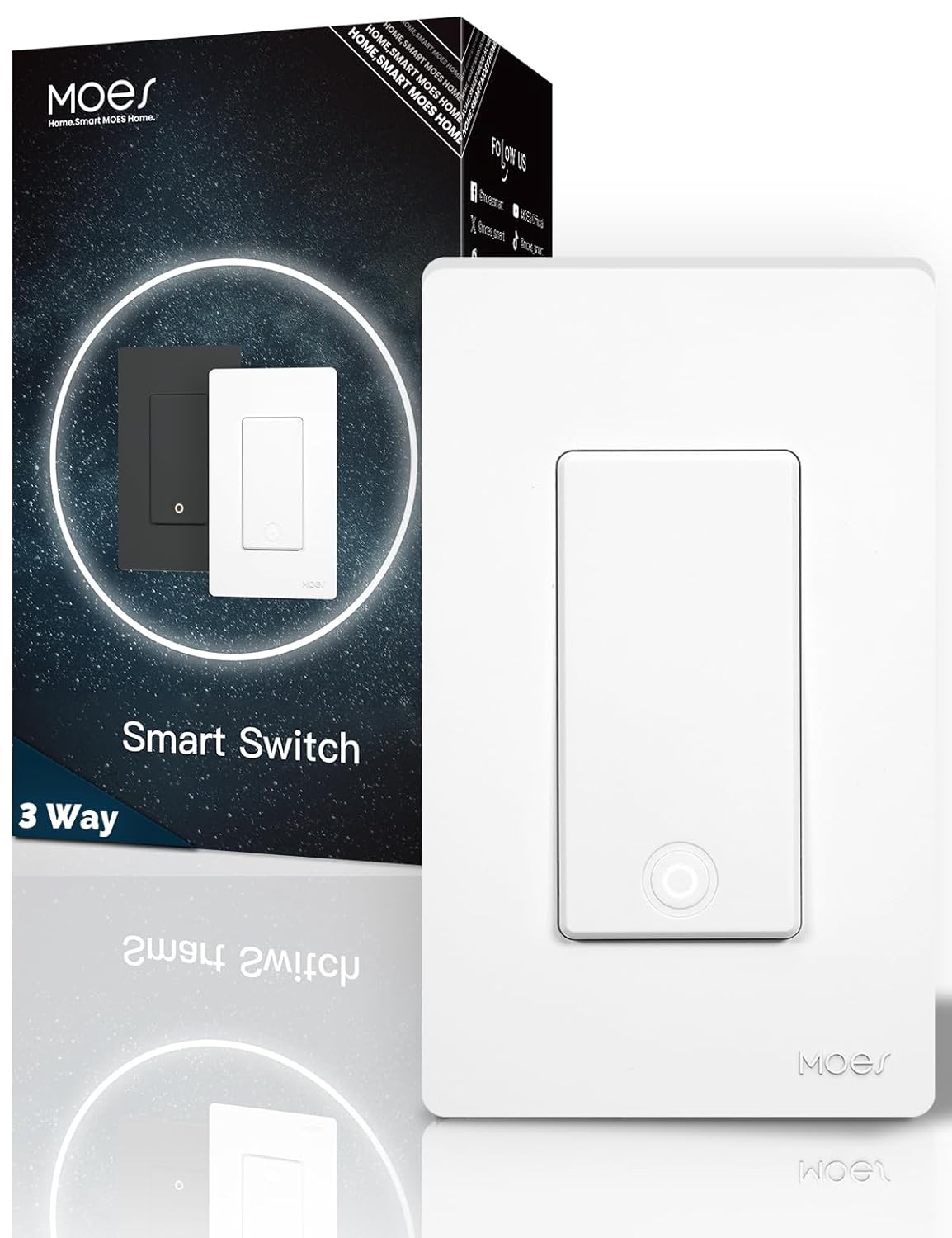
MOES Zigbee 3 Way Light Switch 1 Gang, Need Neutral Wire & MOES Zigbee Hub
Who Should Choose Which Switch
Your choice depends on whether you already have a smart home hub, how many switches you need, and which voice assistants you prefer.
- Wi-Fi switches connect directly to your router with no extra hardware
- Zigbee requires a hub but works reliably even if your Wi-Fi is busy
- Matter support lets you control from multiple apps at once
- 3-way compatibility handles hallways and stairwells with switches in two locations
Multi-Room Setups
Tapo Smart Switch suits homes needing several switches at once, since it comes in a 4-pack and requires no additional hub. Kasa and Leviton Decora sell single units, so buyers adding one or two switches to an existing setup should choose either. TP-Link Tapo Matter offers a 2-pack middle ground for those wanting Matter compatibility without buying four switches.
Matter-First Buyers
TP-Link Tapo Matter and Leviton Decora both work with Apple Home, Amazon Alexa, Google Home and Samsung SmartThings from a single app. Kasa, Tapo Smart Switch, and MOES require separate apps per platform, which means managing multiple apps to control all your devices from different ecosystems.
Three-Way Switch Locations
MOES Zigbee is the only switch designed for 3-way configurations, letting you control one light from two different locations in hallways or between rooms. All other switches are single-pole only and work in standard locations.
Zigbee Network Existing Users
MOES Zigbee integrates with Home Assistant and Zigbee2MQTT if you already run those platforms and have a Zigbee hub. It requires both the hub and neutral wiring, but avoids adding another Wi-Fi device to your network. The four Wi-Fi switches add load to your 2.4 GHz band instead.
Our Picks
Choose based on whether you have an existing hub, want Matter compatibility and how many switches you’re installing. Choose a location with strong Wi-Fi, since some smart home light switches rely on it for control.
Most Users, Single Unit: Kasa Smart Light Switch: Kasa Smart Light suits buyers starting small with one switch or adding to an existing Kasa setup. It works with Alexa and Google, includes app-guided install, and the brand is trusted by over 4 million users. Choose TP-Link Tapo Matter if you need Matter compatibility instead.
Best Value 4-Pack: Tapo Smart Light Switch: Tapo Smart Switch offers four switches in one package, ideal for outfitting multiple rooms at once with Wi-Fi control. It shares Kasa’s Alexa and Google support, app-guided setup and away-mode scheduling, but reaches over 8 million users globally and includes a 2-year warranty. Leviton Decora is the single-unit alternative.
Matter and Multi-App Control: TP-Link Tapo Matter Smart Light Switch: TP-Link Tapo Matter works with Apple Home, Alexa, Google Home and SmartThings simultaneously through Matter, plus enables offline control between devices on your local network without needing the internet. It comes as a 2-pack with 2.4 GHz Wi-Fi and voice control. Kasa or Tapo Smart Switch are better if you only use one smart home platform.
Common Questions About Best Smart Switches For Home Assistant
Do I need a hub for these Best Smart Switches For Home Assistant?
Wi-Fi switches like Kasa, Tapo and TP-Link Tapo connect directly to your router with no hub. MOES Zigbee requires a separate MOES Zigbee Hub to operate and communicate with Home Assistant or Zigbee2MQTT. Leviton Decora also connects directly via Wi-Fi. Smart switches for home suit rooms where one wall switch controls a light you use every day.
Which assistants work with these switches?
All 5 switches support Amazon Alexa and Google Assistant voice commands. TP-Link Tapo Matter and Leviton Decora also work with Apple Siri. If you use multiple platforms, Matter support lets you control the same switch from different apps and hubs simultaneously.
Can I use these switches for 3-way setups?
Only MOES Zigbee is designed for 3-way switch configurations where one light is controlled from two locations, such as a hallway with switches at both ends. Kasa, Tapo, TP-Link Tapo and Leviton are single-pole only and work in standard locations with one switch per light.
What wiring do I need to install these switches?
All five Best Smart Switches For Home Assistant require a neutral wire in your wall box. If your home was built before the 1980s, you may not have neutral wiring in light switch locations. An electrician can check or add one if needed. All switches also require 2.4 GHz Wi-Fi access except MOES, which only needs Zigbee range from its hub.
Can these switches dim lights?
The specs do not indicate dimming capability for any of these Best Smart Switches For Home Assistant. MOES explicitly notes it does not work as a dimmer. If dimming is important, contact the manufacturer before purchasing to confirm functionality or explore smart bulbs designed for dimming instead.