
Buyers searching for Best Smart Lock That Works With Ring usually want a deadbolt they can control with Ring’s ecosystem without carrying keys. Only the two Kwikset HomeConnect models in this roundup list Ring Alarm compatibility, and both require a Ring Alarm smart hub. Other keyless entry options for homes are covered in our smart lock keyless entry guide.
If you already run Ring Alarm, start with the Kwikset HomeConnect 620. If you want Wi-Fi control without a separate hub, the Schlage Encode Smart, Philips Wi-Fi Smart and Schlage Arrive Smart connect to your home network directly and do not list Ring compatibility.
Five Smart Locks Compared by Listed Specs
Each card lists the brand and the main features from the manufacturer specs. Check Ring Alarm compatibility first if that system is your goal, then compare code capacity and unlock methods.

Kwikset HomeConnect 620 Lock Keyless Entry with Z-Wave Long Range

Schlage Encode Smart WiFi Deadbolt Lock with Camelot Trim

Philips Wi-Fi Smart Deadbolt Lock With Keyless Entry
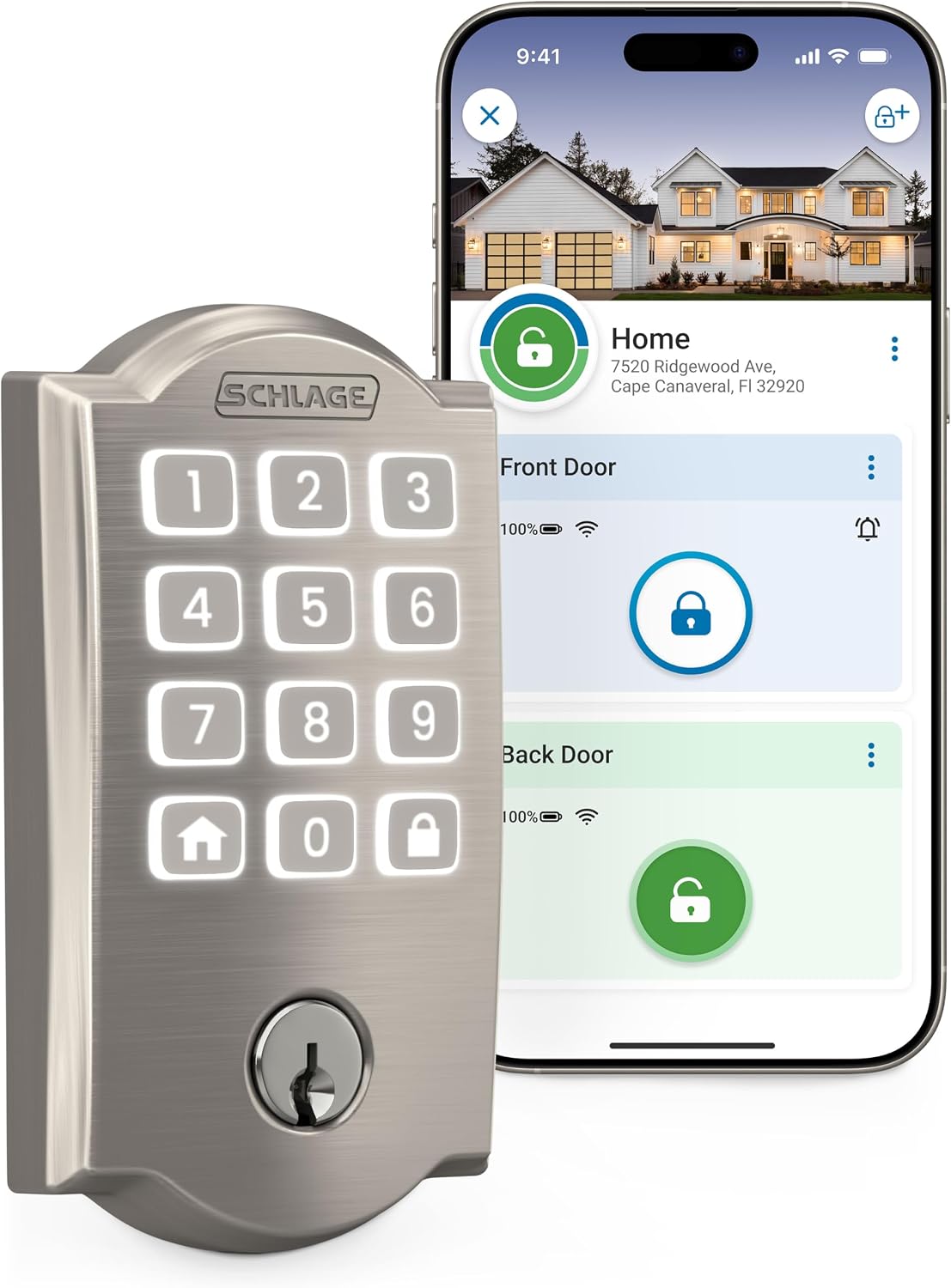
Schlage Arrive Smart WiFi Deadbolt Lock with Camelot Trim

Kwikset HomeConnect 918 Touchscreen Lock with Z-Wave Long Range
How the Five Locks Differ on Key Specs
The table compares connection type, Ring Alarm compatibility, user code capacity and the main unlock or keypad style, using only what each listing states. Use it to spot the differences that matter most for your door and household. The topic of fingerprint smart locks often comes up when comparing unlock methods.
| Product | Connection | Ring Alarm compatible | Code capacity | Keypad or unlock style |
|---|---|---|---|---|
| Kwikset HomeConnect 620 | Z-Wave Long Range | Yes, needs Ring hub | Up to 250 | Touchscreen keypad |
| Schlage Encode Smart | Built-in Wi-Fi | Not listed | Up to 100 | Fingerprint-resistant touchscreen |
| Philips Wi-Fi Smart | Built-in Wi-Fi | Not listed | Up to 100 | Fingerprint and passcode |
| Schlage Arrive Smart | Built-in Wi-Fi | Not listed | Up to 250 | Backlit push-button |
| Kwikset HomeConnect 918 | Z-Wave Long Range | Yes, needs Ring hub | Up to 250 | Touchscreen keypad |
Which Lock Fits Your Entry Setup
Your entry point, household and install setup shape which listed features matter most. Start with these four factors.
- Whether you already own a Ring Alarm system
- Whether you can use Wi-Fi without an extra hub
- How many access codes your household or guests need
- Whether your door needs a built-in alarm or a backlit keypad
If You Already Run Ring Alarm
The Kwikset HomeConnect 620 suits homes with Ring Alarm, because its listing says you can control and check its status through the Ring Alarm system and app. It needs a Ring Alarm smart hub. The Kwikset HomeConnect 918 lists the same Ring compatibility and code limits. Choose the Schlage Encode Smart if you want Wi-Fi control without Ring, though its listing does not mention Ring compatibility.
Wi-Fi Control Without an Extra Hub
The Philips Wi-Fi Smart suits households that want app, passcode, fingerprint, physical key or voice unlocking, with built-in Wi-Fi and no extra hub. Its listing states that batteries are not included and that it supports only 2.4 GHz networks, with the router and lock within 65 ft for better remote control. The Schlage Encode Smart is the alternative if you want a built-in alarm, though it lists up to 100 access codes.
Door Alarm Alerts and Quick Installation
The Schlage Encode Smart suits people who want a built-in alarm for door movement and forced entry attempts. Its listing says it installs in minutes with just a screwdriver, with no hardwiring, and fits doors from 1-3/8 in to 1-3/4 in thick. The Schlage Arrive Smart is the alternative for a backlit keypad, but its listing does not mention a door alarm.
Dim Entryways and Frequent Keypad Use
The Schlage Arrive Smart suits entries with low light or frequent keypad use, because its durable silicone buttons are backlit. It lists up to 250 access codes and works with Alexa and Google Home for voice control. The Kwikset HomeConnect 620 is the alternative for a touchscreen, though it needs a Ring Alarm smart hub to work with that system.
How These Locks Were Compared
This roundup compares only the manufacturer specs for five locks, including connection type, Ring Alarm compatibility, user code capacity, unlock and keypad style, door fit, listed alarms and BHMA certifications. The locks are grouped by the buyer situation each spec suits, such as Ring Alarm homes, Wi-Fi without a hub and dim entryways. Descriptions restate what each listing says.
Our Three Picks for Smart Locks That Work With Ring
These three picks cover the most common needs in this list: Ring Alarm compatibility, built-in Wi-Fi control and multiple unlock methods. Each one is described below with the spec that sets it apart. Homeowners who want keyless entry often compare options across smart locks for home use.
Ring Alarm link: Kwikset HomeConnect 620 Lock Keyless Entry with Z-Wave: Kwikset HomeConnect 620 suits homes already running Ring Alarm, since its listing says you can control and check its status through the Ring Alarm system and app with a Ring Alarm smart hub. It also lists Z-Wave Long Range, S2 encryption and up to 250 user codes. Choose Schlage Encode Smart if you want Wi-Fi control and do not use Ring.
Built-in door alarm: Schlage Encode Smart WiFi Deadbolt Lock with Camelot: Schlage Encode Smart suits people who want Wi-Fi control, lock history and a built-in alarm for door movement and forced entry attempts. Its listing says it installs with a screwdriver and lists up to 100 access codes. Pick Kwikset HomeConnect 620 if Ring Alarm compatibility is your priority.
Multiple unlock methods: Philips Wi-Fi Smart Deadbolt Lock With Keyless Entry: Philips Wi-Fi Smart suits families who want to unlock with an app, passcode, fingerprint, physical key or voice, with built-in Wi-Fi and no extra hub. It lists up to 100 passcodes and one-time or scheduled codes for guests and deliveries. Choose a Schlage model if you need the listed door alarm or backlit keypad, and note that it supports only 2.4 GHz networks.
Common Questions About Smart Deadbolts
Which door thicknesses does the Schlage Encode Smart fit?
The Schlage Encode Smart lists a fit for standard doors with 1-3/8 in to 1-3/4 in door thickness and a 2-3/8 in or 2-3/4 in backset. Measure your door edge and the distance from that edge to the bore hole before you buy. The listing also says it installs in minutes with a screwdriver and needs no hardwiring. If your door falls outside those measurements, check the listed dimensions of another product before ordering.
Do the Philips Wi-Fi Smart batteries come in the box?
No. The Philips Wi-Fi Smart listing states that batteries are not included, so plan to buy them separately. The lock uses built-in Wi-Fi but supports only 2.4 GHz networks. The listing advises keeping the router and lock within 65 ft for better remote control. Confirm that your router broadcasts a 2.4 GHz network and that the connection is stable before setting up voice control.
Is the connection to the Kwikset HomeConnect 620 encrypted?
Yes. The Kwikset HomeConnect 620 lists advanced Z-Wave security with S2 encryption and SmartStart for integration with a compatible Z-Wave hub. Its Z-Wave Long Range feature provides a direct connection to that hub, with coverage throughout the home. The Kwikset HomeConnect 918 lists the same security and integration features. Encryption describes how the connection is protected, not how the door resists forced entry.
Can these locks replace professional monitoring?
No. A smart lock with app notifications or a Ring Alarm link does not replace professional monitoring, emergency services or the smoke and carbon monoxide alarms your home needs. The NFPA recommends testing smoke alarms once a month and replacing them every 10 years. Treat the lock’s features as added control and convenience, and keep your other safety devices installed and tested.
How many guest codes can I create and share?
The Philips Wi-Fi Smart lists up to 100 custom passcodes and lets you share one-time or scheduled codes with guests, cleaners or deliveries. The Schlage Encode Smart manages up to 100 access codes, while the Schlage Arrive Smart manages up to 250. The Kwikset models list up to 250 user codes plus one programming code. Compare these limits with how many people need access. Some households also weigh fingerprint door locks as an alternative to shared codes.





