
Shopping for 5 Best Smart Lock Keyless Entry usually starts with one question: how do you want people to get in? Some buyers want a touchscreen and app control, others want a fingerprint, and renters often need codes they can create and delete quickly.
Deadbolts such as the Schlage Encode Deadbolt suit buyers who want a screwdriver-only install and a listed door-movement alarm. The Veise VE017 suits buyers who want fingerprint entry and on-lock encrypted storage. Philips models suit buyers who want many unlock options, with handle designs for front doors.
The Five Smart Locks Compared
Start by comparing the unlock methods, the Wi-Fi band and the install requirements. Then check whether the lock has a fingerprint reader, an auto-lock range or an alarm, since those features differ across the list.
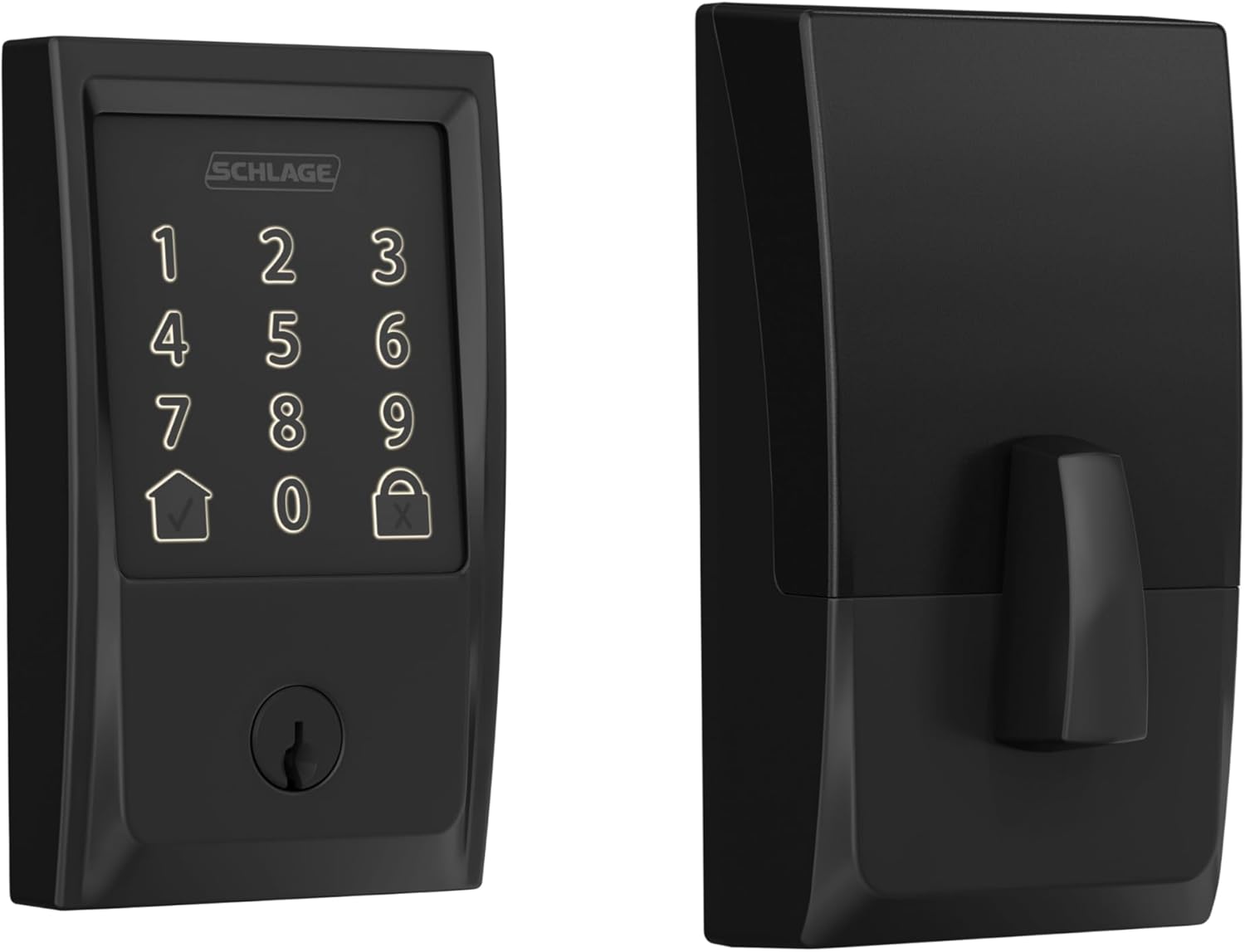
Schlage Encode Smart WiFi Deadbolt Lock with Century Trim

Veise VE017 Fingerprint Smart Door Lock with App Control

Philips Wi-Fi Smart Deadbolt Lock With Keyless Entry
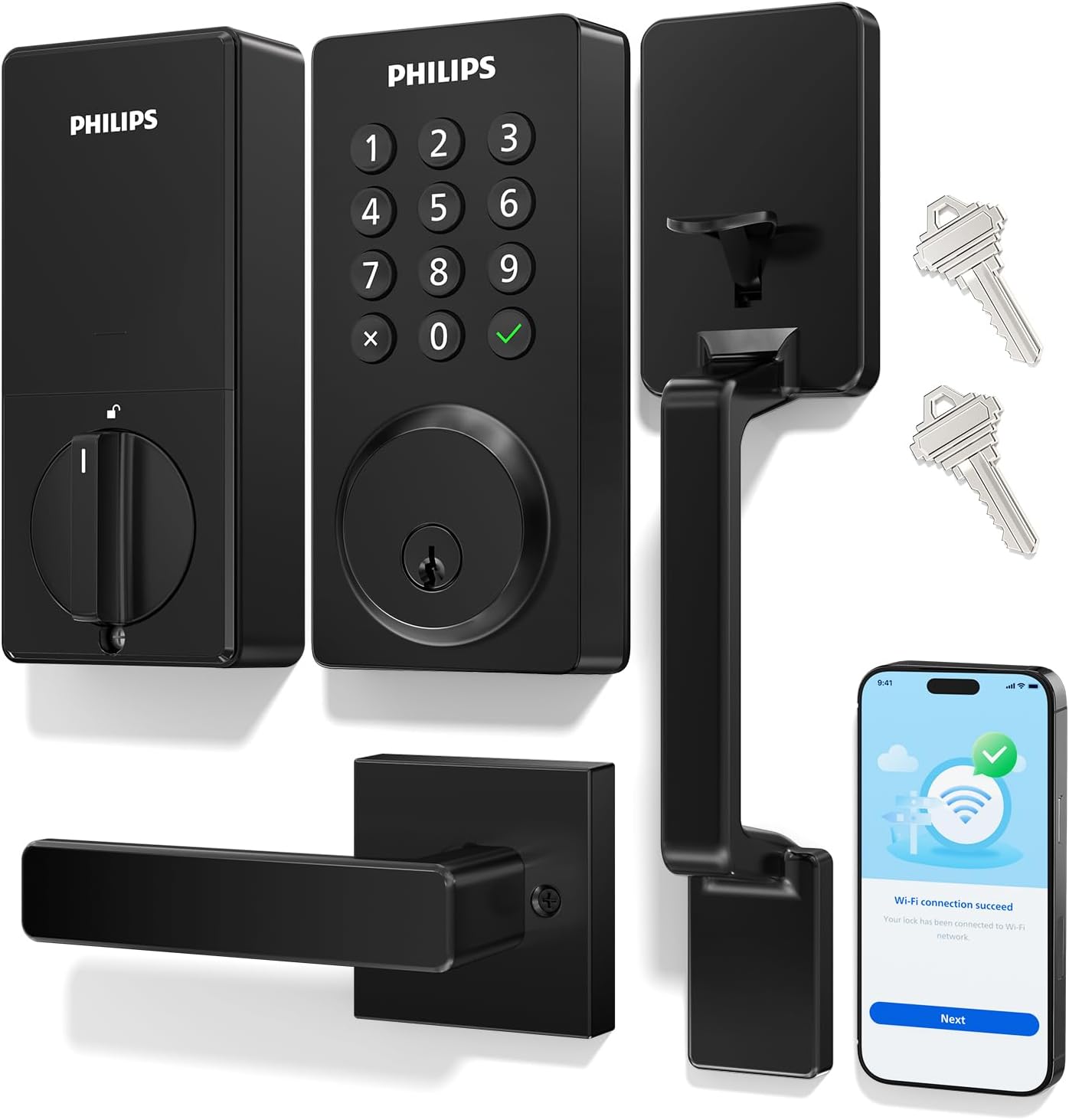
Philips Wi-Fi Smart Front Door Lock Set with Handle

Philips Upgraded Wi-Fi Smart Lock with Handle
How the Five Locks Differ on Paper
The table below lists the specs where these locks differ most. Values come directly from each manufacturer’s listing, and a dash-free “not listed” means the spec was not stated. Readers who want a wider view of fingerprint smart lock options will find a separate overview of popular models.
| Product | Unlock methods | Fingerprint reading | Auto-lock range | Connectivity |
|---|---|---|---|---|
| Schlage Encode Deadbolt | Touchscreen, app, voice | Not listed | Not listed | Built-in Wi-Fi |
| Veise VE017 | Fingerprint, app, fob, code, key | Under 0.2 seconds | 0 to 180 seconds | App, G1 Gateway for voice |
| Philips Wi-Fi Deadbolt | App, passcode, fingerprint, key, voice | Fingerprint listed | Not listed | Built-in Wi-Fi, 2.4 GHz |
| Philips Handle Set | Voice, passcode, key, app | Not listed | 10 to 180 seconds | Built-in Wi-Fi, 2.4 GHz |
| Philips Fingerprint Handle | Fingerprint, app, PIN, voice, key | 0.3 seconds | 5 to 180 seconds | Built-in Wi-Fi, 2.4 GHz |
Which Lock Fits Your Door and Household
Your door type, your power plan and who needs access will narrow the list quickly. Check these deciding factors before you compare features. The broader market for smart locks with Wi-Fi spans many brands and price points.
- Door thickness and backset for deadbolts
- Wi-Fi band and router distance
- Power source and battery needs
- Who needs codes, and how often they change
Install with only a screwdriver
The Schlage Encode Deadbolt suits buyers who want a tool-light install, since its specs say it installs with a screwdriver and needs no hardwiring. It fits doors from 1-3/8 in to 1-3/4 in thick. The Veise VE017 is the alternative if fingerprint entry matters more, though its specs do not list the same install details.
Renting or sharing with guests
The Philips Handle Set suits hosts who want many codes, with up to 100 passwords and permanent, one-time and time-based options. Its Wi-Fi covers 2.4 GHz networks only. The Veise VE017 is the alternative for remote one-time and duration codes, with activity logs and an Away Mode that limits access.
Front door with a handle lock
The Philips Fingerprint Handle suits front doors where you want to unlock by touch as you turn the handle. Its specs list a 0.3 second read time and up to 50 fingerprints. Its Wi-Fi also needs 2.4 GHz. The Philips Handle Set is the alternative if you prefer a backlit keypad and do not need a fingerprint reader.
Router far from the door
The Philips Wi-Fi Deadbolt suits homes where the router sits within the listed 65 ft range of the lock. Its specs name 2.4 GHz only. The Schlage Encode Deadbolt is the alternative if you want the listed Wi-Fi connection and an alarm for door movement, but the spec trade-off is a touchscreen rather than a fingerprint reader.
How These Picks Were Grouped
We compared the listed specs for unlock methods, fingerprint reading, auto-lock range, Wi-Fi band, router distance, install requirements, alarms, and the certifications named in each listing. Products were grouped by door type, household size and install setup, so each pick matches a clear buyer situation. This guide reflects manufacturer specifications only.
Our Recommended Smart Locks
These picks are ordered by how well each lock’s listed specs match common buyer needs. Each entry names the spec that stands out and the buyer it suits best. Short-term rental hosts face their own considerations when choosing smart locks for Airbnb units.
Door-movement alarm: Schlage Encode Smart WiFi Deadbolt Lock with Century: The Schlage Encode Deadbolt suits buyers who want a built-in, customizable alarm for door movement and forced entry attempts, plus an app that manages up to 100 access codes. Its specs list a screwdriver-only install with no hardwiring. Buyers who need a fingerprint reader should choose the Veise VE017 instead.
Local AES128 encryption: Veise VE017 Fingerprint Smart Door Lock with App: The Veise VE017 suits buyers who want fingerprint unlocking, with a listed reading time under 0.2 seconds and access data stored on the lock using AES128 encryption. Its specs also list Away Mode and Silent Mode. Buyers who rely on Alexa or Google voice control without an extra gateway should choose a Philips or Schlage model instead.
Deadbolt with fingerprint: Philips Wi-Fi Smart Deadbolt Lock With Keyless Entry: The Philips Wi-Fi Deadbolt suits households that want a deadbolt with fingerprint, passcode, key and voice options, plus up to 100 passcodes. Its specs list a 65 ft router range and 2.4 GHz Wi-Fi only. Buyers who need a listed auto-lock range or a door-movement alarm should choose another model.
Smart Lock Questions Buyers Ask
Do these smart locks need hardwiring to install?
The Schlage Encode Deadbolt’s specs say it installs in minutes with just a screwdriver and needs no hardwiring. It fits standard doors from 1-3/8 in to 1-3/4 in thick with a 2-3/8 in or 2-3/4 in backset. Check your door thickness and backset before you buy. The Philips and Veise listings do not state the same install details, so read their manuals before purchase. Our roundup of the best smart locks for home covers more models for comparison.
Do the Philips and Veise locks need batteries?
The Philips Wi-Fi Deadbolt and Philips Handle Set listings both state that batteries are not included, so you will need to supply them. The Veise VE017 and Philips Fingerprint Handle listings do not give a battery type in the specs provided. Check the battery requirements in each product’s manual, and plan to replace batteries when the app or lock signals low power.
Where should I place the router for remote control?
The Philips Wi-Fi Deadbolt and Philips Handle Set listings say to keep the router within 65 ft of the lock for better remote control. Both support 2.4 GHz networks only. The Schlage Encode Deadbolt connects to your home Wi-Fi network through the Schlage Home app. Placing the router closer to the door can help the connection, so test the app from the door before you rely on it.
How is access data stored on these locks?
The Veise VE017 listing says entry records, user credentials and fingerprints are AES128 encrypted and stored directly on the lock. The Schlage Encode Deadbolt listing describes a secure, encrypted connection and a lock history view. Check the privacy details for each lock before you choose, especially if you want data kept off the cloud.
How often should I check my lock’s app and batteries?
Check the app for firmware updates and review the activity logs on a regular schedule. For battery-powered locks, follow the replacement guidance in the manual and test each unlock method, including the physical key, after any change. Keep a spare key in a known place so you can get in if the lock or the app needs attention.





