
If you are looking for Best Fingerprint Door Locks Residential, start with how you come and go. Some households want fast fingerprint entry, while others need remote control, keypad codes for guests or a lock that suits an outdoor door. Many buyers compare fingerprint locks for front doors when they weigh these options.
Philips suits buyers who want built-in Wi-Fi and app control without a hub. Veise suits outdoor or exposed doors, and Evanshow suits households with many users. YAMIRY fits renters and landlords, and Buoan fits buyers who want a simple knob with auto-locking.
How the Five Models Compare
Look at the unlock methods, the remote control needs, the water rating and the number of fingerprints each model stores. These specs decide most of the day-to-day differences between models.

Philips Fingerprint Door Lock with WiFi and Touchscreen

Veise KS02B Fingerprint Door Lock with Quick Unlock

YAMIRY Smart Door Handle Lock with Fingerprint Knob

Evanshow Fingerprint Door Lock with Keypad Keyless Entry
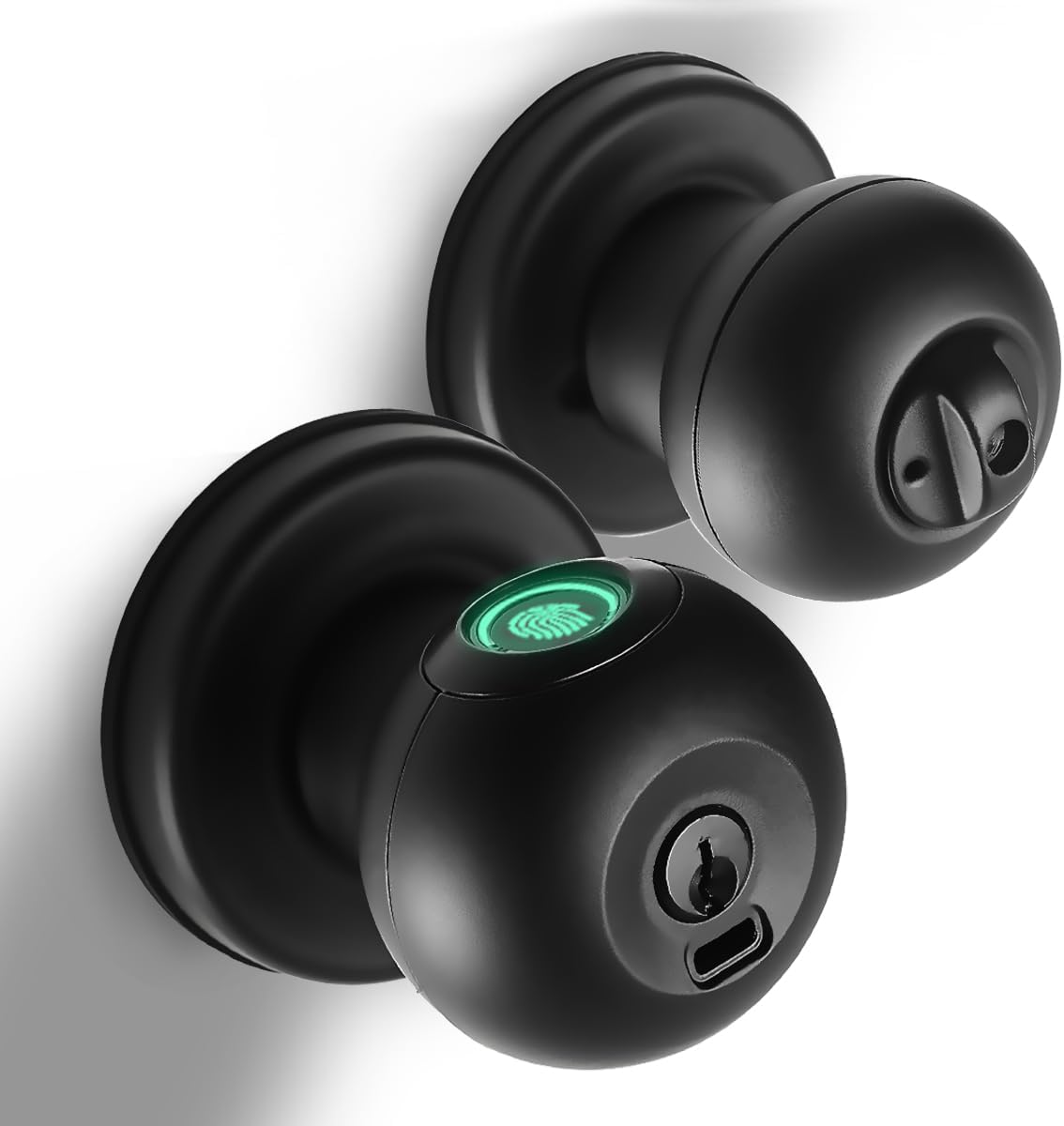
BuoanSmartDoorLock Fingerprint Door Knob with Biometric Recognition
Side-by-Side Specs
The table below lists the specs that differ most between these five models. Where a spec is not listed in the product data, the cell says so rather than assuming a value. The same kinds of differences appear across the wider market for residential keypad door locks.
| Product | Unlock methods | Remote control | Water rating | Fingerprint capacity |
|---|---|---|---|---|
| Philips Wi-Fi Lock | Fingerprint, PIN, key, app | Built-in 2.4 GHz Wi-Fi | Not listed | Not listed |
| Veise KS02B Lock | Fingerprint, passcode, key, temp code | Not listed | IP54 | 20 fingerprints |
| YAMIRY Smart Handle | Fingerprint, app, passcode, key fob, mec | Gateway sold separately | Not listed | Not listed |
| Evanshow Keypad Lock | Fingerprint, password, IC card, key | Not listed | Not listed | Up to 100 fingerprints |
| Buoan Fingerprint Knob | Fingerprint, mechanical key | Not listed | Not listed | Up to 50 fingerprints |
Which Lock Fits Your Door and Household
Match the lock to your entry point, your install setup and the people who need access. The factors below help you narrow the list. Fingerprint door locks come in many designs, and a broader list of best fingerprint door locks is available for comparison.
- Remote control and whether you want a hub or gateway
- Water resistance for exposed doors
- Number of fingerprints and codes you need
- Installation method and door thickness
Renters and Doors Without Drilling
YAMIRY Smart Handle fits renters and landlords best. The listing says it installs in about 10 minutes by replacing the existing handle with a screwdriver, with no drilling, and its reversible handle suits left or right-handed doors. Remote control requires a separately sold WiFi gateway. Buoan Fingerprint Knob is the alternative, installed with a screwdriver, but its listed unlock options are fingerprint and mechanical key only.
Remote Control From Anywhere
Philips Wi-Fi Lock suits buyers who want remote control without extra equipment. Its built-in Wi-Fi connects to a 2.4 GHz network with no hub, and the app lists lock status, access history and real-time notifications. The trade-off is the 2.4 GHz band requirement. YAMIRY Smart Handle is the alternative, but it needs a gateway sold separately.
Outdoor or Exposed Doors
Veise KS02B Lock suits doors that face weather best. It carries an IP54 rating, which per IEC 60529 means protection against splashing water, and is rated to withstand -31°F to 158°F. It stores 20 fingerprints, fewer than Evanshow. Evanshow Keypad Lock is the alternative, but its listed specs include no water rating.
Shared Household or Frequent Guests
Evanshow Keypad Lock suits households with many users. It stores up to 100 fingerprints and 50 passwords, plus two mechanical keys and four IC cards. Register an administrator fingerprint first, because until one is set, any fingerprint can unlock the door. Veise KS02B Lock is the alternative, with 20 fingerprints and one-time temp passcodes, which the Evanshow listing does not mention.
How We Grouped These Locks
We compared the specs the manufacturers list for each lock, including unlock methods, Wi-Fi and gateway needs, IP rating, ANSI/BHMA grade, fingerprint capacity, installation method and door thickness. We grouped the models by the buyer situations these specs point to, such as renting, remote control, outdoor doors and shared households.
Our Picks in Order
These picks are ordered by the buyer situations above. Each one stands out on a spec that the other models do not match in the product data. Keypad entry for front doors is a related topic, and smart keypad door locks form their own category.
Built-in Wi-Fi: Philips Fingerprint Door Lock with WiFi and Touchscreen: Philips Wi-Fi Lock suits buyers who want to lock, unlock and check door status from a phone without a hub. It offers four unlock methods and works with Alexa or Google Assistant. Buyers who need a door that is not on a 2.4 GHz network, or who want a lock without remote features, should choose another model.
IP54 water rating: Veise KS02B Fingerprint Door Lock with Quick Unlock: Veise KS02B Lock suits front or back doors that face splashing rain, since its IP54 rating covers splashing water. It also lists a 0.3 second fingerprint identification time and one-time temp passcodes. Buyers who need to store more than 20 fingerprints or who want remote control should choose Evanshow Keypad Lock or Philips Wi-Fi Lock instead.
Six unlock options: YAMIRY Smart Door Handle Lock with Fingerprint Knob: YAMIRY Smart Handle suits renters and landlords who want fingerprint, app, passcode, key fob and mechanical key access. It installs by replacing the existing handle with a screwdriver. Buyers who do not want to buy a separate WiFi gateway for remote control should consider Philips Wi-Fi Lock.
Fingerprint Lock Questions Answered
Do Fingerprint Door Locks Need a Hub?
It depends on the model. Philips Wi-Fi Lock has built-in 2.4 GHz Wi-Fi and needs no hub. YAMIRY Smart Handle supports remote control only with a WiFi gateway that is sold separately. The listed specs for Veise, Evanshow and Buoan do not mention remote control, so check their full listings before you buy if you need app features. Comparing keypad front door lock models side by side can clarify which features matter most for your home.
What Should I Do Before First Use of Evanshow Keypad Lock?
Register an administrator fingerprint before first use. The listing states that until an admin is set, any fingerprint can unlock the door. The lock has a USB port for emergency power from an external power bank, but that port cannot charge the lock’s internal batteries. Keep your power bank accessible for emergencies.
How Do Door Thickness and Installation Affect Fit?
Fit depends on your door. Evanshow lists a fit for wooden doors from 1.18 to 1.97 inches thick, with left or right swing. YAMIRY says it installs in about 10 minutes on most standard American wooden front doors. Buoan says it fits most US doors. Measure your door before you buy and compare the thickness listed in each product.
Does a Smart Lock Replace a Professional Monitoring Service?
No. A fingerprint lock or app-connected lock does not replace professional monitoring, emergency services or a required smoke or CO alarm. Use the lock for the features it lists, such as unlock methods, auto-lock and access records, and keep other safety equipment in place as its manufacturer and local rules direct.
How Can I Keep My Lock’s User Access Current?
Review your access list regularly. Philips Wi-Fi Lock lists access history and permission management in its app, so you can check who has access. Veise lists one-time temp passcodes that expire after use. For any model, follow the manufacturer’s manual for maintenance and removing old user codes or fingerprints.





