
Choosing a Best Door Keypad Lock means deciding how family and guests get in, whether you want to lock without a key, and whether you need to manage access from a phone. The five locks here differ most in code capacity, auto-lock timing, battery alerts and Wi-Fi app control.
Keypad-only models suit households that mainly need shared codes. Wi-Fi models suit people who want to check or change access from a phone or by voice. A broader overview of front door locks with keypad is available in a separate roundup.
Five Keypad Locks Compared by Their Listed Specs
Each card lists what the manufacturer gives for codes, auto-lock, batteries and connectivity. Read those lines first, then confirm the lock suits your door type and power setup.

Veise KS01B Keypad Door Lock with 2 Lever Handles

TEEO TE001 Keyless Entry Deadbolt with Keypad for Front Door

Philips 4200 Series WiFi Keypad Deadbolt with Handle
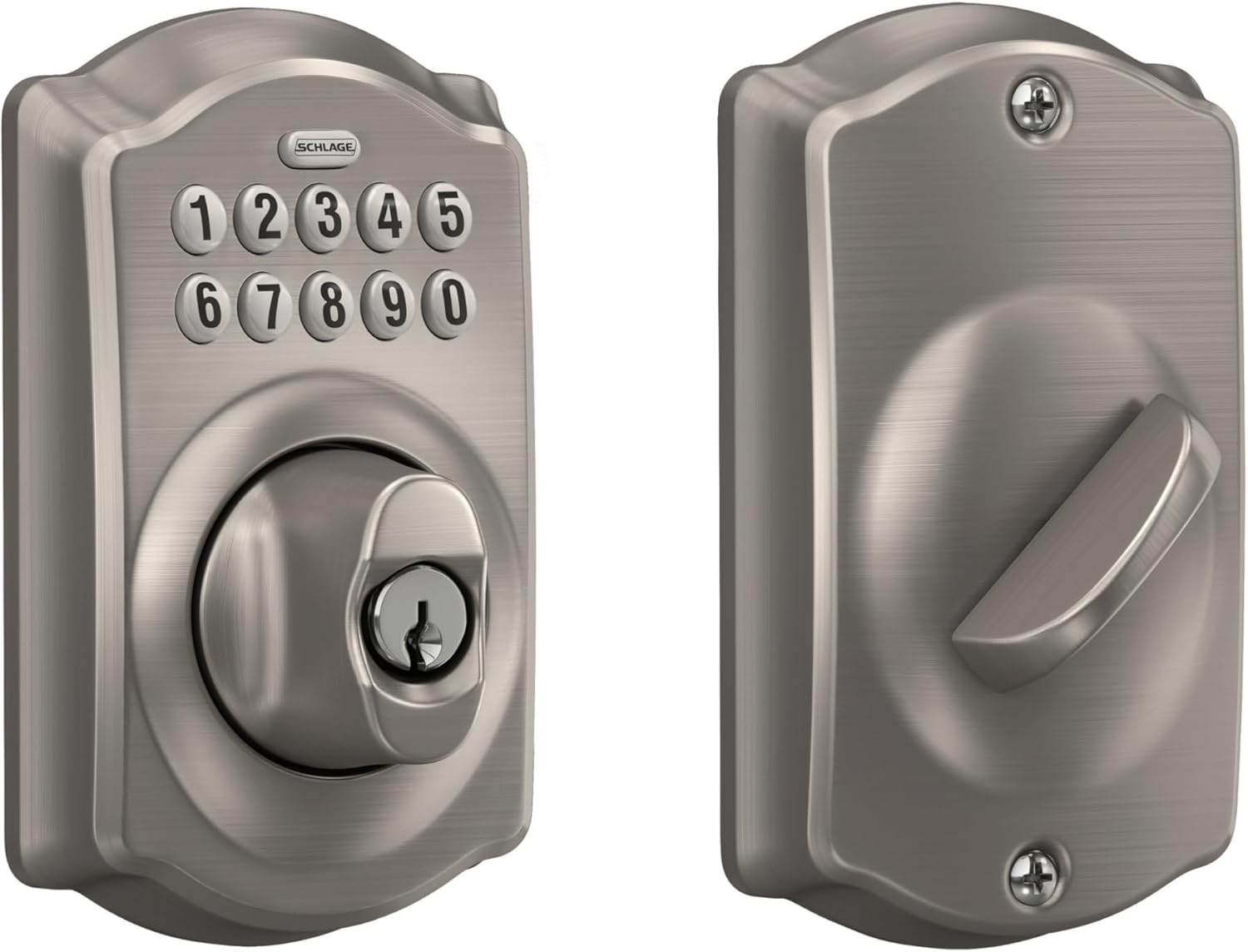
Schlage Camelot Trim Keypad Deadbolt Lock with Keyless Entry

Philips WiFi Keypad Door Lock with App Control
How the Five Keypad Locks Differ on Key Specs
The table sets out the four specs where these locks differ most. Where a manufacturer does not list a value, the cell says Not listed rather than assuming one. Broader comparisons of keypad door locks cover features that the table leaves out.
| Product | Access codes | Auto-lock range | Wi-Fi and app | Battery alert |
|---|---|---|---|---|
| Veise KS01B lock | 1 master, 20 user codes | 10-99 seconds | Not listed | Top button blinks red |
| TEEO TE001 deadbolt | 20 codes plus one-time | 10-99 seconds, off by default | Not listed | Red light below 15% |
| Philips 4200 deadbolt | Permanent, one-time, periodic, recurring | Not listed | 2.4GHz Wi-Fi, app, voice | Not listed |
| Schlage Camelot deadbolt | Valid user codes | Not listed | Not listed | Not listed |
| Philips WiFi smart lock | Up to 100 passwords | 10-180 seconds | Wi-Fi, app, voice | Beeps below 10% |
Which Keypad Lock Fits Your Door and Household
Start with how many people need codes, whether you want app control, and how the lock will be powered. Those three choices narrow the field quickly. Many buyers also weigh a wider range of keypad entry door locks when deciding.
- Number and type of access codes
- Auto-lock timing in seconds
- Wi-Fi and app control
- Power source and battery alerts
Households Sharing Codes Without Wi-Fi
The Veise KS01B lock suits homes that share access with family and visitors. It lists one master code, 20 permanent user codes, one-time guest passwords and 2 backup keys. The trade-off is that no Wi-Fi or app control is listed. If you want a long battery interval instead, the TEEO TE001 deadbolt lists up to 365 days on 4 AA batteries, though no backlit keypad is listed for it.
Replacing an Existing Deadbolt Yourself
The Schlage Camelot deadbolt suits anyone replacing a current deadbolt with basic tools. The listing says installation needs only a screwdriver and no hardwiring, and its silicone-coated numbers illuminate when pressed. The trade-off is that the listing does not state a code count or auto-lock range, so check those details before buying.
Remote Access From a Phone
The Philips 4200 deadbolt suits people who want to lock, unlock and review access from a phone, with no separate hub. It uses 2.4GHz Wi-Fi and lists a 0.3 second fingerprint unlock. The Philips WiFi smart lock is an alternative with up to 100 passwords and auto-lock from 10 to 180 seconds, but its 8 AA batteries are not included and its listed life is up to 6 months with 20 to 30 uses a day.
How These Locks Were Grouped and Compared
This roundup compares the specs each manufacturer lists: access code counts, auto-lock range in seconds, Wi-Fi and app support, battery type and alerts, and any grade or weather rating the maker names. Locks were grouped by entry method, installation setup and connectivity so each buyer type can see the option built for them. The comparison draws only on manufacturer specifications.
Our Three Picks for Keypad Door Locks
Three of the five locks stand out for different buyers. Each pick below is tied to a spec listed in its manufacturer’s details. Buyers comparing keypad locks for home often weigh code entry against battery life.
Dual lever handles: Veise KS01B Keypad Door Lock with 2 Lever: The Veise KS01B lock suits households that share codes, with one master code, 20 user codes and one-time guest passwords. Its dual lever handles and 10-99 second auto-lock suit front, back and garage doors. Choose another lock if you want Wi-Fi control, since none is listed for this model.
365-day battery life: TEEO TE001 Keyless Entry Deadbolt with Keypad for: The TEEO TE001 deadbolt suits buyers who want a long battery interval, with up to 365 days on 4 AA batteries, not included. Its IP54 rating carries a second digit of 4, which under IEC 60529 indicates resistance to splashing. Choose another lock if you need app control, since none is listed for this model.
Wi-Fi with no hub: Philips 4200 Series WiFi Keypad Deadbolt with Handle: The Philips 4200 deadbolt suits people who want to lock, unlock and check status from a phone or by voice with Alexa or Google Assistant, without a separate hub. It connects to 2.4GHz Wi-Fi and should stay within 33 ft (10 m) of the router. Choose another lock if your door is far from the router or you prefer keypad-only operation.
Keypad Door Lock Questions Answered
How do I install a keypad door lock?
Most keypad deadbolts here replace an existing deadbolt. The Schlage Camelot deadbolt lists installation with only a screwdriver and no hardwiring. Other models include their own setup steps, so read the included instructions before you start. Confirm the lock’s hardware matches your existing door preparation before you buy, and keep the original deadbolt parts in case you need to switch back. Comparing top keypad locks for front doors can help narrow the choice before installation.
What power do keypad locks need?
These locks run on batteries rather than household wiring. The TEEO TE001 deadbolt uses 4 AA batteries, not included, and lists up to 365 days. The Philips WiFi smart lock uses 8 AA batteries, not included, and lists up to 6 months with 20 to 30 uses a day. The Veise KS01B lock has a top button that blinks red when the battery runs low, giving you advance notice to replace it.
Where should a Wi-Fi lock be placed?
For the Philips 4200 deadbolt, the listing asks you to keep the lock within 33 ft (10 m) of your Wi-Fi router. It also suggests minimizing walls, metal objects and other interference sources between them. A stronger connection supports the app’s real-time status and remote commands. If your door is far from the router, a keypad-only model avoids this requirement.
Can I give guests temporary access?
Yes. The Veise KS01B lock lists one-time passwords that expire after use. The TEEO TE001 deadbolt lists a one-time PIN that is deleted after use. The Philips 4200 deadbolt supports one-time and periodic codes, and the Philips WiFi smart lock supports one-time and timed passwords. Remove or replace guest codes once they are no longer needed.
How do I keep my access codes private?
The Veise KS01B lock lists a dummy password feature, which lets you add random digits before or after your real code. The TEEO TE001 deadbolt lists anti-peeping user code protection. Avoid sharing codes beyond the people who need them, and change codes when someone no longer needs access. Test the lock each month, as the NFPA suggests for smoke alarms, and confirm it still operates.





